4. M (Manu
al
exposure)
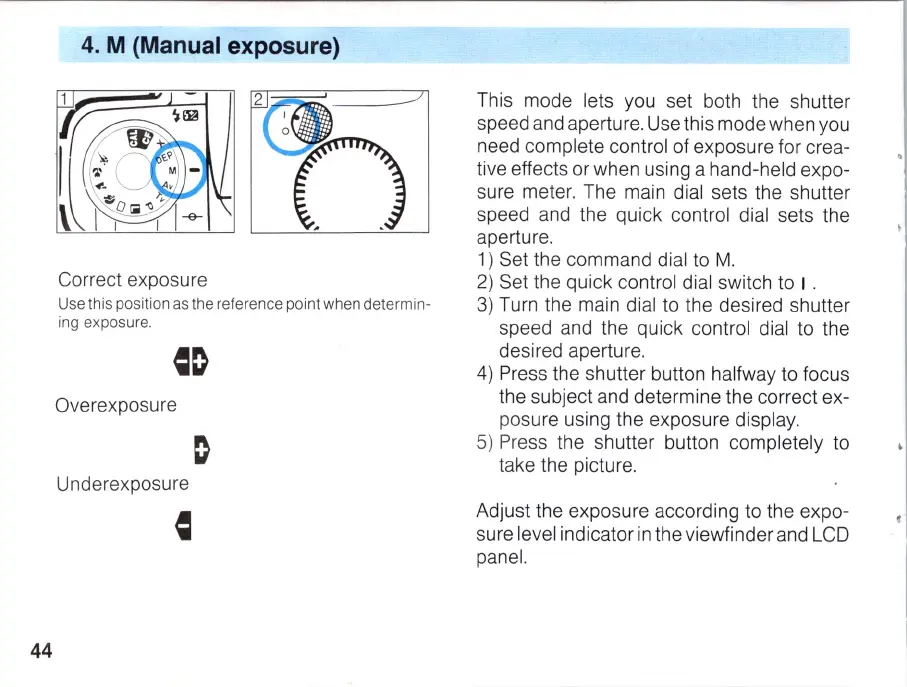
Correct exposure
Use this position as the reference point when
det
ermin-
ing exposure.
Overexposure
U nderexposu
re
44
This mode lets you set both the shutter
speed a
nd
aperture. Use this mode when you
need complete control of exposure for crea-
tive effects or when using a hand-held expo-
sure mete
r.
The main dial sets the shutter
speed and the quick control dial sets the
aperture.
1)
Set the command di
al
to
M.
2)
Set the quick control dial switch to I .
3)
Turn the main dial to the desired shutter
speed and the quick control dial to the
desired aperture.
4)
Press the shutter button
ha
lfway to focus
the subject and determine the correct ex-
posure using the exposure display.
5)
Press the shutter button completely to
take the picture.
Ad
just
th
e exposure accord
in
g to the expo-
sure level indicator
in
the viewfinder and LCD
panel.



 To Next Page