22
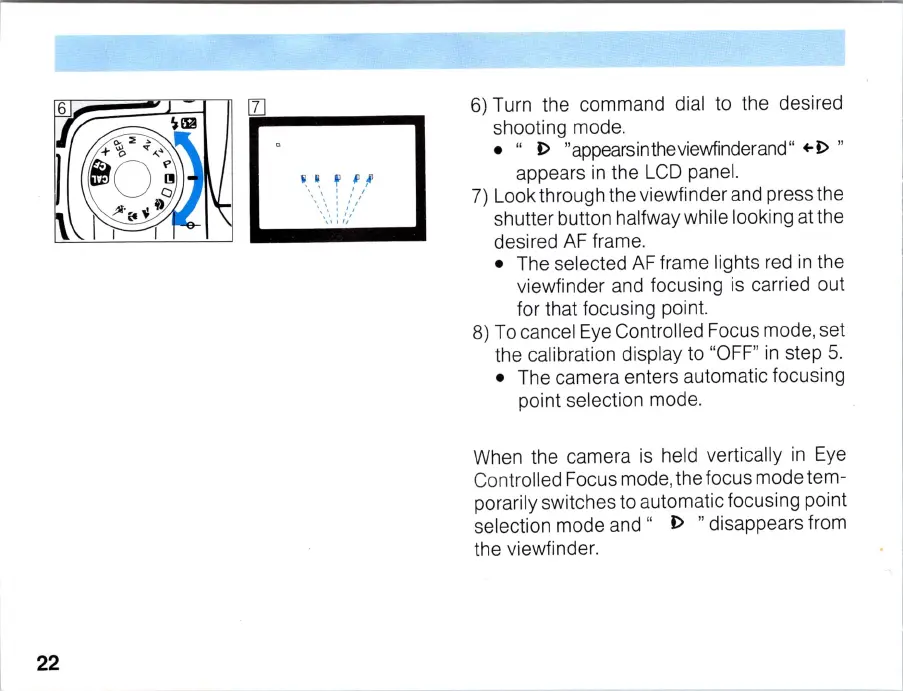
6)
Turn the command dial to the desired
shooting mode.
• "
I>
"appearsintheviewfinderand"
+-1>
"
appears
in
the
LCD
panel.
7)
Look through the viewfinder and press the
shutter button halfway while looki
ng
at the
desired
AF
frame.
• The selected
AF
frame lights red
in
the
viewfinder and focusing
is
carried out
for that focusing point.
8)
To
cancel Eye Controlled Focus mode, set
the calibration display to "
OFF
"
in
step
5.
• The camera enters automatic focusing
point selection mode.
When the camera
is
held vertically
in
Eye
Controlled Focus mode, the focus modetem-
porarily switches to automatic focusing point
selection mode
and"
I>
"disappears from
the viewfinder.



 To Next Page