2.
Other Methods of Selecting the AF Focusing Point
Manual focusing point selection
At any time
in
creative zone, you
can
ma-
nually select the desired
AF
frame
in
the
viewfinder using the main dial.
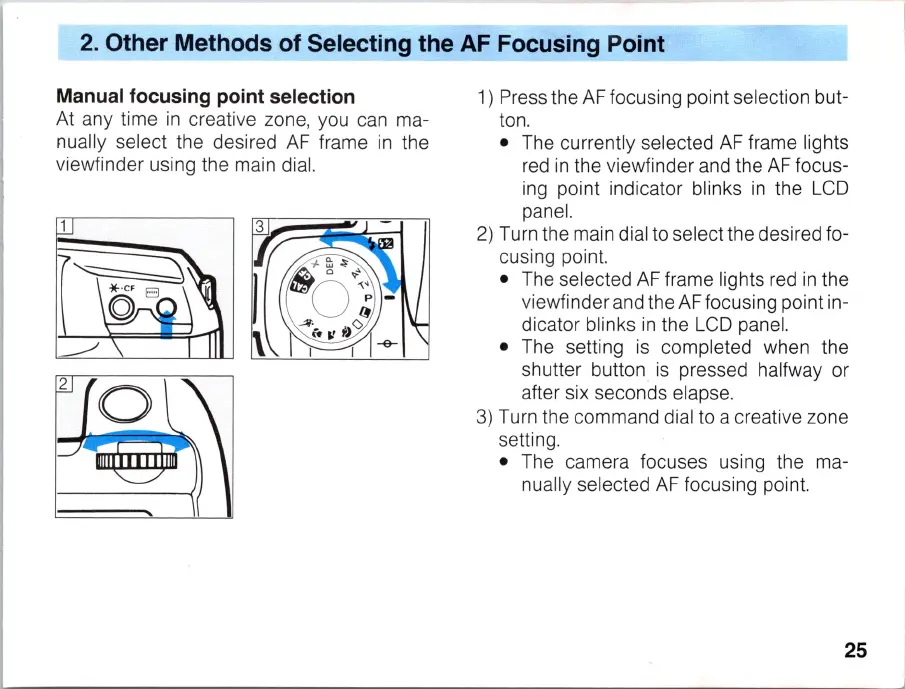
1) Press the
AF
focusing point selection but-
ton.
• The currently selected
AF
frame lights
red
in
the viewfinder and the
AF
focus-
ing point indicator blinks
in
the
LCD
panel.
2)
Turn the main dial to select the desired fo-
cusing point.
• The selected
AF
frame lights red
in
the
viewfinder and the
AF
focusing point in-
dicator blinks
in
the
LCD
panel.
• The setting
is
completed when the
shutter button
is
pressed halfway or
after six seconds elapse.
3)
Turn the command dial to a creative zone
setting.
• The camera focuses using the ma-
nually select
ed
AF
focusing poin
t.
25



 To Next Page