8. Using the Built-in Flash
The built-in flash zooms automatically to
ad
-
just the flash illumination angle according to
the lens focal length (28mm, 50mm or
80mm).
The flash can
be
used
in
any mode. It
is
par-
ticularly useful for low-light, backl
it,
or fil
l-
in
flash situations.
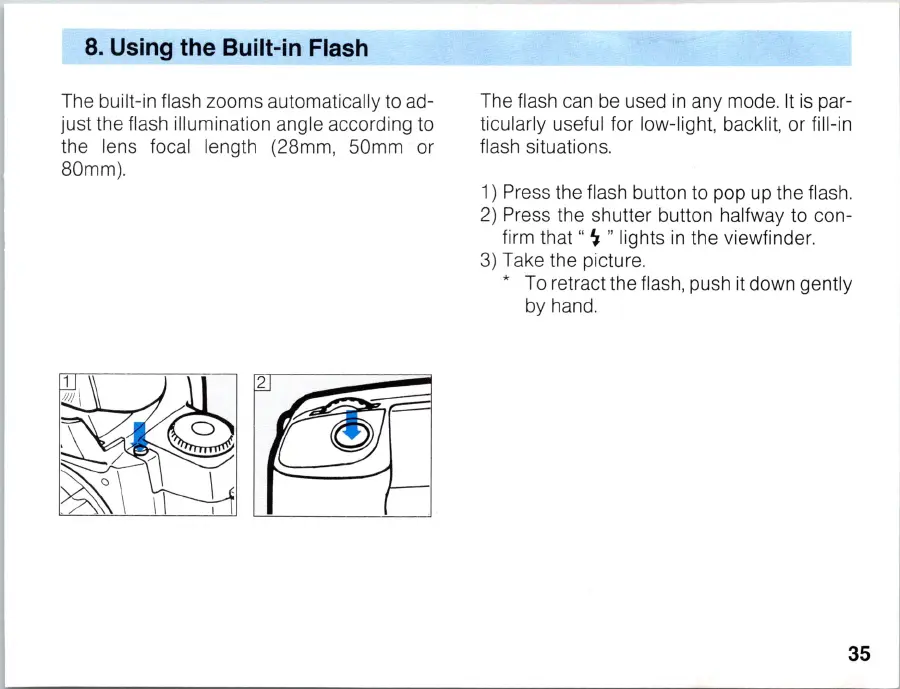
1) Press the flash button to pop
up
the flash.
2)
Press the shutter
bu
tton
ha
lf
way to con-
fi
rm
that "
~
" lights
in
the viewfinder.
3)
Take the picture.
* To retract the flash, push it down gently
by hand.
35



 To Next Page