9. AEB (Auto Exposure Bracketing)
Use auto exposure bracketing
in
AE
and ma-
nual exposure modes to take a sequence of
pictures
at
different exposures. When this
function
is
set, the exposure
is
shifted (brac-
keted) for three successive pictures in the
sequence: correct exposure
-+
underexpo-
sure
-+
overexposure. The bracketing
amount
can
be set
in
1 12-stop increments up
to
±2
stops from the metered exposure
value.
nn
u .u
,n
'.U
Auto exposure bracketing
is
particularly ef-
fective when using slide film, which produces
noticeably different results with even small
exposure variations.
• When this function
is
combined with con-
tinuous exposure (
~
) or high-speed
continuous exposure (
~H
), holding the
shutter button pressed automatically
takes three exposures
in
sequence while
shifting the exposure for each picture.
1)
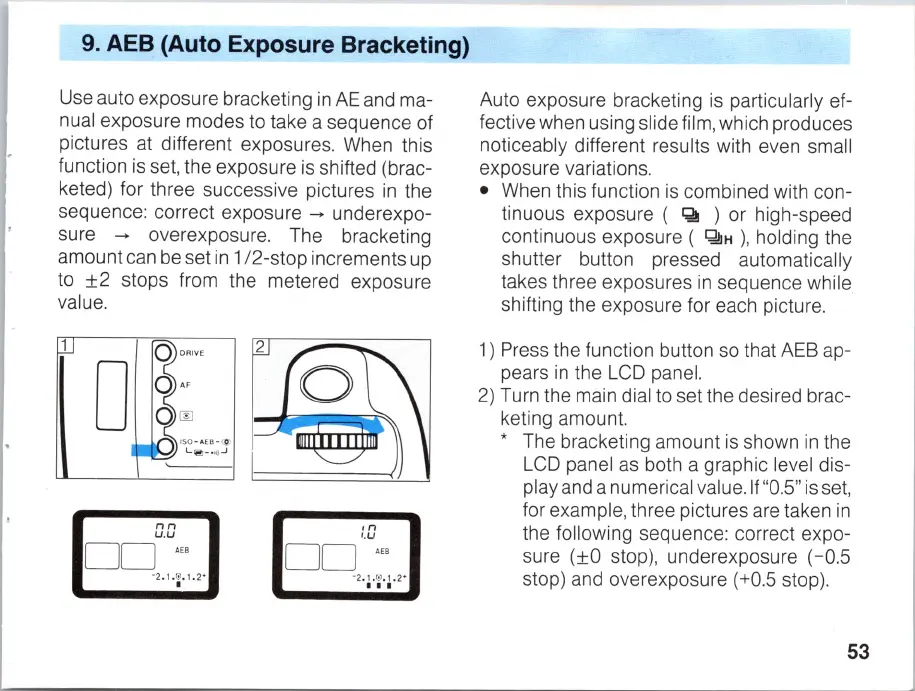
Press the function button so that AEB ap-
pears
in
the LCD panel.
2)
Turn the main dial to set the desired brac-
keting amount.
* The bracketing amount
is
shown
in
the
LCD panel
as
both a graphic level dis-
play and a numerical value.
If
"0.5"
is
set,
for example, three pictures are taken
in
the following sequence: correct expo-
sure (±O stop), underexposure (-0.5
stop) and overexposure (+0.5 stop).
53



 To Next Page