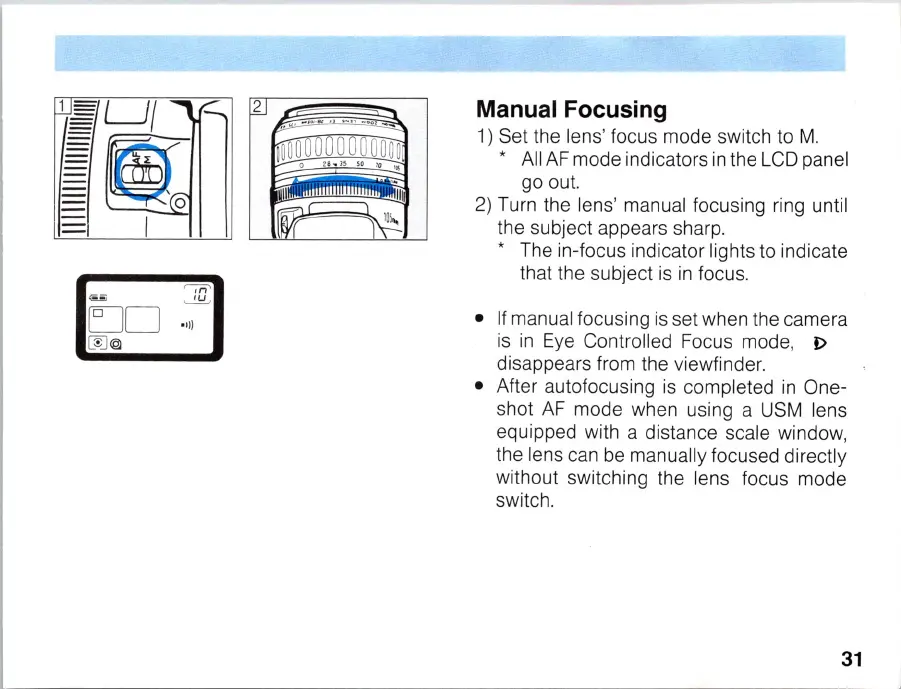
Manual Focusing
1)
Set the lens' focus mode switch to
M.
* All
AF
mode indicators
in
the
LCD
panel
go out.
2) Turn the lens' manual focusing ring until
the subject appears sharp.
* The
in
-focus indicator lights to indicate
that the subject
is
in
focus .
•
If
manual focusing
is
set when the camera
is
in
Eye Controlled Focus mode,
I>
disappears from the viewfinder.
• After autofocusing
is
completed
in
One-
shot
AF
mode when using a USM lens
equipped wi
th
a distance scale window,
the
le
ns c
an
be manually focused directly
without switching the lens focus mode
switch.
31



 To Next Page