3-CONTROLS/INSTRUMENTS
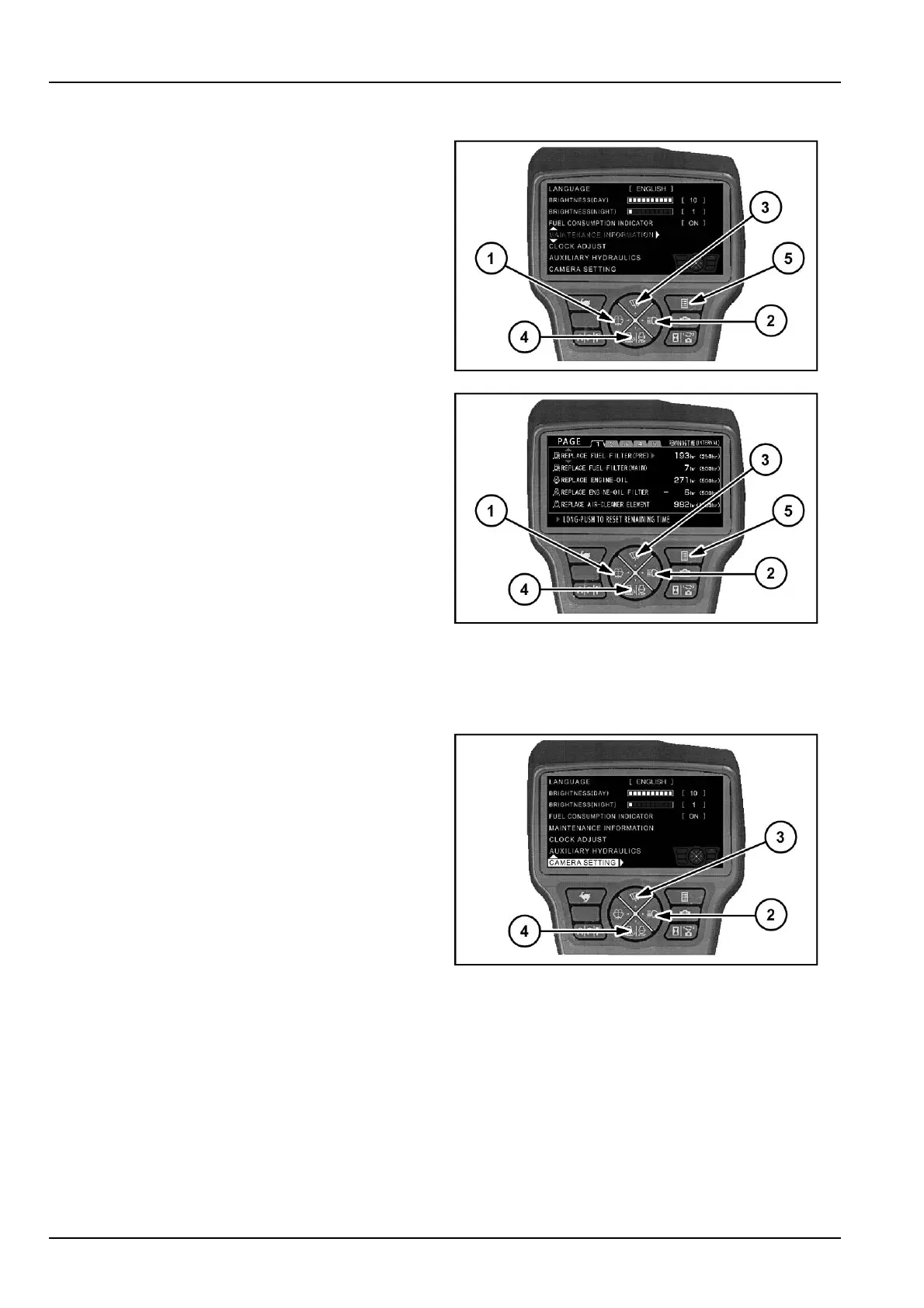
Maintenanceinformation
1.Pushbutton(3)or(4).
2.Selectitemof"Maintenanceinformation".
3.Pushbutton(2).
4.Pushbutton(1)or(2).
5.Selectpageof1or2or3.
Performmaintenanceandresetthemaintenancetime.
1.Pushbutton(3)or(4).
2.Selectitem.
3.Long-pushonbutton(2)toresetremainingtime.
NOTE:Whenthemaintenancetimeisinthenearfuture,
theremainingtimedisplaysinyellow.Whenthemain-
tenancetimehaspassed,theremainingtimedisplaysin
red.
If(5)ispressed,thedisplayreturnstothemenuscreen.
Ifitispressedonemoretime,thedisplayreturnstothe
machineinformationscreen.
SMIL13CEX2610AB6
SMIL13CEX2611AB7
Camerasetting
Menudisplay/camerasetting
1.Pushbutton(3)or(4)andselectitemof"Cameraset-
ting".
2.Pushbutton(2).
NOTE:Amaximumof3camerascanbeinstalled.Con-
sultyourCASECONSTRUCTIONDealerifyouwouldlike
toinstallanadditionalcamera.
SMIL13CEX2612AB8
3-22













 To Next Page