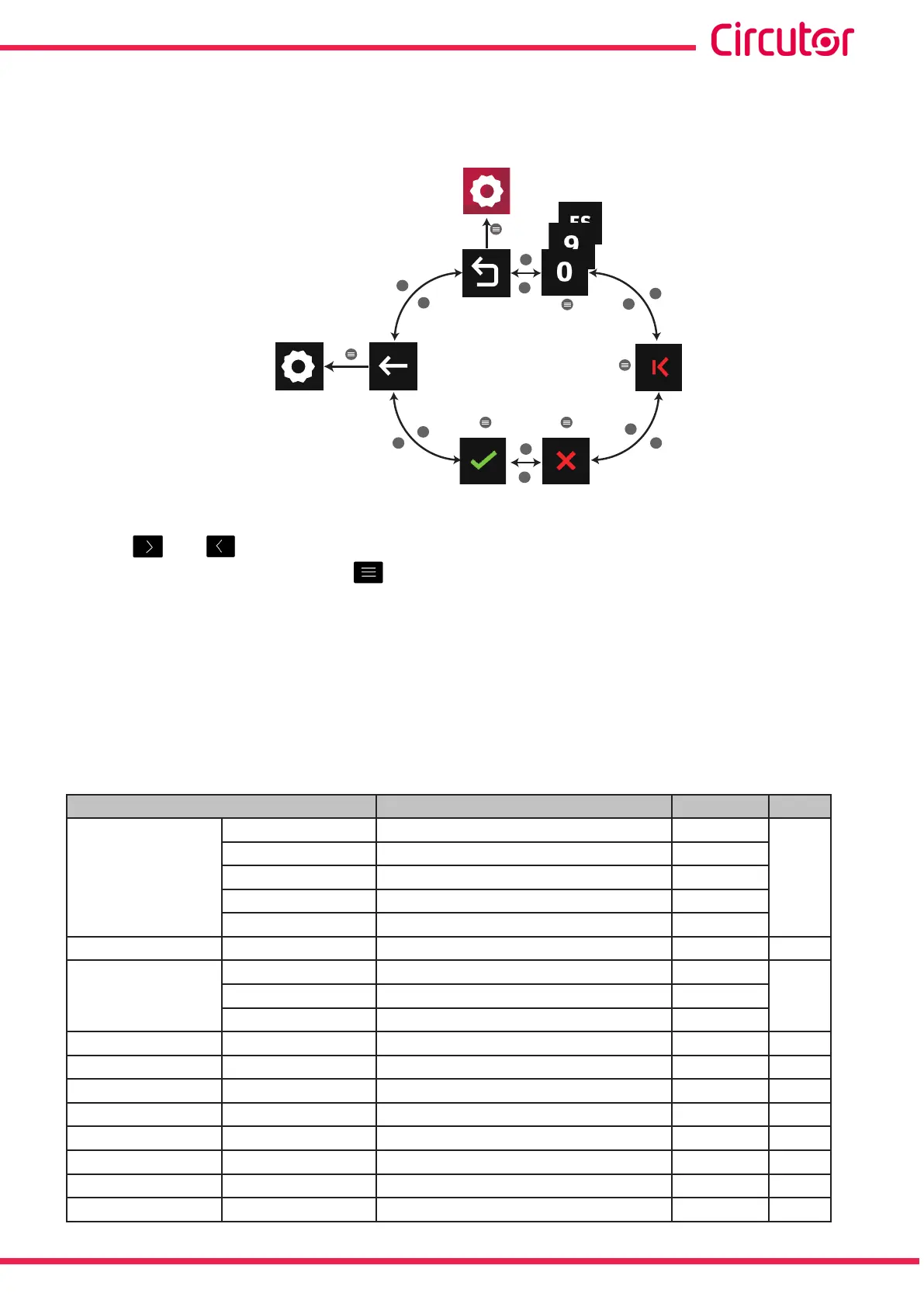
The identier of the device in the Probus network can be selected in this screen.
The following options appear in the lower area:
>
>
>
>
>
<
<
< <
<
>
<
1
Main
menu
Back
Conguration
values
Conrm
and save
Delete
character
Delete
parameter
Figure 388: Setup menu : Probus module.
Use the and buttons to select the different options.
To conrm the selection, press the button.
7�7�5�- VARIABLES PROFIBUS GSD FILE
Note: Probus drivers for Scada can be downloaded from Circutor’s website.
The congurations of the GSD modules are given in Figure 308�
The table shows the module number, content (variable) and the total size of the module.
Table 155: GSD modules�
Module Name Bytes ∑
Mod 1
Mod 1.1 Phase-neutral voltages 12
52
Mod 1.2 Phase currents 12
Mod 1.3 Phase-phase voltage 12
Mod 1.4 Power factor 12
Mod 1.5 Frequency 4
Mod 2 Mod 2 Powers 48 48
Mod 3
Mod 3.1 Average values 12
44Mod 3.2 Neutral Current 8
Mod 3.3 Three-phase values 24
Mod 4 Mod 4 Present energy without tarifng 48 48
Mod 5 Mod 5 THD V / I 32 32
Mod 6 Mod 6
Mod 7 Mod 7
Mod 8 Mod 8 Odd harmonics voltage (15º) 72 72
Mod 9 Mod 9 Odd harmonics current (15º) 72 72
Mod 10 Mod 10
Mod 11 Mod 11
329
Instruction Manual
CVM-A1000 - CVM-A1500














 To Next Page