4
Cisco WAP2000 Wireless-G Access Point with Power Over Ethernet Administration Guide 8
Installing the WAP2000 Access Point
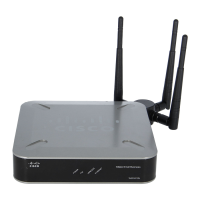
This chapter describes how to physically install your Cisco WAP2000 Wireless-G
Access Point with Power Over Ethernet and how to set up a basic configuration by
using the configuration utility. The following sections are included:
• Before You Begin, page 8
• Placement Tips, page 9
• Wall Mounting, page 9
• Connecting the Equipment, page10
• Verifying the Hardware Installation, page12
Before You Begin
Before you begin the installation, make sure that you have the following equipment
and services:
• Tools for installing the hardware
• Category 5e Ethernet cable
• PC with Microsoft Internet Explorer (6.0 or later) or Mozilla Firefox for using
the web-based system management tools
• A Cisco Small Business Power over Ethernet (PoE) switch or a switch and a
802.3af compliant power injector
• (
Recommended
) Uninterruptible Power Supply (UPS) to provide backup
power to essential devices




 To Next Page