Configuring the WAP2000 Access Point
Configuring Wireless Settings
Cisco WAP2000 Wireless-G Access Point with Power Over Ethernet Administration Guide 43
6
STEP 4 Click Prevent following MAC addresses from connecting to wireless network.
When this option is selected, devices with a MAC address specified in the
Connection Control List is not allowed to connect to the access point.
STEP 5 To automatically capture the MAC addresses of each client to block, click
Wireless Client List.
A window appears to let you select each MAC address from the table. The
selected MAC address is copied into the Connection Control List.
Alternatively, manually enter the MAC addresses of the wireless client devices you
want to disallow, in the text boxes labeled MAC 01-16.
STEP 6 Click Save.
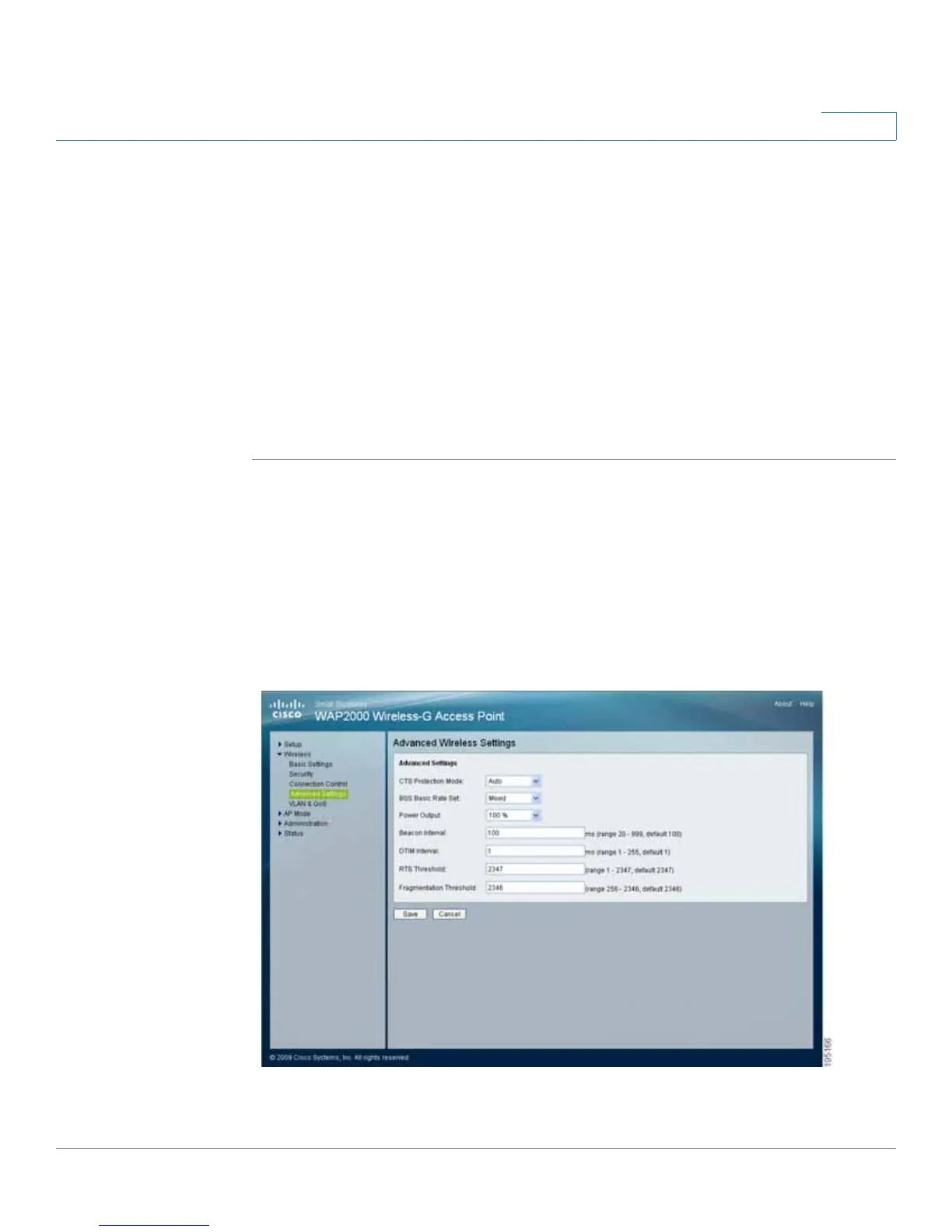
Configuring Advanced Settings
This Wireless > Advanced Settings window allows you to configure the advanced
settings for the access point.
We recommend letting your access point automatically adjust the parameters for
maximum data throughput.




 To Next Page