Group 23, Brake System
SM 765, Sep ’06 Parking Brake Service • 23-6-1
Operation
Operate the brake by pulling the hand brake mounted on
the battery hood. The pulled hand lever tensions cables
connected to a brake shoe at each brake assembly, thereby
applying the brakes.
Press the button on the front side of hand brake, then the
parking brake will be released. This handle releases the
ratchet, and a return spring returns the pedal and cable to
the off position. The ratchet also operates the parking
brake interlock switch and the parking brake indicator
light switch.
Adjustment
1. With the lever fully lower, upstop against tab on
bracket, adjust slack out of brake cables and tighten
adjusting/locking nuts.
2. Actuate and release pedal six to eight times.
3. Readjust and tighten nuts.
Removal and Replacement
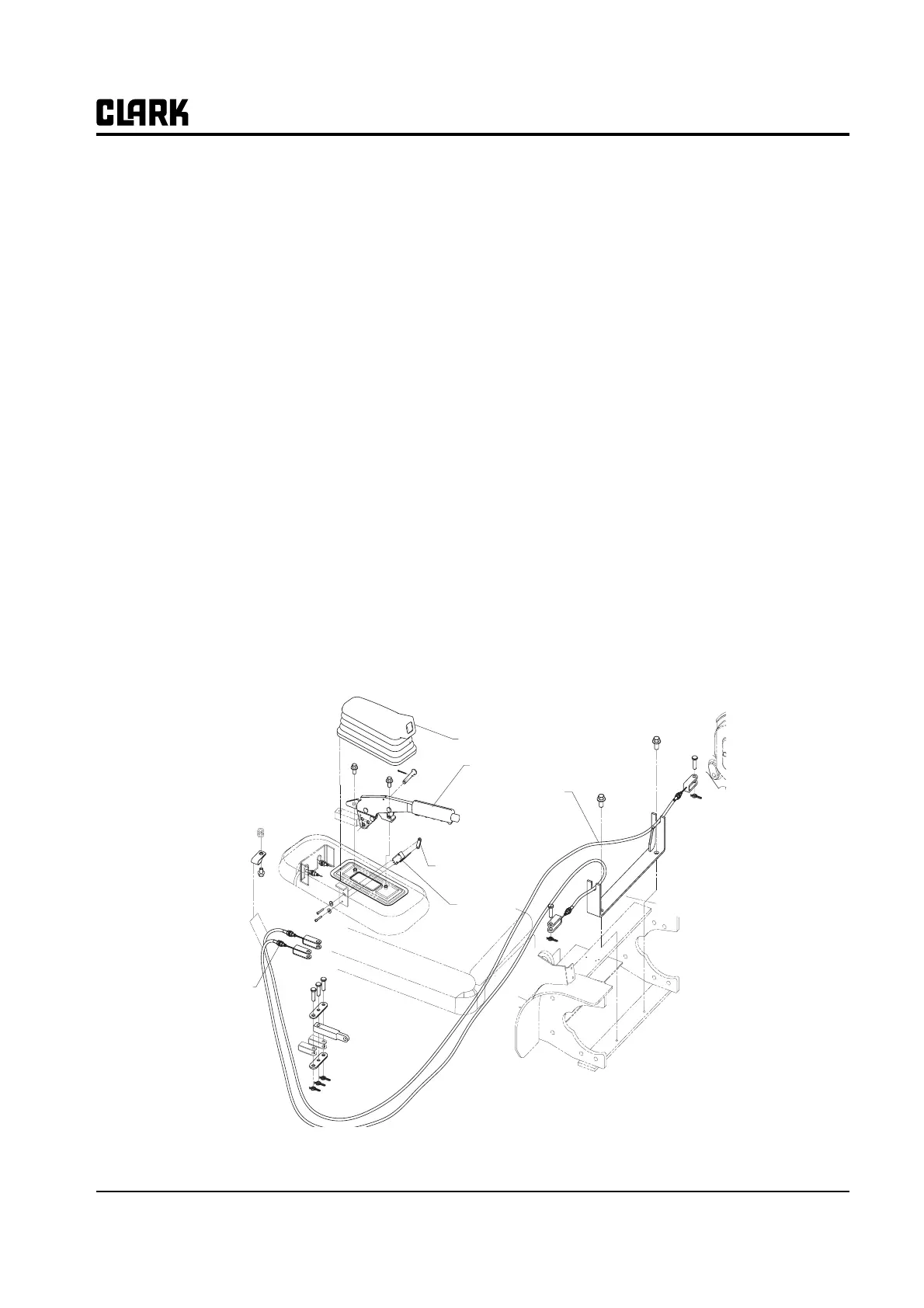
As shown in illustration below, with these notes:
• Adjust position of interlock and indicator switches
with pedal upstop against tab on bracket. Switch
contacts should snap from their operated contact
position to their normal position when pedal is
depressed one ratchet click.
•Torque switch mounting nuts 0.8-1.0 N⋅m (7-9
lbf⋅in). Torque bracket mounting nuts 20-23 N⋅m
(177-210 lbf⋅in).
• Apply a thin coat of Clark lubricant, part
#1802155, to ratchet teeth and ball end of wire
rope prior to assembly.
Switch
Switch Mounting Plate
Parking Brake handle Boot
Parking Brake handle
Parking Brake Cable
Adjusting/
Locking Nuts
Section 6
Parking Brake Service



 To Next Page