Group 13, Wiring, Switches, and Instruments
13-5-4 • Instrument Panel SM 765, Sep ’06
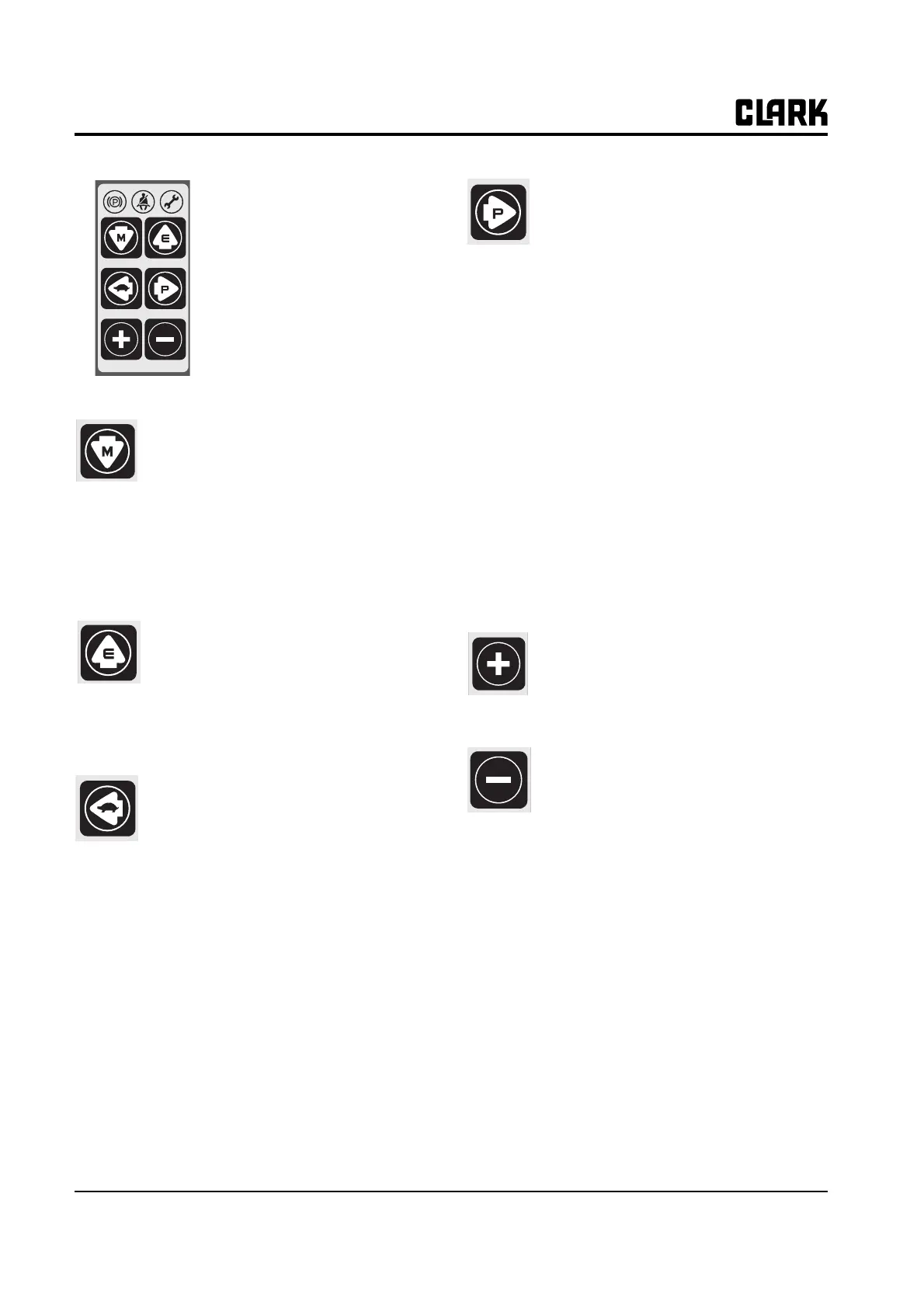
MODE SELECTION BUT-
TON
.
• 6 mode selection buttons are
located on right side of LCD.
• Each button has specific function,
and some have multiple functions.
Down arrow button (Mode but-
ton)
1.Pressing this button in normal operating
condition, it will move to Menu mode.
2.Pressing it in Menu mode, it will move to
lower menu.
3.Pressing it in the lowest mode, there will be
no change.
Up arrow button (Enter button)
1.Pressing this button, it will move to upper
menu.
2.It will also take role of "Enter" button when
confirming the changed password or main
parameters.
Left arrow button (Slow speed
button)
1.Pressing this button, it will move to left
menu.
2.In normal operating condition, it will select/
release Slow speed.
−When pressing, the following figure will be
displayed and Slow speed selected.
−Press once more to release.
−The figure will be disappeared and Slow
speed released.
Chang of slow speed
Use "+/-" buttons to change the set speed
while the Slow speed is selected. After adjust-
ing the speed, press "Enter" (Up arrow) button
to store it.
The speed can be set from 2 km/h to 9km/h
with unit of 1km/h.
Right arrow button (Power
selection button)
1.Pressing this button, it will move to right
menu.
2.In normal operating condition, it will select/
release Power.
−Power mode is composed of 3 steps, and it
can be adjusted by use of "+/-" buttons. After
adjusting the speed, press "Enter" (Up arrow)
button to store it.
−Power mode
In the order of Economy → Normal →
Power; Pressing "+" button to move right, and
"-" left.
•Economy: It is Slow speed mode to save the
battery consumption as minimizing the accel-
eration function.
•Normal: It is normal operating mode, and
smooth acceleration can be done.
•Power: Powerful acceleration is possible and
the work ability will be improved.
Plus(+) button
Increase the data as set value in the cur-
rent Menu mode.
Minus(-) button
Decrease the data as set value in the cur-
rent Menu mode.



 To Next Page