Group 13, Wiring, Switches, and Instruments
13-5-2 • Instrument Panel SM 765, Sep ’06
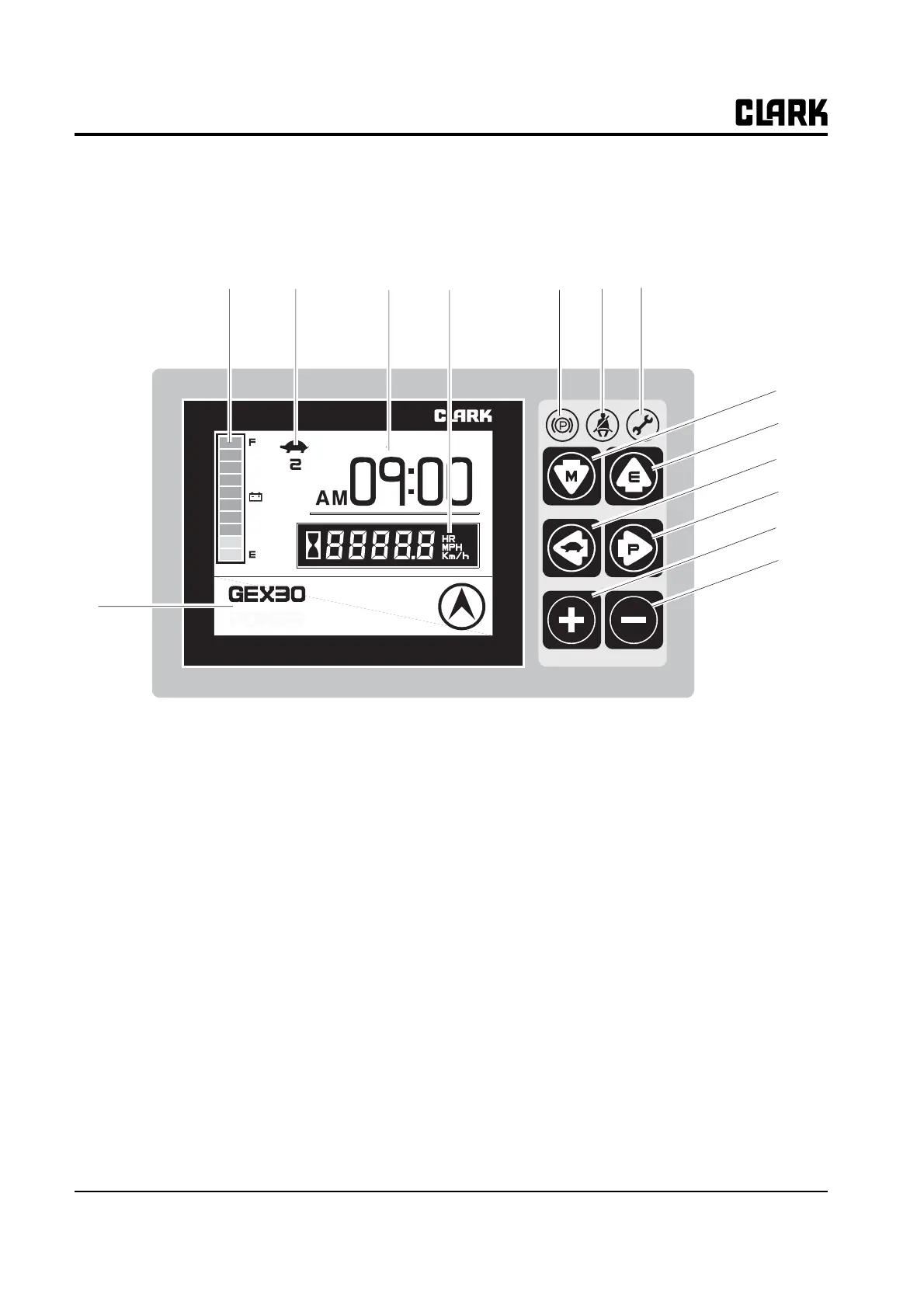
Dash Display
The Dash Display provides the operator with an easily understandable,
visual feedback of the status of the truck and its system components..
1. Fuel level Indication
2. Slow-speed icon (Turtle shaped)
3. Date & Time
4. Hourmeter & Speed
5. Message display & Travel direction icon
6. Parking brake LED
7. Seat belt LED
8. Error LED
9. Down arrow button (Mode button)
10. Up arrow button (Enter button)
11. Left arrow button (Slow speed button)
12. Right arrow button (Power button)
13. Plus button
14. Minus button
05/8/10 [WED]
1
2
3
4
5
67
8
9
10
11
12
13
14



 To Next Page