Group PS, Periodic Service
SM 765, Nov ’06 Planned Maintenance • PS-2-5
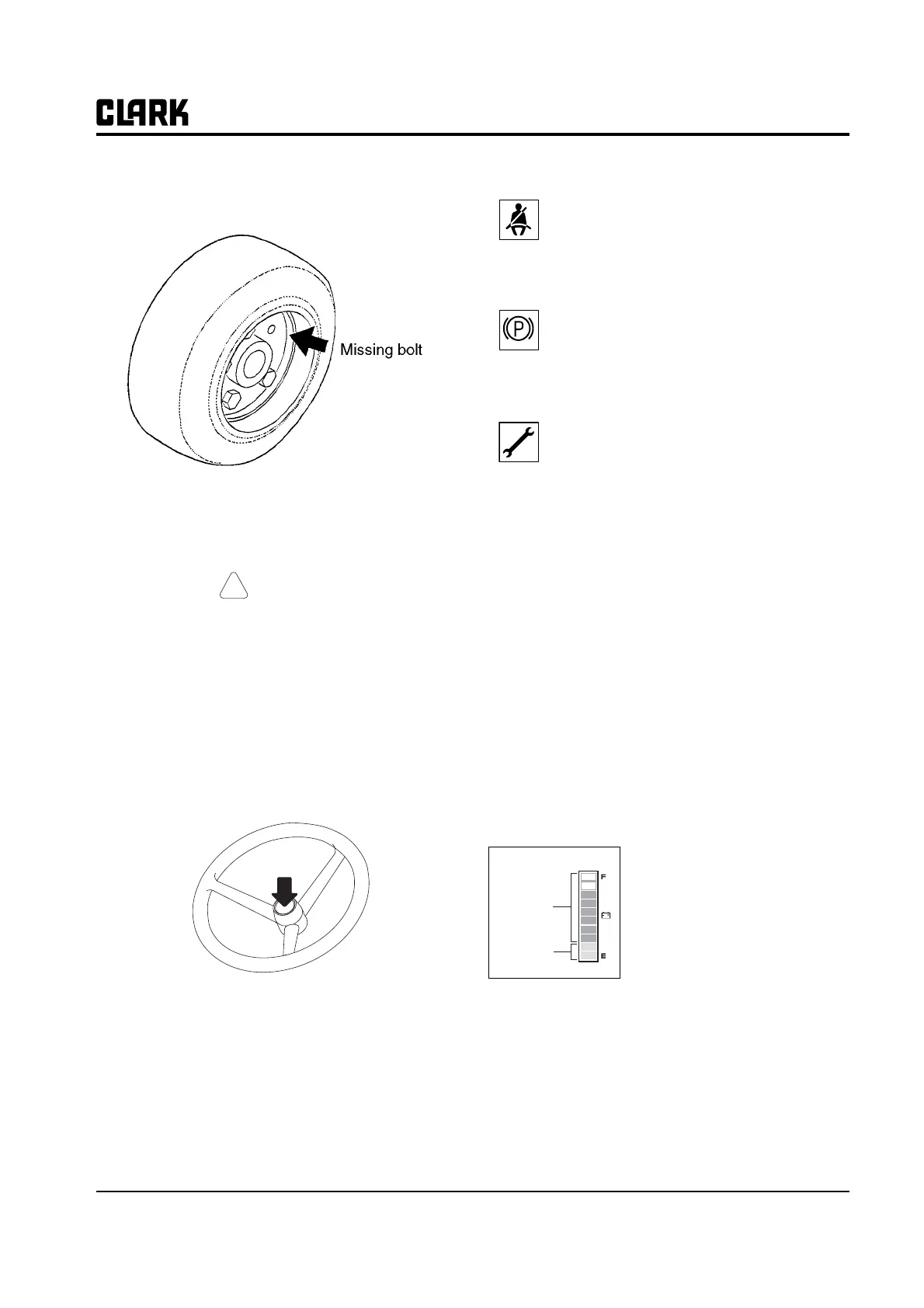
Check all wheel mounting bolts to be sure none are loose
or missing.
CAUTION
!
Personnel working on wheels and tires must
be trained and qualified to do wheel and tire
maintenance.
Replace missing bolts and tighten loose bolts to the cor-
rect torque before operating the truck.
Operational Checks
1. Check horn to be sure it operates.
IMP
RTANTIMP
RTANT
Because the battery is such an important
part of electric truck operation, it requires its
own specialized maintenance program,
which should include full-scale cleaning and
inspection. Refer to Group 13 for specific
instructions.
2. Using the Display
Seat Belt: At start up this symbol displays
along with an audio alarm for 4 seconds. This
display reminds you to fasten your seat belt.
Parking Brake: The symbol is displayed and "-
255" status code appears on the numeric dis-
play when parking brake is applied. Release
parking brake to operate truck.
Service Status: The following 5 codes are usu-
ally operator fault codes, and can be corrected
by as explained in "Section 5, Operating Proce-
dures." If you see any other codes displayed,
the truck needs to be serviced.
• -01 Seat Switch Open
• -061, -065 ,-140, -203, -207 Overheat of motor
and controller (Restart after cooling
down)
• -66 Low Battery (truck will go into lift lockout
when the dash display shows less than
15%)
• -77 Maintenance Hours (preset hour meter reading
indicating that it is time to have the
truck serviced. Truck will reduce the top
speed if desired)
• -79 Incorrect Start Up Sequence (SRO)
• -217, -245 Wrong set battery
• -255 Parking Brake Switch Open
Battery discharge indicator
It displays the battery discharge
condition of forklift truck.
The one bar indicates 10%
charging condition.
If the battery is charged more
than 20% (8 bars or more), blue
LED is displayed, but it is less
than 20% (2 bars or less), red
LED is displayed. If it is less than 10% (1 bar), it will
flicker and buzzer sound.
Blue color
Red color



 To Next Page