18
Security Settings
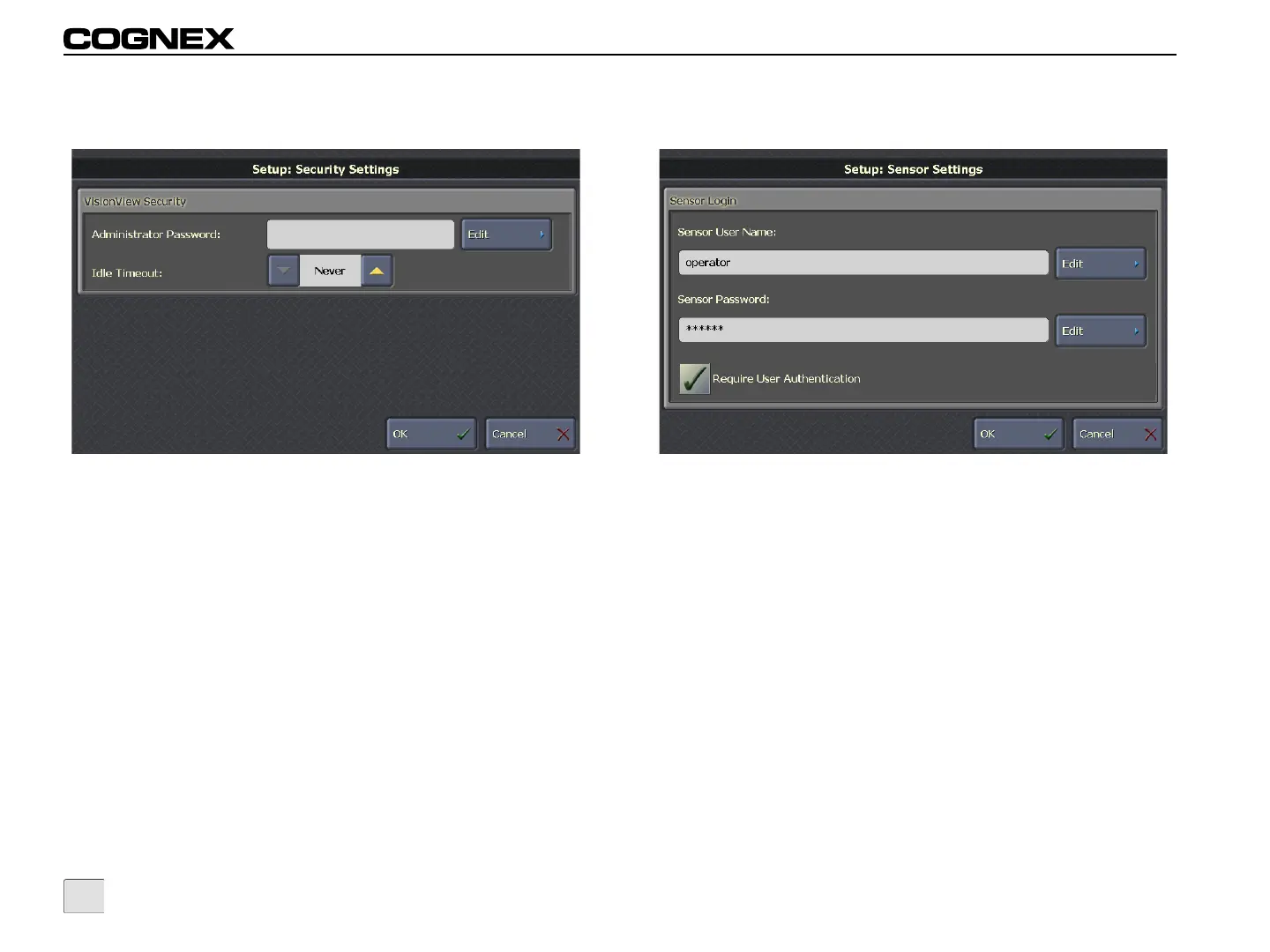
Figure 3-13: Security Settings Screen
VisionView Security
• Administrator Password (optional): Click Edit to create
an Administrator Password for VisionView. The
Administrator Password is used to restrict access from Run
Mode to Setup Mode.
• Idle Timeout: The amount of time the display can remain
inactive before automatically transitioning from Setup Mode
to Run Mode or from unrestricted access to restricted
access while in Run Mode. (Never to 60 minutes;
default = Never)
Sensor Settings
Figure 3-14: Sensor Settings Screen
Sensor Login
• Sensor User Name (optional): Click Edit to enter the
connection user name. This user name is used to connect
to all selected sensors and must correspond with an
existing user name on all sensors. If the connection user
name is left as <default> or empty, VisionView
automatically selects an appropriate default user name for
the sensor(s). For In-Sight sensors, the default user name
is admin and for DVT sensors, the default user name is
Administrator. The privileges associated with the Sensor
User Name are configured on the sensor using the In-Sight
Explorer and Intellect software.



 To Next Page