Install VisionView
5
Connect the Network Cables
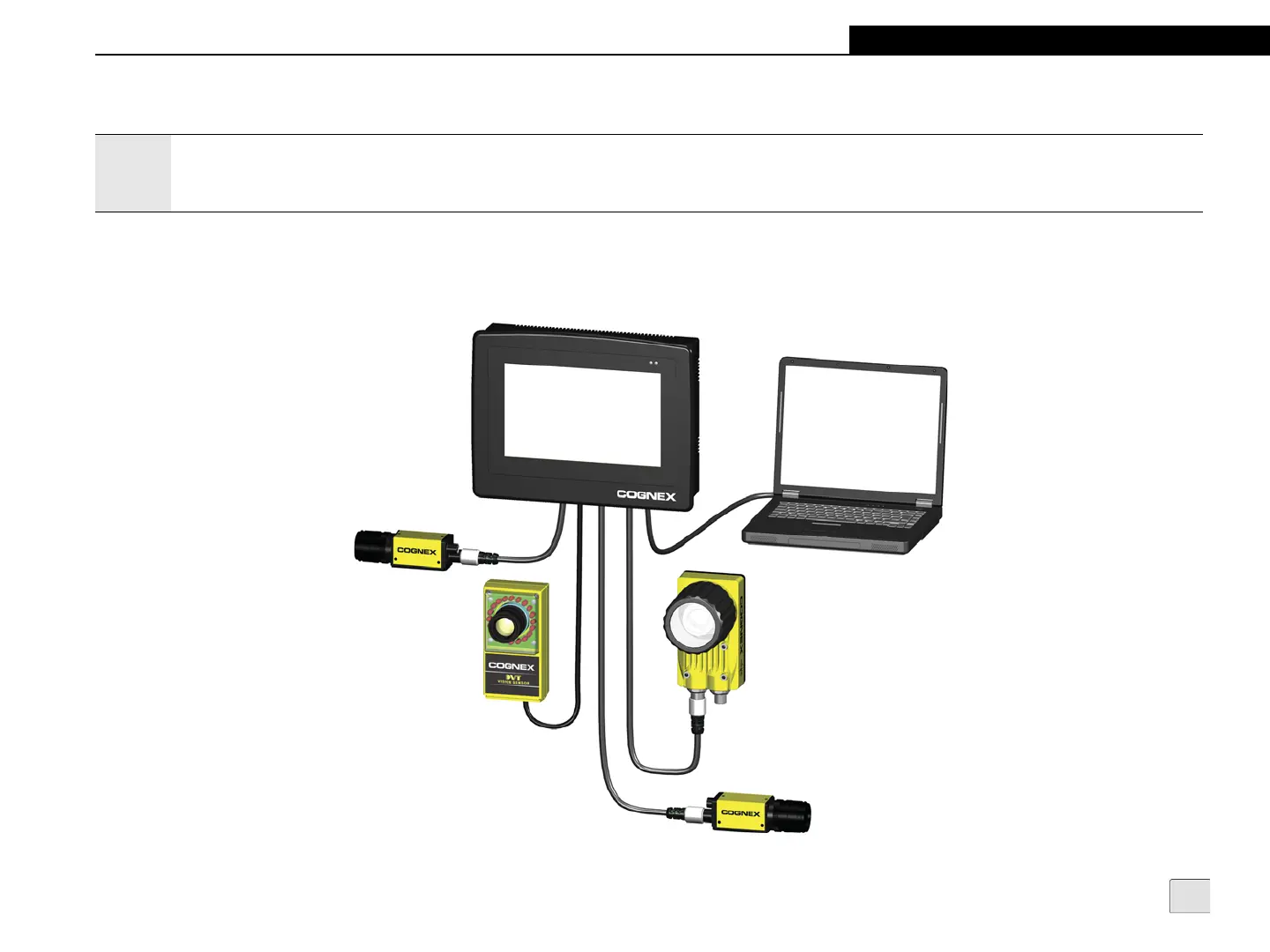
In this configuration, four In-Sight or DVT sensors are directly connected to VisionView and a PC is connected to VisionView’s LAN port (to
communicate with the sensors using In-Sight Explorer or Intellect software). Connect the sensors to VisionView by plugging the sensors’
Ethernet cables directly into VisionView’s Vision Sensor ports. If also connecting VisionView to a PC, plug one end of an RJ-45 cable into
VisionView’s LAN port and plug the other end into the PC's network card.
Figure 2-3: Standalone Network
Notes:
• Cables are sold separately.
• The VisonView Vision Sensor ports provide power to Cognex vision sensors requiring Power over Ethernet (PoE); connecting third party
devices to these ports could damage VisionView.



 To Next Page