17
Setup Mode
Settings
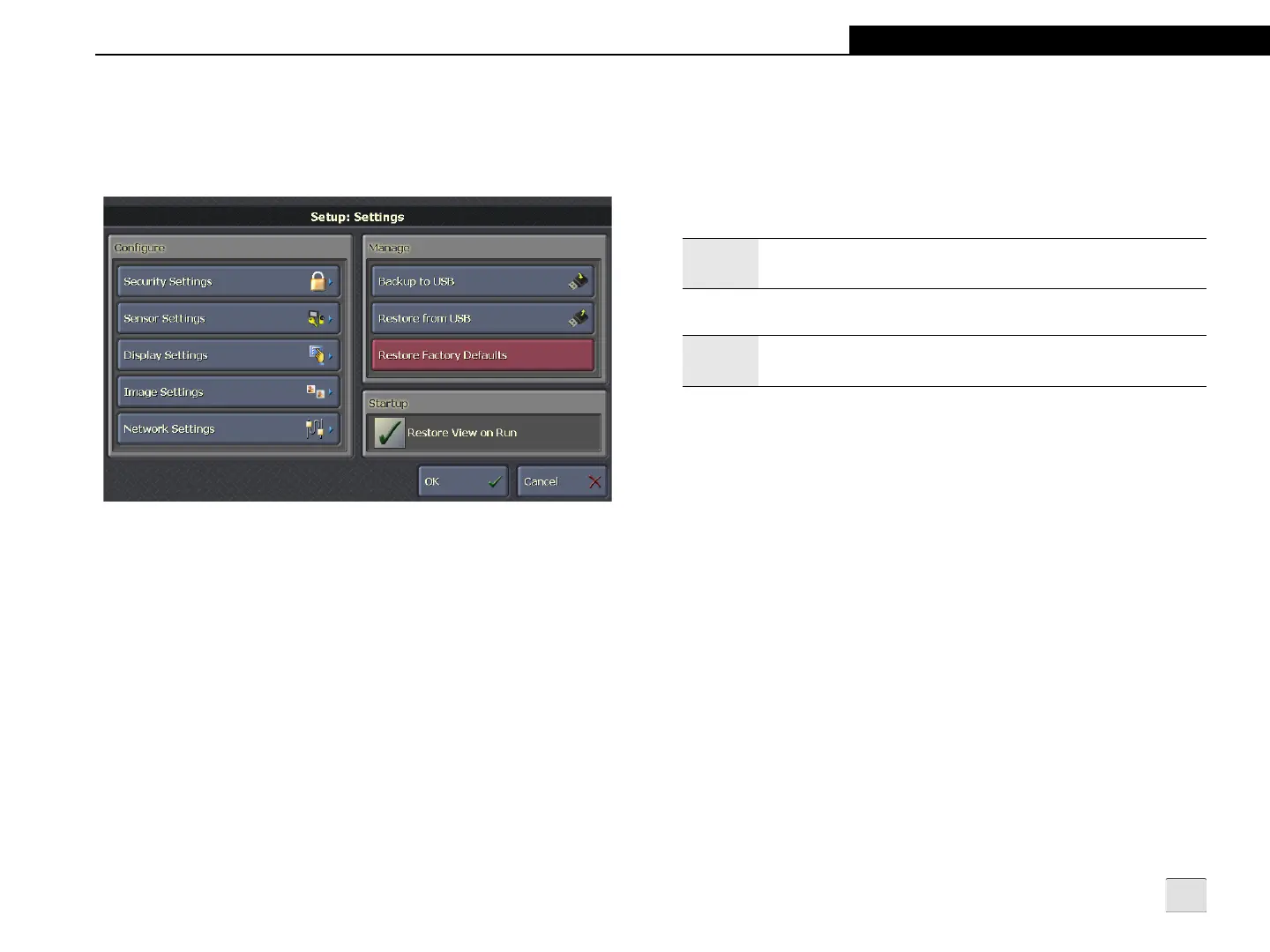
This screen allows the administrator to configure VisionView
settings and manage backup and restore operations.
Figure 3-12: Settings Screen
Configure
• Security Settings: Opens the Security Settings screen to
specify the VisionView Administrator Password and Idle
Timeout.
• Sensor Settings: Opens the Sensor Settings screen to
specify the Sensor User Name, Sensor Password and
whether user authentication is required while in Run Mode.
• Display Settings: Opens the Display Settings screen. On
the VisionView Operator Interface Panel, this screen is
used to configure the touch screen backlight and
calibration settings. When using the VisionView PC
software, this screen is used to configure the display mode
of the application on the PC.
• Image Settings: Opens the Image Settings screen to
configure image quality and speed during Online and
Focus Mode and to specify the type of images to display
during Run Mode (Pass, Warning, Fail and Unknown).
• Network Settings: Opens the Network Settings screen to
configure VisionView network setting.
Manage
• Backup to USB: Saves a backup of VisionView settings to
a USB drive.
• Restore from USB: Restores VisionView settings from a
USB drive. The Restore process will interrupt normal
operation of the VisionView application; the process stops
the application, receives the files and performs the restore.
If restoring to a VisionView Operator Interface Panel, the
Restore will only occur if the MAC ID of the device matches
the MAC ID stored in the backup file. If restoring to the
VisionView PC software, the Restore will only occur if the
Device Name matches the Device Name in the backup file.
• Restore Factory Defaults: Restores all VisionView
settings to their factory defaults and removes all sensors
from the Selected Sensors list.
Startup
• Restore View on Run: Retains the most recent Run Mode
view (Tiled Image Mode or Single Image Mode and the
most recent view for each sensor) when VisionView is
powered-cycled or when transitioning from Setup Mode to
Run Mode.
Note:
The Network Settings button is not available when using the
VisionView PC software.
Note:
Do not connect more than one USB drive at a time to
VisionView.



 To Next Page