Install VisionView
7
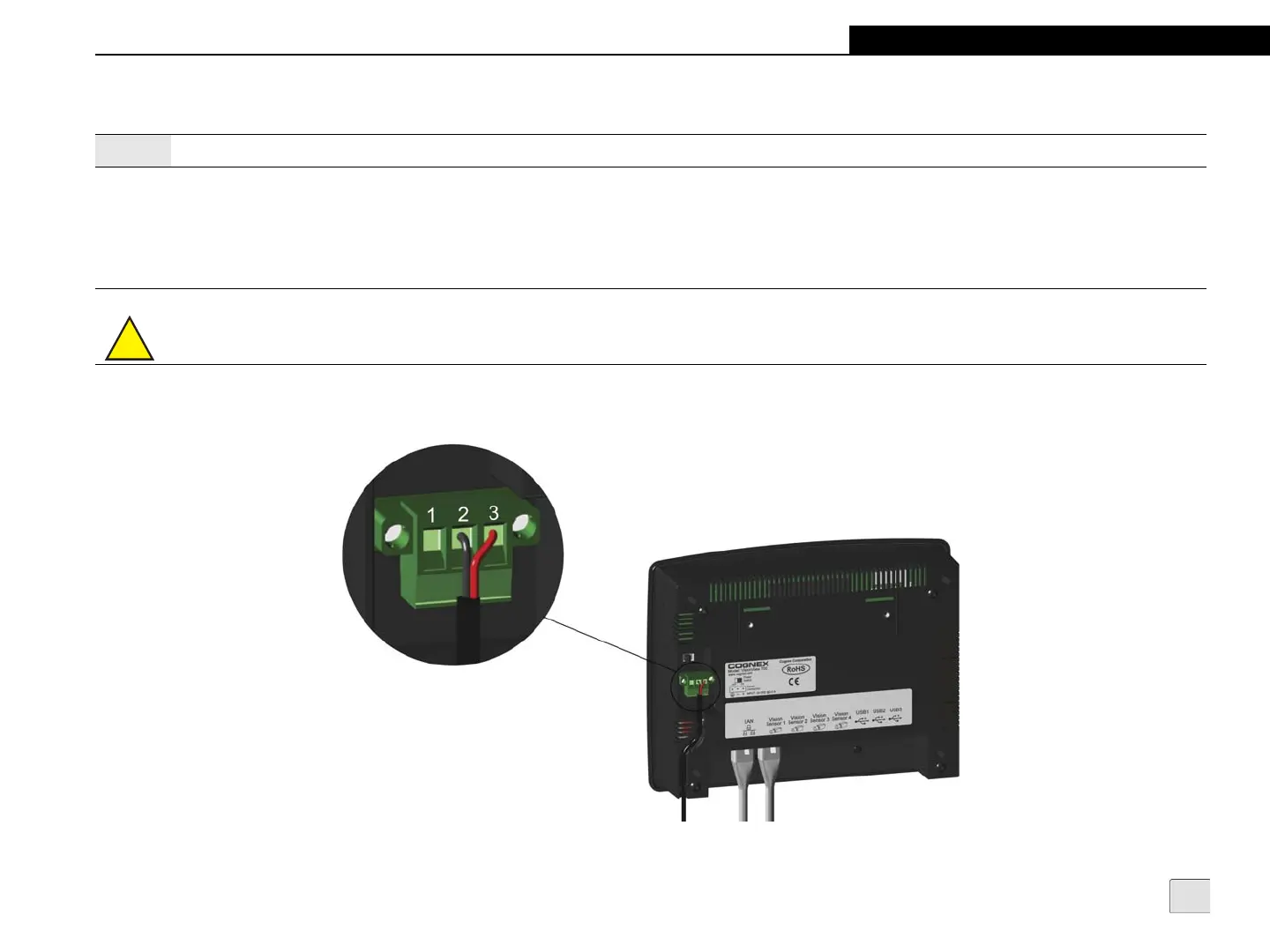
Connect the Power Cable
1. Verify the 24VDC power supply being used is unplugged and not receiving power.
2. Attach the power cable’s -24V wire to Pin 2 and the +24V wire to Pin 3 on the green power connector supplied with VisionView.
Optionally, connect a wire from Pin 1 to frame ground (refer to Table 8-2 on page 50). Tighten the wire retention screws.
3. Insert the green connector into the Power Connector port and tighten the connector screws.
4. Restore power to the 24VDC power supply and turn it on if necessary.
5. Slide the VisionView Power Switch (located directly above the Power Connector port) to the ON position.
Figure 2-5: Connect the Power Cable
Note:
Cables are sold separately.
!
Caution: Do not connect AC power directly to the VisionView Power Connector.



 To Next Page