14
Adjust Image Options
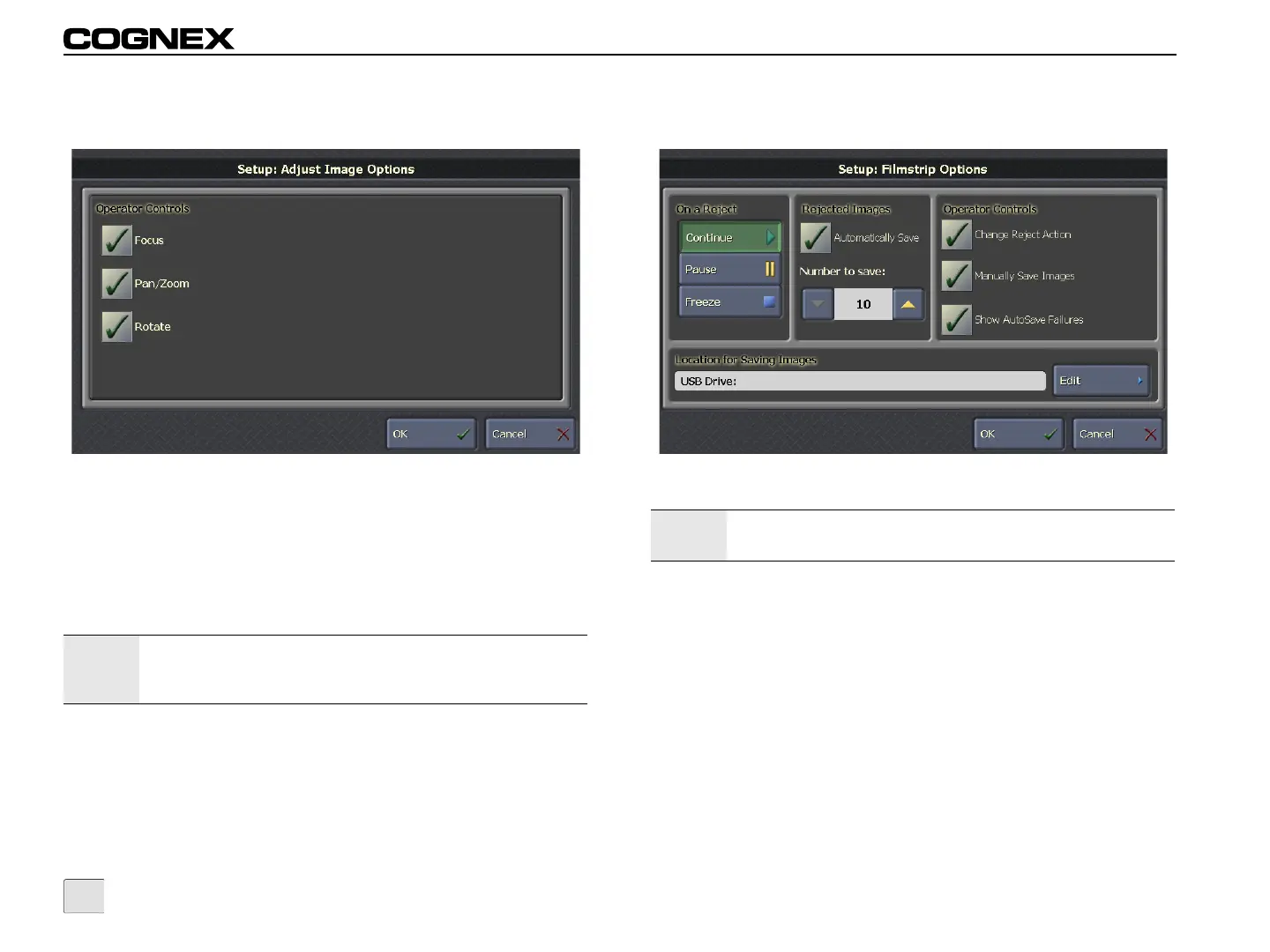
Figure 3-8: Adjust Image Options Screen
Operator Controls
• Focus: Allows the operator to display a live image for the
active sensor(s).
• Pan/Zoom: Allows the operator to pan and zoom the
image.
• Rotate: Allows the operator to rotate the image in
90-degree increments.
Note:
If the Pan/Zoom checkbox is unchecked, Pan/Zoom Mode is
still available in Interactive Graphics Mode and when viewing
frozen filmstrip images.
Filmstrip Options
Figure 3-9: Filmstrip Options Screen
On a Reject: Defines the default behavior of the filmstrip when the
inspection fails. This setting is applied to all sensors displayed from
VisionView. If the reject action is changed from the Filmstrip
Options screen, it will override any sensor-specific reject action that
was specified in Run Mode.
• Continue: If the inspection fails, the filmstrip continues to
update.
• Pause: If the inspection fails, the filmstrip pauses for 5
seconds and then continues to update.
• Freeze: If the inspection fails, the filmstrip stops updating
until the Continue button is clicked.
Note:
DVT sensors only support manually saving filmstrip images;
all other Filmstrip Options are not supported.



 To Next Page