16
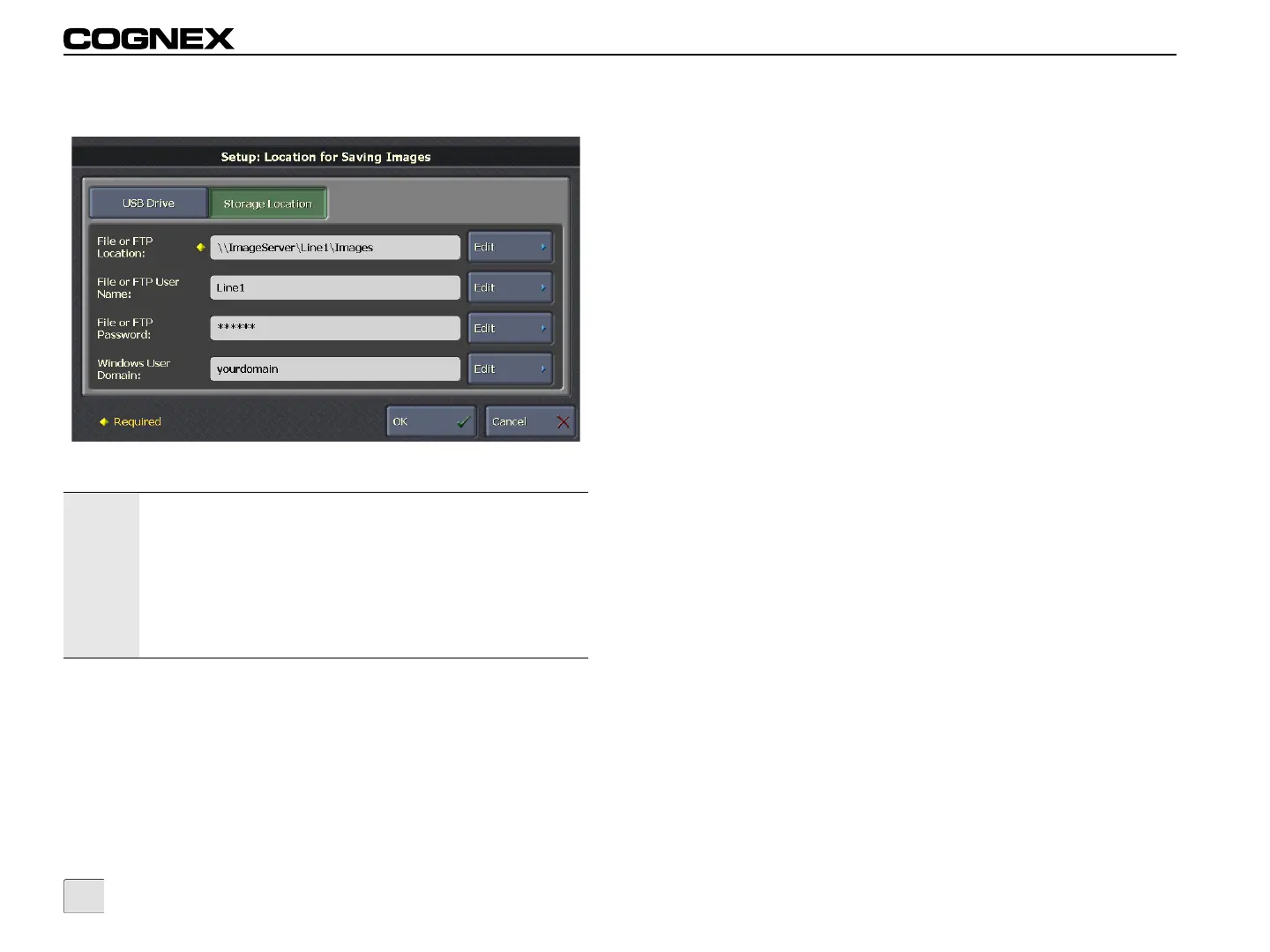
Location for Saving Images: Storage Location
Figure 3-11: Location for Saving Images Screen
File or FTP Location: Click Edit to enter a file or FTP location for
saving images. On a Microsoft
®
Windows
®
network, the file location
is the network device name (for example,
“\\ImageServer\Line1\Images”). For an FTP server, the location is
an FTP address (for example, “ftp://FTPServer/Line1/Images”). The
images are stored in a subdirectory that is automatically created,
based on the sensor’s Display Name.
Notes:
• From the VisionView Operator Interface Panel, the Storage
Location is a network location; when using the VisionView
PC software, the Storage Location can be either a local or
network location.
• If using an In-Sight emulator as an FTP server, sensor-
specific subdirectories are not automatically created. It is
recommended that either a standard Windows FTP server
or an IIS server be used to save images.
File or FTP User Name: Click Edit to enter a network user name to
provide credentials on networks that require authentication.
File or FTP Password: Click Edit to enter a network password to
provide credentials on networks that require authentication.
Windows User Domain: Click Edit to enter the domain name of
the user specified in the File or FTP User Name field. The domain
name is only required when user credentials are required for file
sharing on a Microsoft Windows network. Leave this field empty if
using FTP.



 To Next Page