29
Run Mode
The filmstrip will stop updating if any of the following conditions
occur:
• A result receives a failing status and either Pause or
Freeze is the specified reject action.
• A result receives a failing status and the Automatically
Save checkbox is checked; the rejected image is
automatically saved to the specified location.
• A result is selected in the filmstrip or the Freeze button is
clicked.
If a result receives a failing status and the filmstrip is paused or
frozen, the Adjust Image button is automatically replaced by the
Pan/Zoom button.
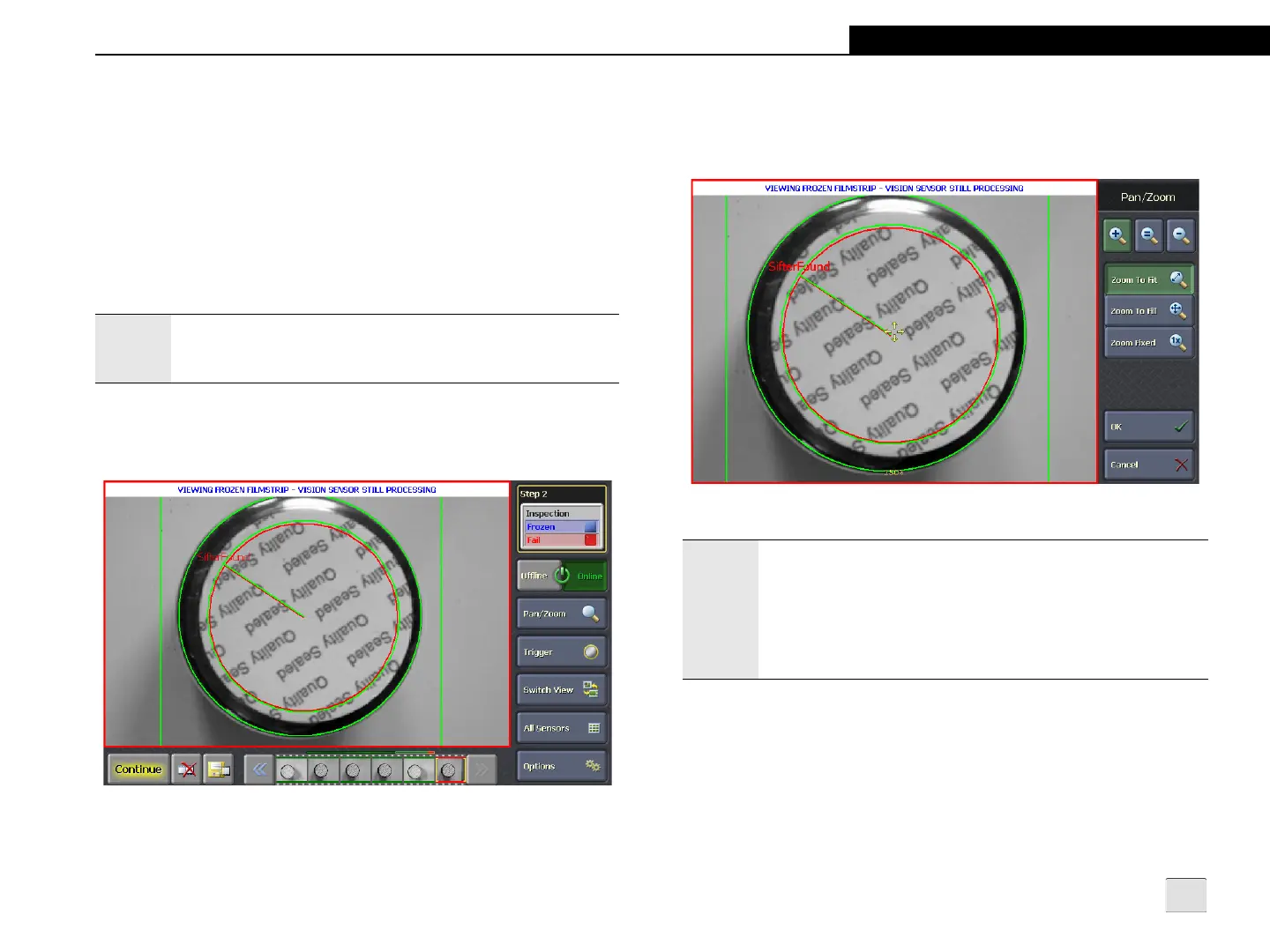
Figure 4-4: Frozen Filmstrip
Note:
When the filmstrip is frozen while the sensor is Online, the
sensor’s job continues to run and new images are acquired,
but no new images are added to the filmstrip.
To better diagnose the failed inspection, the operator can press the
Pan/Zoom button to pan or zoom the image. For more information,
refer to Pan/Zoom Mode on page 31.
Figure 4-5: Frozen Filmstrip - Pan/Zoom Mode
Notes:
• If the filmstrip is paused and the Pan/Zoom button is
pressed, the filmstrip will be automatically frozen.
• When saving a filmstrip image, the Pan/Zoom settings are
not applied to the saved image.
• Any changes made while in Pan/Zoom Mode are
discarded once the filmstrip is unfrozen.



 To Next Page