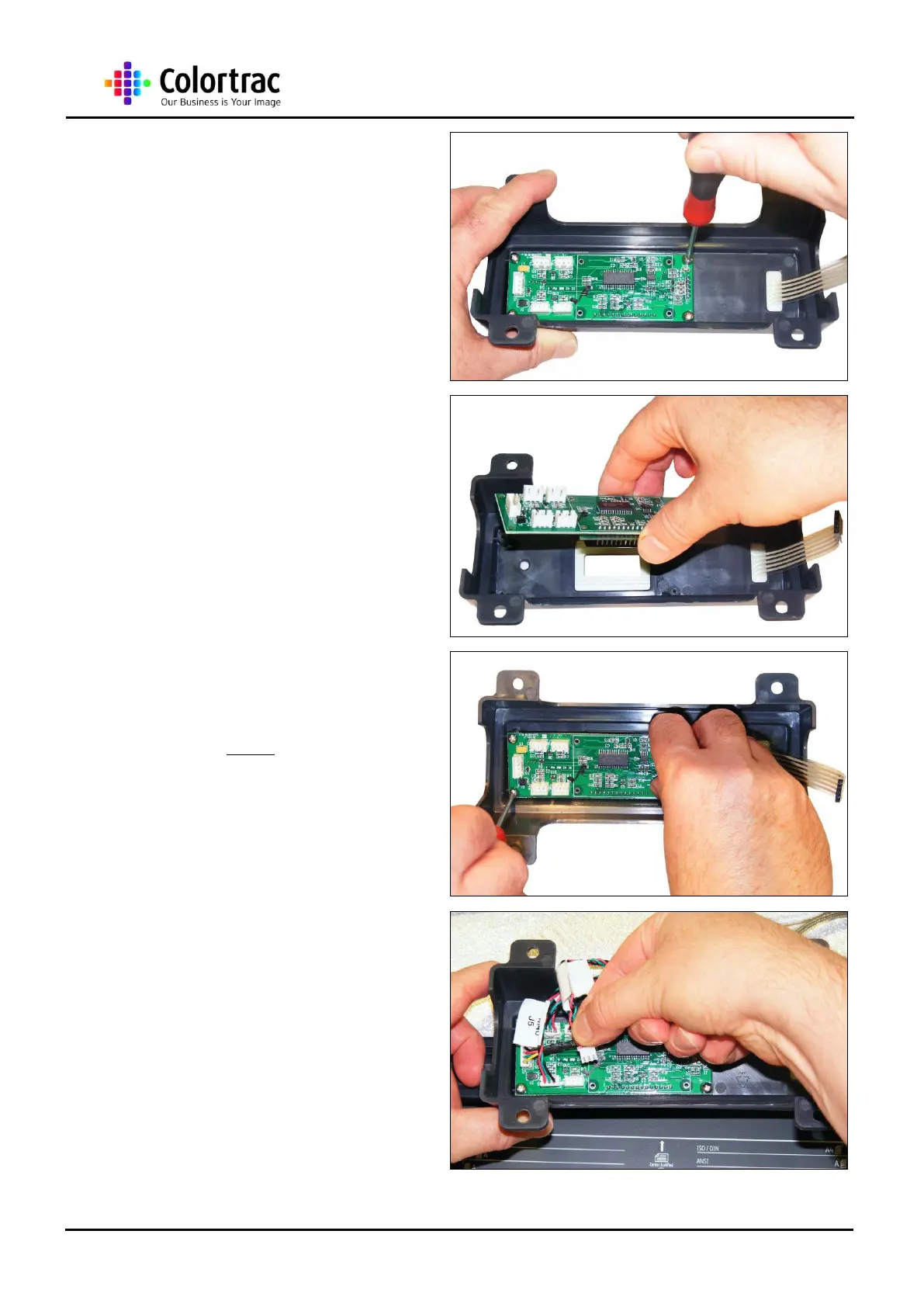
11. Remove the 4 x M3 screws
holding the Control Board to
the Control Board Bracket
Assembly.
12. Remove the Control Board,
using anti-static precautions.
13. To refit, use the 4 x M3
screws that hold the Control
Board to the Control Board
Bracket Assembly.
14. Reconnect the 4 x Paper
Sensor Cables, making sure
the correct cable is in its
referenced socket.












 To Next Page