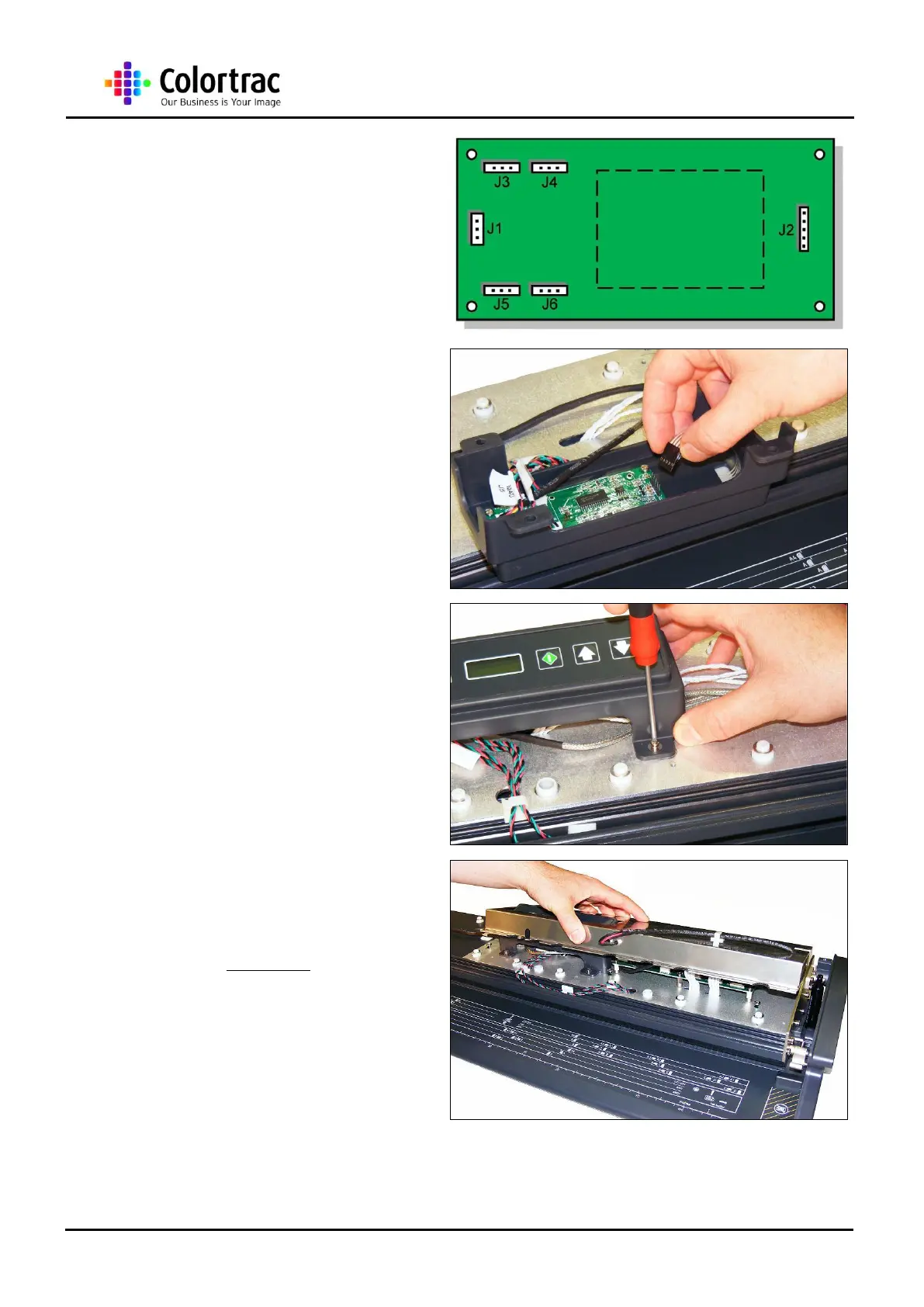
15. Make sure all the cables are
in their correct location on the
Control Board.
16. Reconnect the Key Pad
Ribbon Cable to the Control
Board.
17. Rotate and locate the Control
Board Bracket Assembly to
the pencil lines marked out
before, then refit the 4 x M3
screws to hold the Control
Board Bracket Assembly to
the Lid Assembly.
18. For the M25, refit the Main
Board Cover as described in
chapter “14.1 Main Board”
page 45.












 To Next Page