Commonwealth Bank Albert User Guide 11
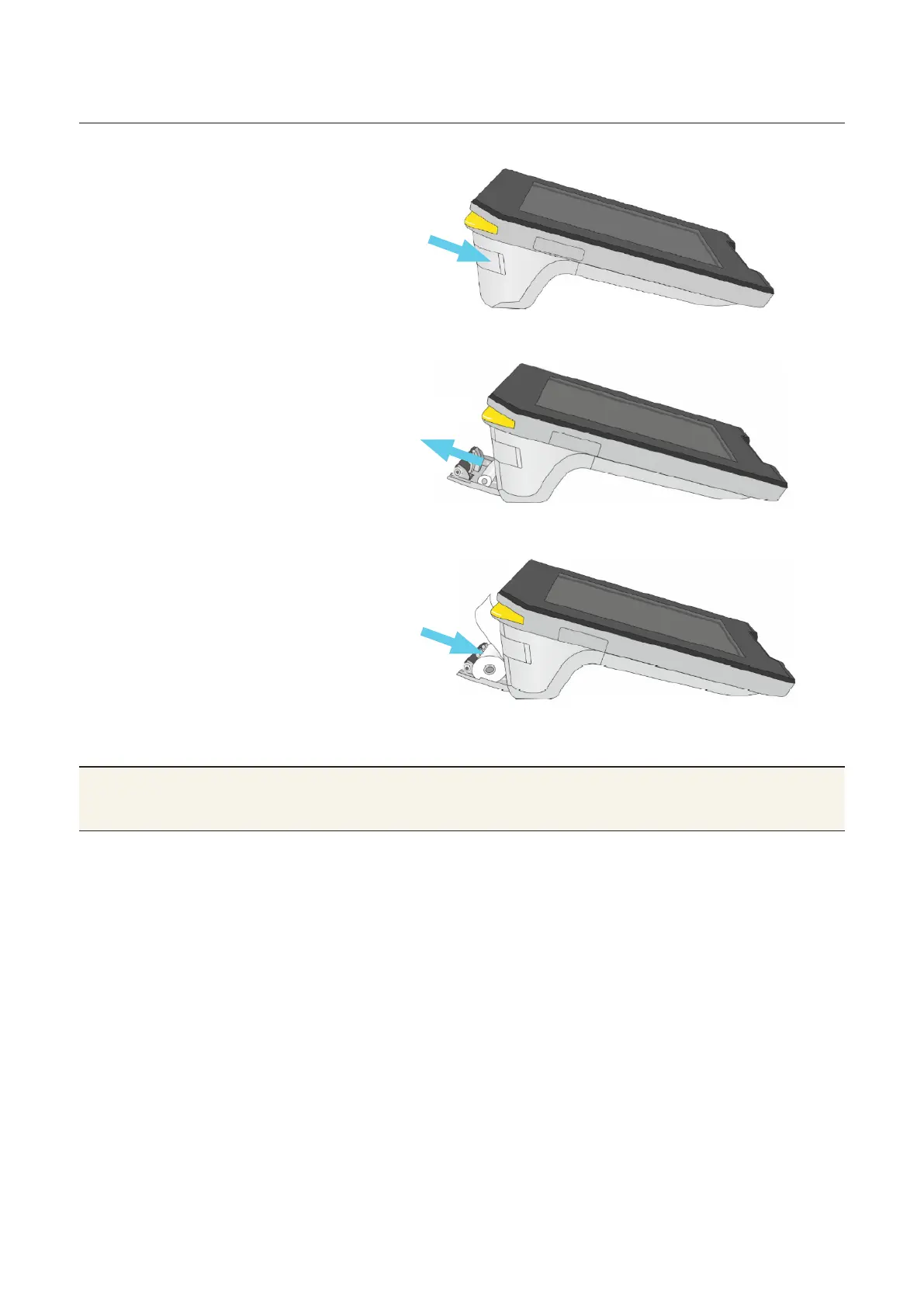
Changing the receipt roll.
1. Open the printer door by
sliding down the buon on
the top le. The door will pop
open.
2. Remove the empty roll and
any leover paper.
3. Prepare the new roll by
loosening the end of the strip.
4. Drop the new roll into the
compartment. Make sure the
end of the paper feeds over
(not under) the roll and sits
above the door.
5. Press the door shut. When
closed properly it will click
into place.
Note Albert will come with a full roll of paper already
installed.



 To Next Page