46 Commonwealth Bank Albert User Guide
7. Tracking transactions.
Create instant reports to help you track your transactions, see
your totals or find a specific payment.
Viewing transactions.
Purpose To view a quick report of transactions.
View a list of
transactions
1. In the Payments app, press the
Merchant Context buon or swipe
down on the screen to open the
Merchant Context Menu.
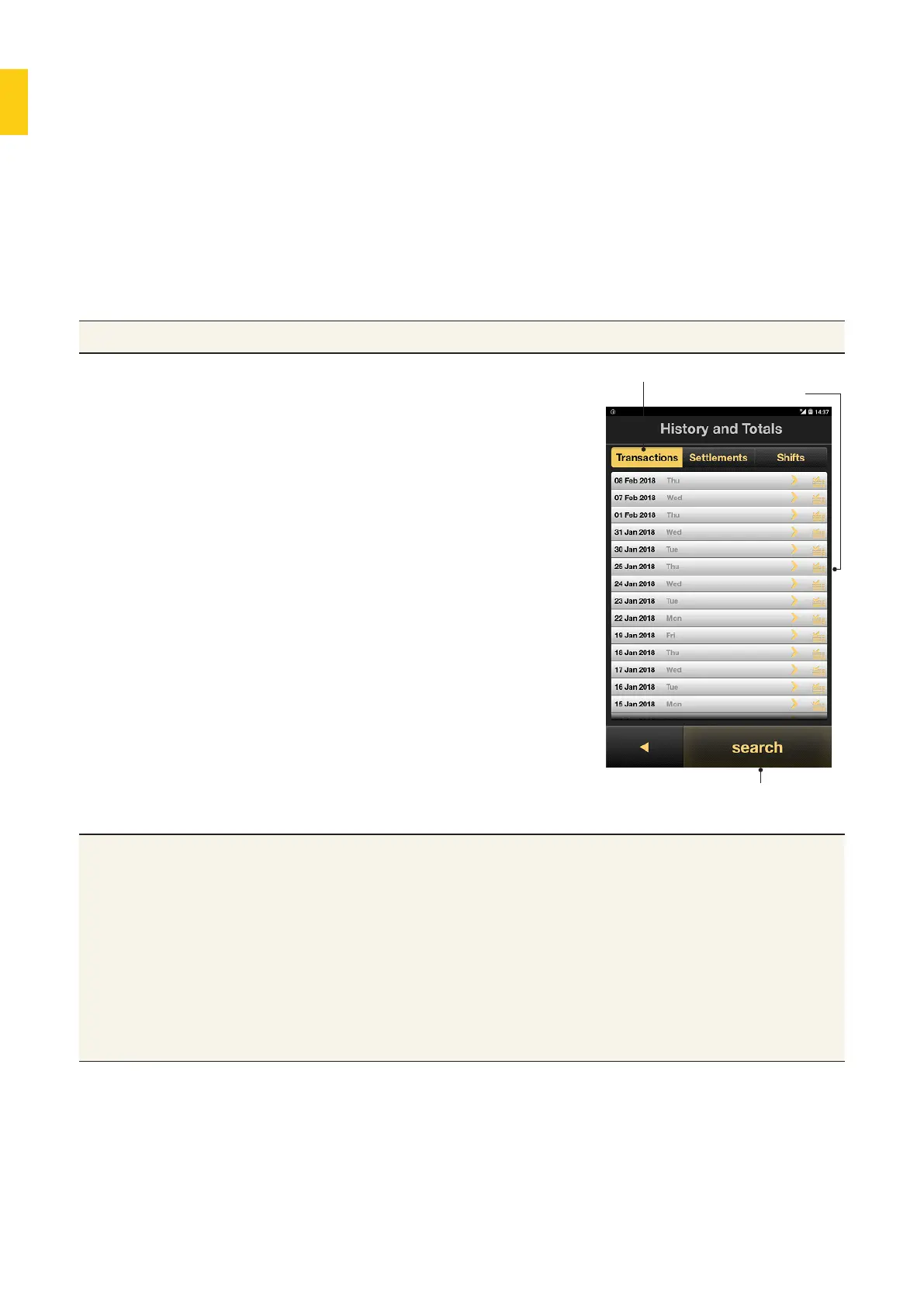
2. Tap History and Totals. The
Transactions tab will display
transactions by date in reverse
chronological order.
View daily total.
Last 180 days of transactions
Search buon to
find transaction
Tips • Tap on a transaction in the list to view its receipt on screen.
Refunds can be processed from the receipt screen as well.
• The list of transactions will provide time, transaction type, card/
account type, and amount.
• Icons beside each transaction (Last show the transaction status. A
tick indicates the transaction (purchase, refund, or cashout) was
successful, a cross indicates a declined transaction, and circular
arrows indicate a refund was processed via the transaction history
screens.



 To Next Page