Commonwealth Bank Albert User Guide 27
1. Geing started.
You can access the Payment app and Split Bill app by clicking the
relevant icon.
Geing to know the Payment app.
The Purchase
screen
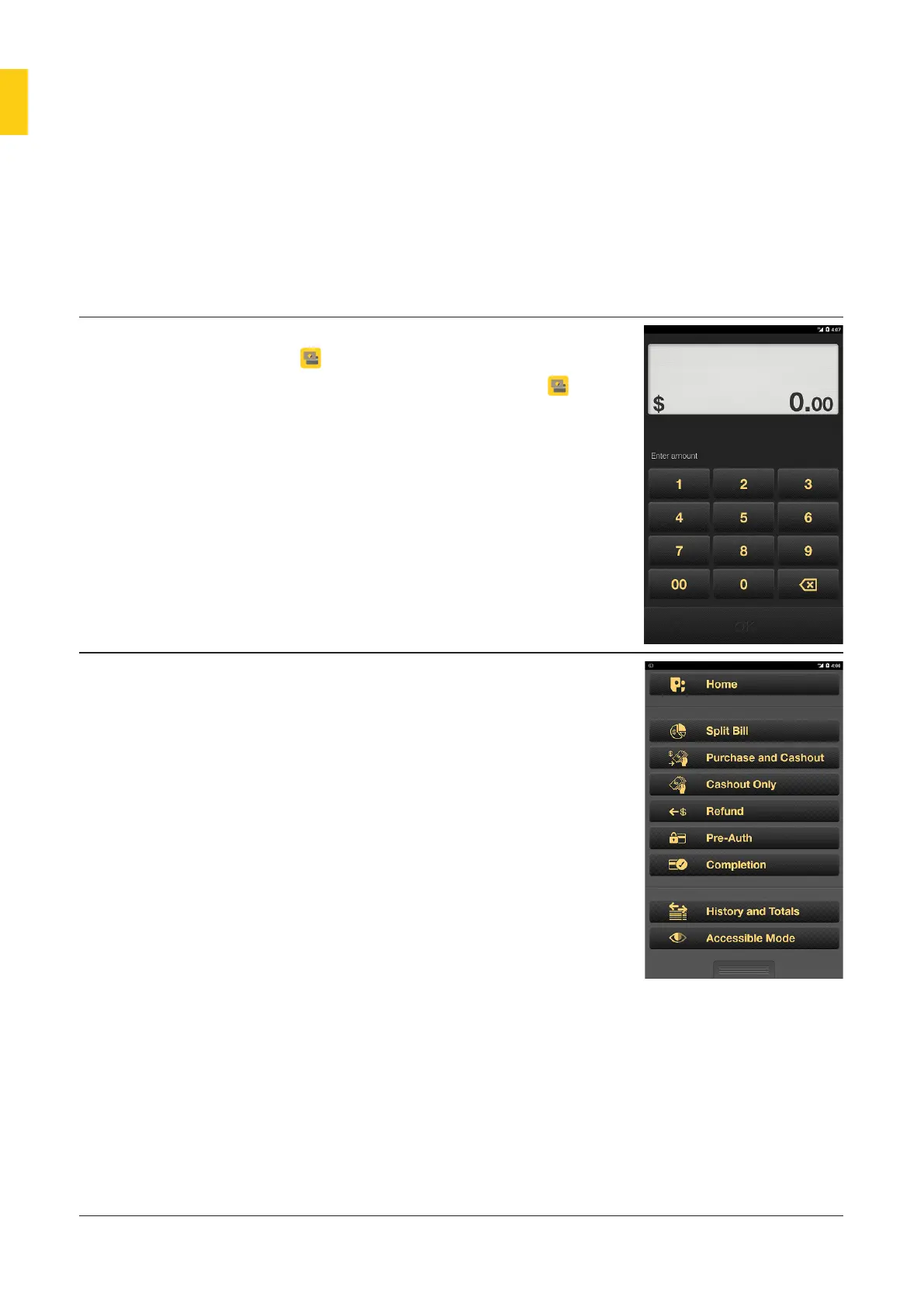
• When you open the Payment app
, the Purchase screen displays.
• You can use the Payment app to
process all standard payments.
Merchant Context
Menu
• The Merchant Context Menu
gives you access to Payment app
functionality, including:
• Split Bill
• Purchase and Cashout
• Cashout Only
• Refund
• Pre-Auth (available later in 2018)
• Completion (available later in 2018)
• Refund
• History and Totals
• Tip Reports
• Accessible Mode.
• To open the menu, press the
Merchant Context buon on the
back right corner of the device, or
swipe down from the top of the
screen using two fingers.
• To exit the Merchant Context
menu tap the boom bar, swipe
upwards or press the Merchant
Context buon.



 To Next Page