Commonwealth Bank Albert User Guide 37
Processing the cashout transaction.
Purpose To process the cashout transaction to a card. You cannot use this
facility with Tap to Pay, MOTO (card not present) or manual payment
methods.
Process cashout
transactions
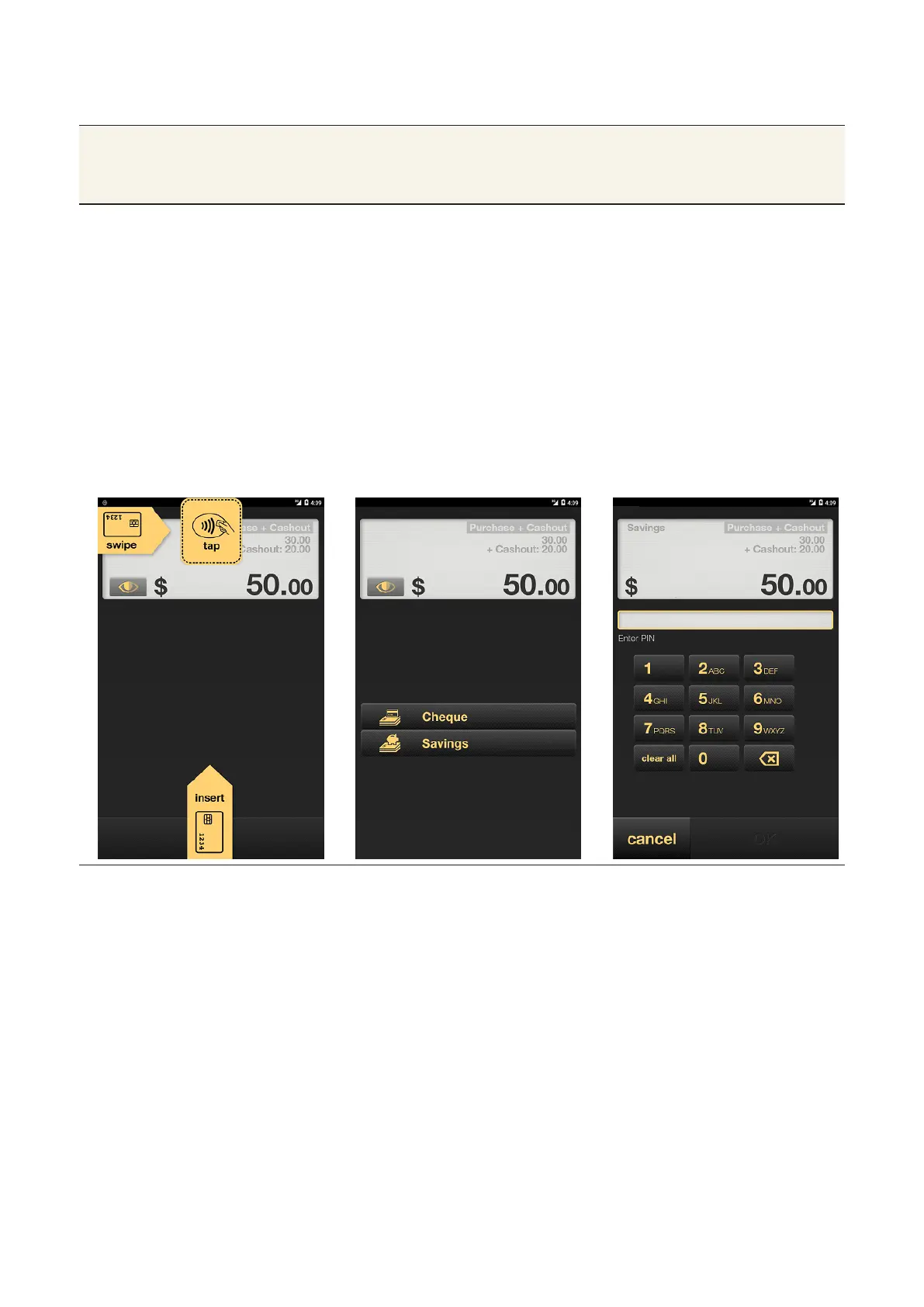
1. From the Card Present screen, either:
• insert the card in the chip reader at the boom of Albert
• swipe the card from le to right along the card reader at the top
• ask the customer to choose their account type by tapping
Cheque or Savings.
2. The authorisation PIN screen will then appear. The customer can
input their PIN using the touch screen keypad, then tap OK.
3. When payment is accepted, you will see the receipt displayed on
the screen.
4. Tap Email or Print to give the customer a record. If the customer
doesn’t want a receipt, tap Finish.



 To Next Page