Commonwealth Bank Albert User Guide 51
9. Selement.
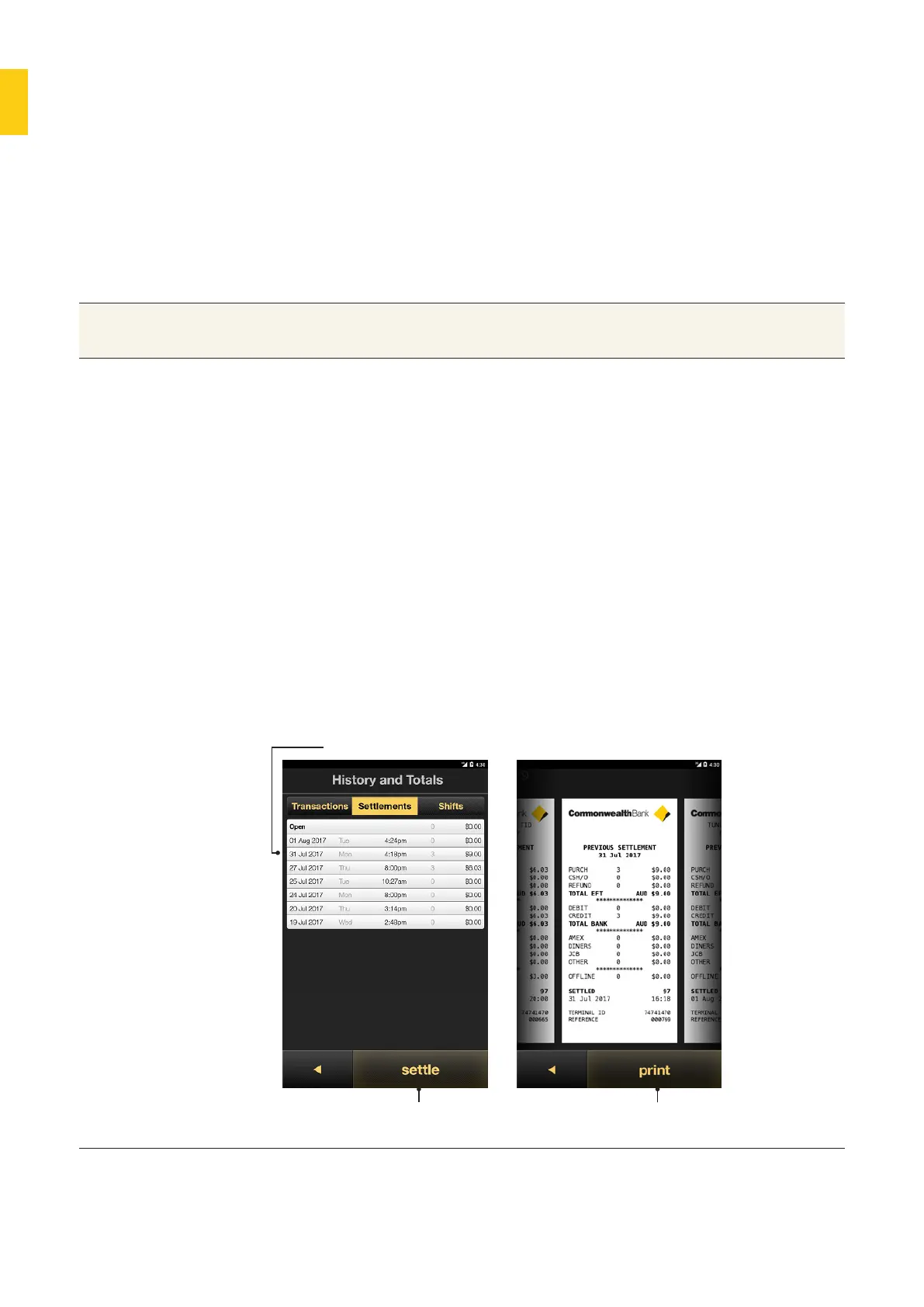
Perform manual selement for your business account or view
cumulative totals for the open selement period.
Viewing selement history.
Purpose To see the cumulative totals for the current open selement period
or selement reports for closed periods.
View past
selements
1. Press the Merchant Context buon or swipe two fingers down on
the screen to open the Merchant Context Menu.
2. Tap History and Totals.
3. Tap Selements to open a list of selements for the device,
including date, time, number of transactions and total selement
amount.
4. The Open row shows the cumulative totals for the open
selement period.
5. To view a specific Selement Report, tap the row.
6. Tap Print to print the report.
7. To move to a dierent date:
• swipe right for future reports.
• swipe le for past reports.
8. Tap the Back buon to return to the History and Totals screen.
Past selement dates
Sele buons for all
open transactions
Print Selement
Reports



 To Next Page