Commonwealth Bank Albert User Guide 7
Finding your way around.
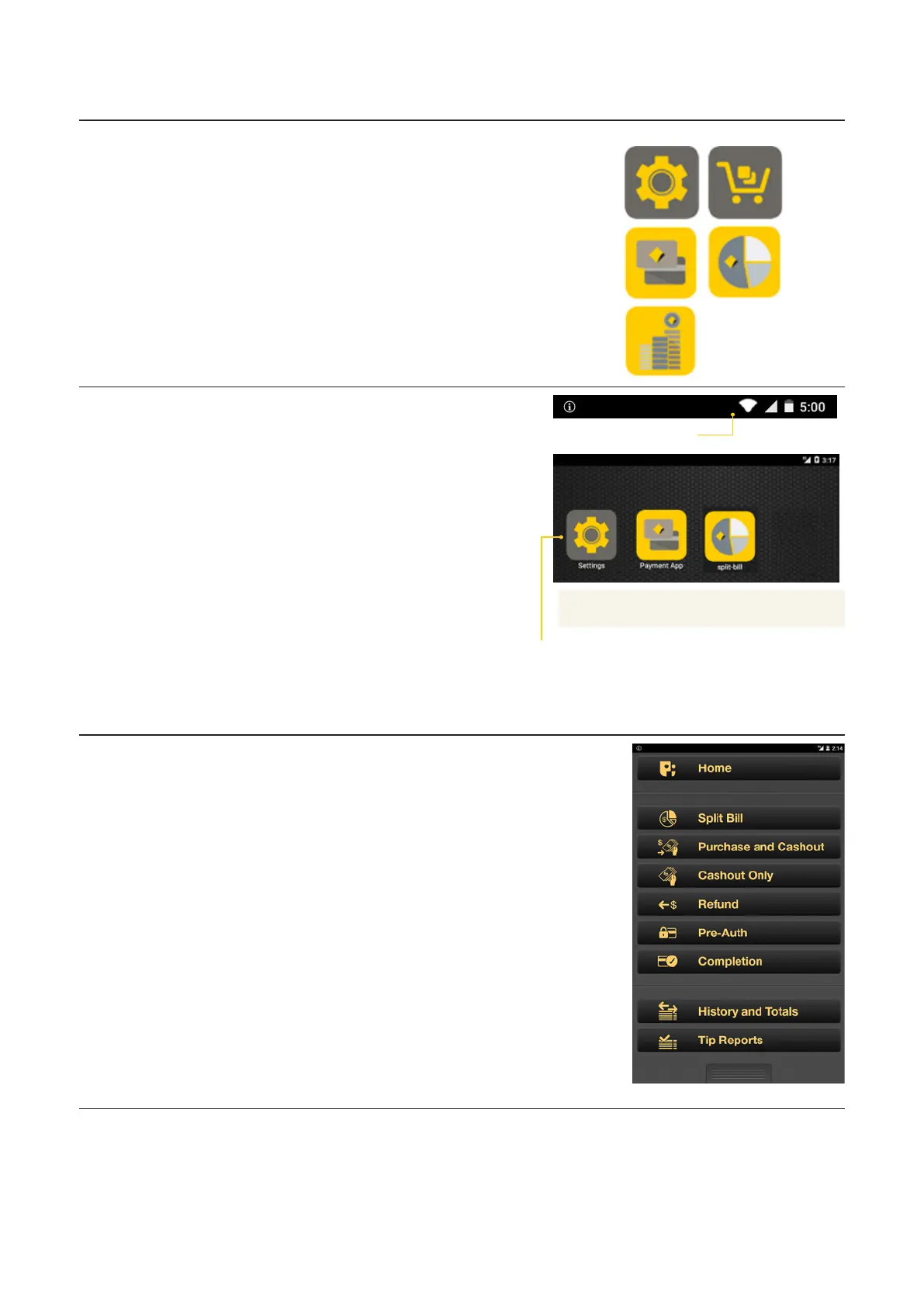
Home screen • Home screen: This
screen allows for up to
three pages of app icons.
Swipe le or right to
move between pages.
• App icons: Albert comes
with a number of pre-
installed apps. To launch
an app, just tap the icon.
Seings
app
App
bank
app
Split
Bill app
Payment
app
Cash
Counter
app
Information bar • Connection details: The
two le-hand icons show
the type of connection
and its strength.
• Baery: This icon shows
the remaining baery
power.
• Charging: The charge
symbol appears within the
baery icon when Albert
is charging.
• Time: The clock, in the
top right corner, updates
automatically.
Information bar
App icons
Merchant Context
Menu
Access the dierent app
functions here, or move
between apps and the Home
screen.
• To open, press the
Merchant Context buon
on the back right corner of
the device, or swipe down
on the screen using two
fingers.
• To hide, press the
Merchant Context buon
or swipe up on the screen.
Home screen



 To Next Page