Commonwealth Bank Albert User Guide 39
Processing card-present refunds.
Purpose To refund a payment to a card that is available to swipe, insert or tap.
Process refund
with card present
1. From the Card Present screen, either:
• tap the card at the top of Albert (for transactions that allow this
functionality). Go to step 4.
• insert the card in the chip reader at the base
• swipe the card from le to right along the card reader at the top
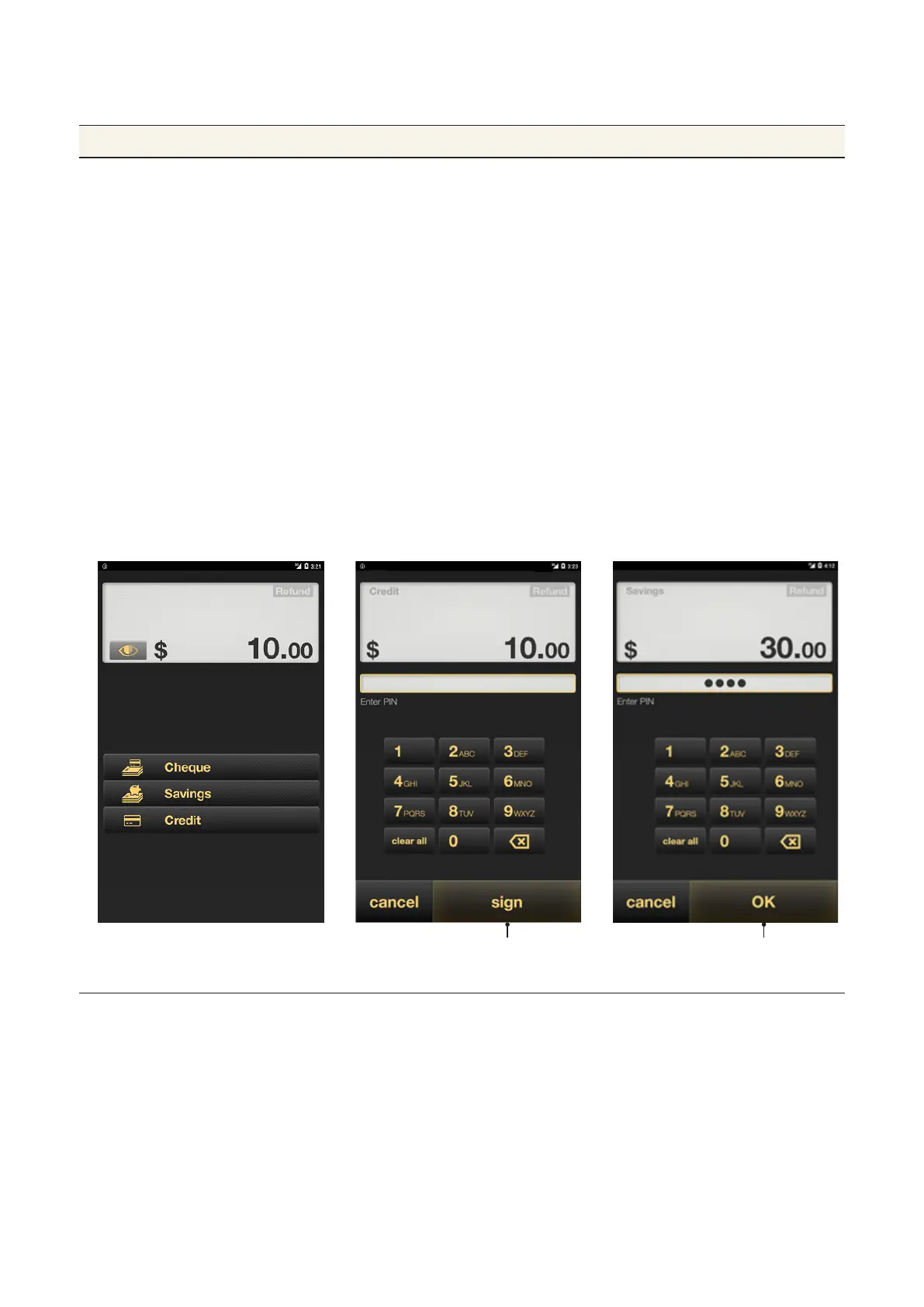
2. Ask the customer to select the account type.
3. The PIN authorisation screen will be displayed. If there is no
PIN assigned to the card, tap Sign to skip PIN entry and print a
receipt for the customer to sign.
4. Ask the customer to enter their PIN using the touch screen
keypad, then tap OK.
5. Once the payment is accepted, the receipt will be displayed.
6. Tap Email or Print to give the customer a copy of the receipt, or
tap Finish if the customer doesn’t want a receipt.
If there is no pin. If there is a PIN, the sign
buon will change to OK



 To Next Page