10 Commonwealth Bank Albert User Guide
2. Working with Albert.
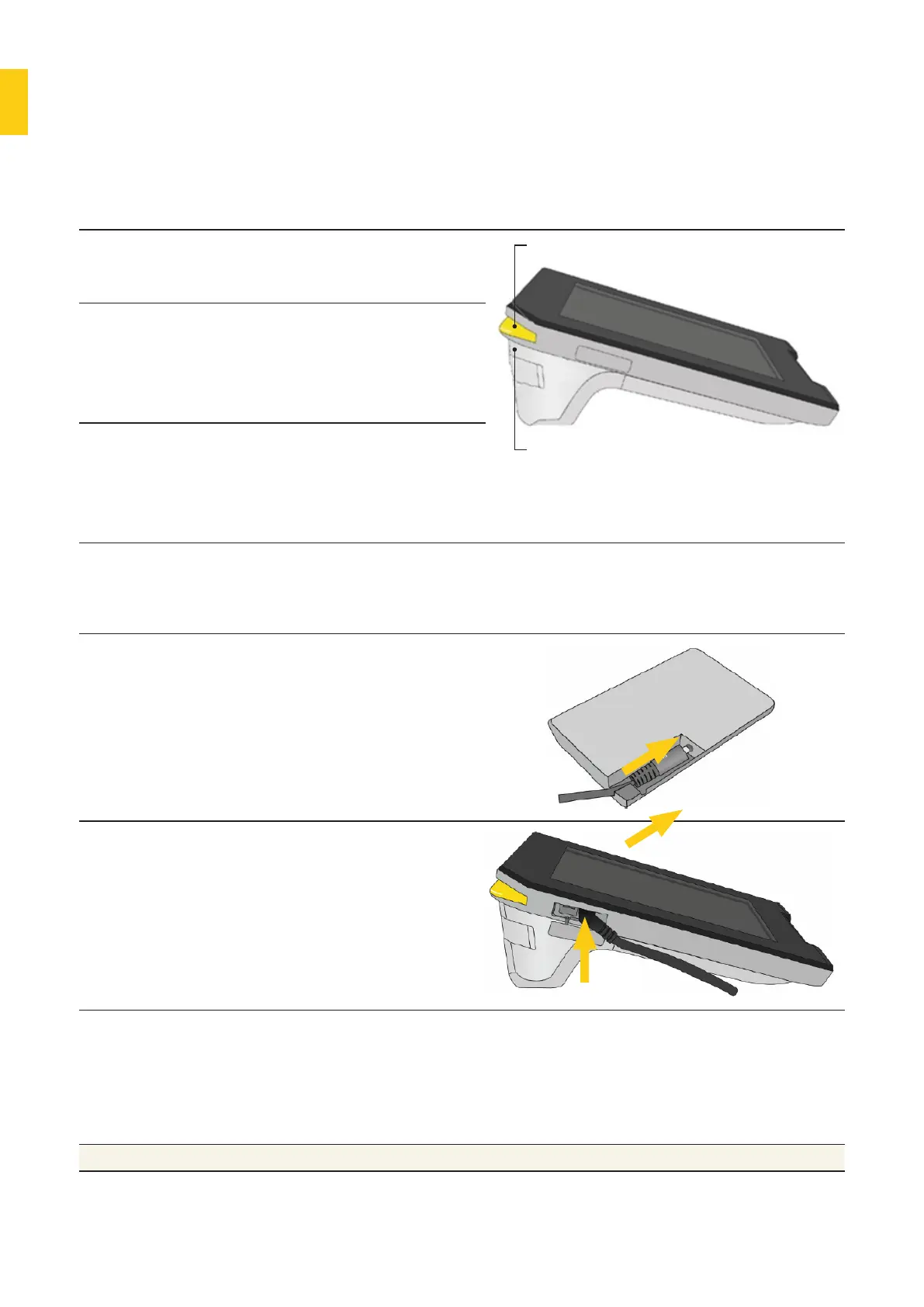
Powering Albert.
Switch on Press and hold the
power buon to switch
on Albert.
Power light
Power Buon
Wake up If Albert is switched
on but the screen is
blank, press the power
or Merchant Context
Menu buon once.
Switch o Press and hold the
power buon. When
the ‘power o’ prompt
appears, tap it to switch
o Albert.
Charging Albert.
Charge Albert with
a dock
1. Connect the charging
cable to the dock.
2. Place Albert on the
dock.
Charge Albert
without a dock
1. Remove the power
outlet cover on the
le side of the device.
2. Connect the charging
cable to the power
outlet.
Get baery alerts • Albert uses on-screen messages and sound alerts when the
baery level reaches 20%, 10% and 3%.
• When the baery level reaches 3%, you cannot continue with
a transaction until you start charging Albert, using either the
charging dock or the cable.
Note Albert comes with a partly charged baery.



 To Next Page