Commonwealth Bank Albert User Guide 9
Using Albert.
Navigating • Between Home and apps:
Tap an icon to open an
app from the Albert Home
screen. To leave the app,
tap Home in the Merchant
Context Menu.
• Within apps: Each app
has its own navigation
buons. To find out how to
navigate within a specific
Commonwealth Bank app,
see the relevant user guide.
• Navigation buon:
On pages where the
Navigation bar appears, tap
the Back arrow to return
to the previous screen.
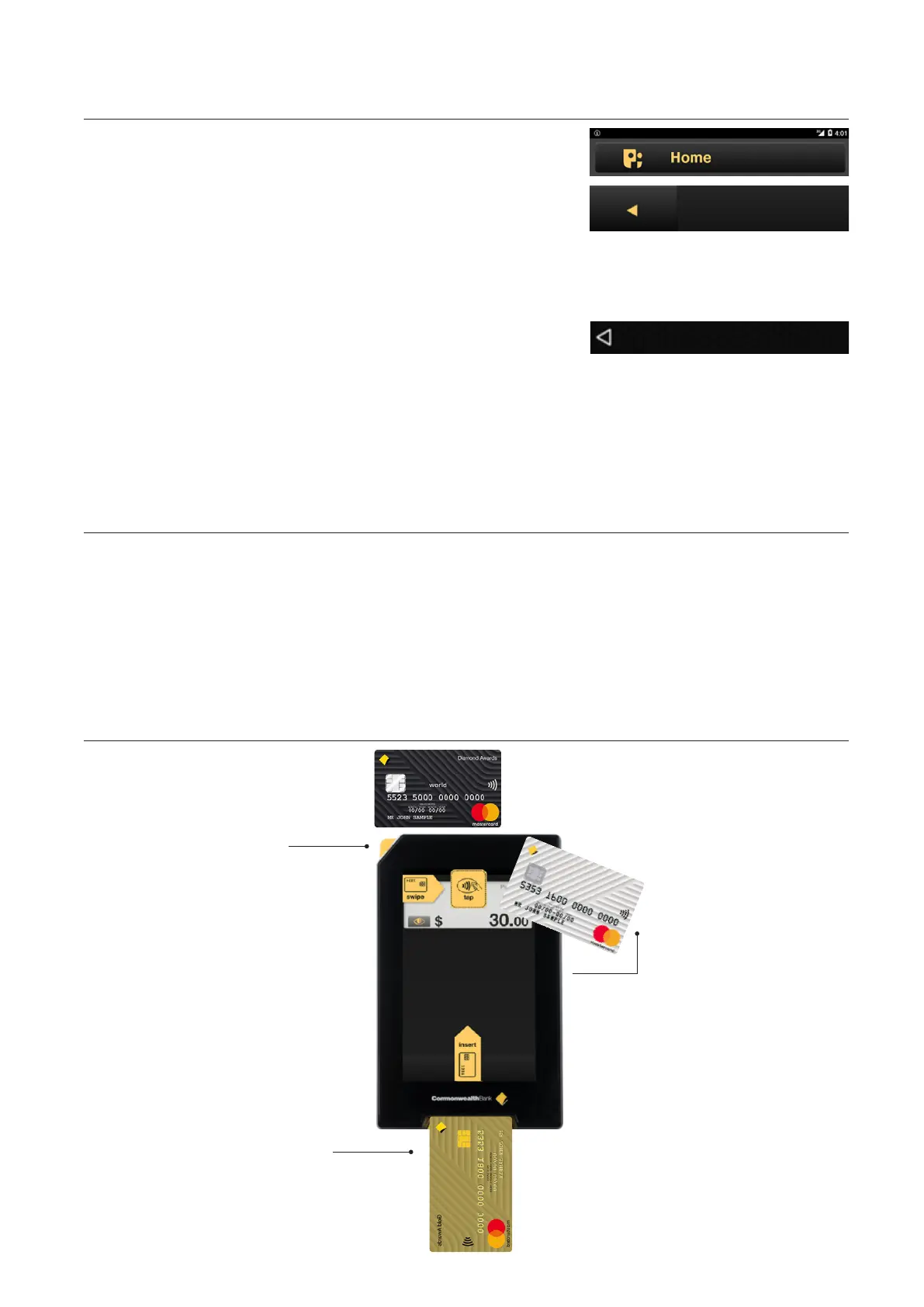
Card readers • Albert comes with three card readers for dierent customer
payment options.
Follow the prompts when using the Payment app.
• For swipe: Use the magnetic strip card reader at the top of the
device.
• For tap: Use the contactless near-field communication (NFC) card
reader at the top of the screen.
• For insert: Use the chip card reader at the boom of the device.
For
swipe
card
For card
insert
For tap
card



 To Next Page