Commonwealth Bank Albert User Guide 45
Spliing bills.
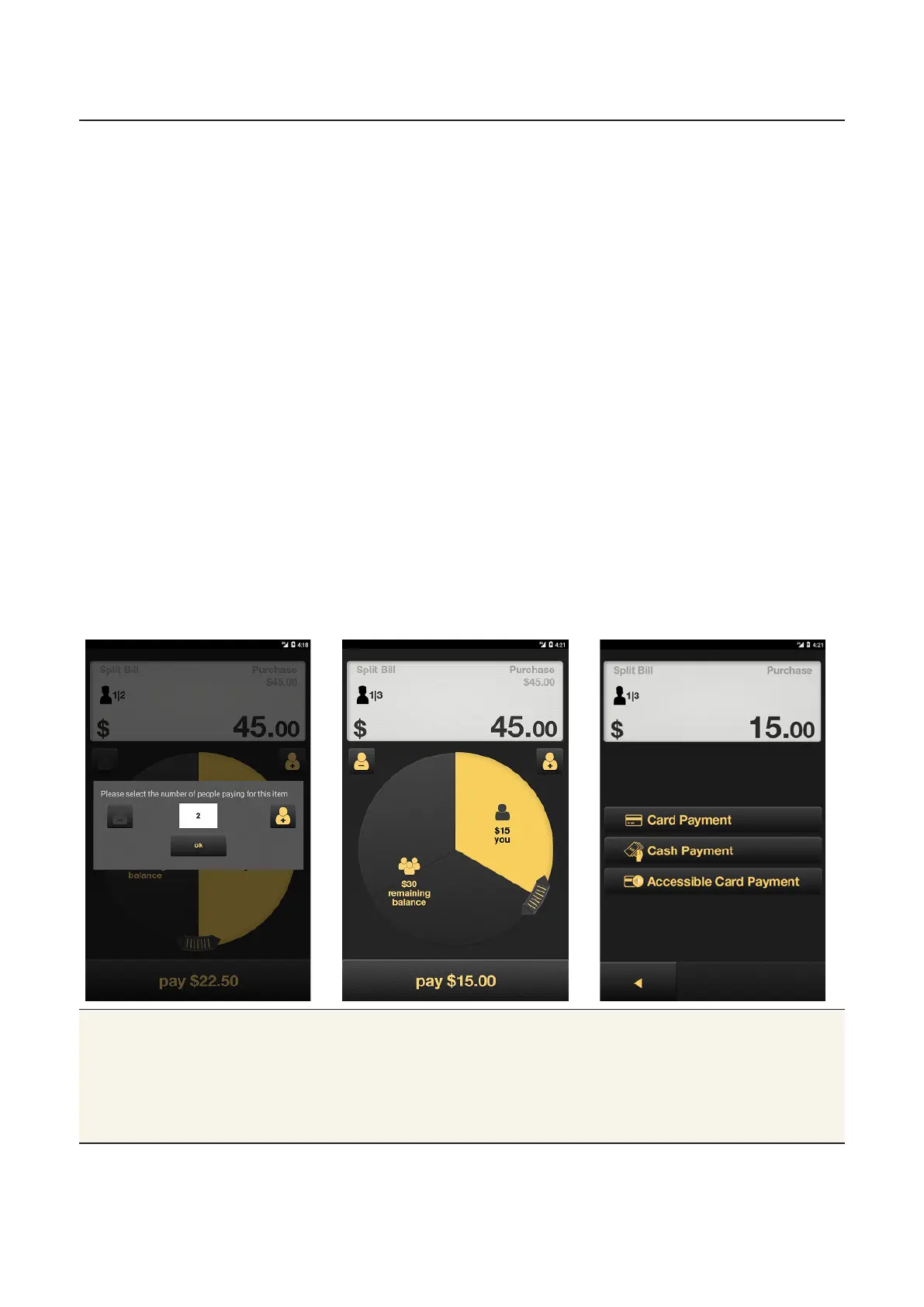
Split a payment 1. Using the keypad, enter the payment amount, then tap OK.
2. The Split Bill screen will appear with a default seing of two
customers.
3. Add or subtract customers as needed by tapping the + or –
buons (or allow the customer to do so).
4. Adjust the payment amount for each customer by tapping on the
dial and swiping to change the value of each portion:
• To increase the amount for the highlighted portion, swipe the
dial clockwise.
• To decrease the amount for the highlighted portion, swipe anti-
clockwise.
• To manually type the amount, tap the portion, enter the
amount and tap OK.
5. When the amount is correct, tap the payment amount at the
boom of the screen.
6. Tap Cash Payment to accept cash, tap Card Payment to
process a card payment or Accessible Card Payment to enter the
Accessible mode.
7. Once the payment is accepted, select the next portion and
process additional payments until the total has been received.
Tips • When you change the amount of one share, all the other
shares will adjust equally. You can adjust each remaining share
individually aer you process each payment.
• On-screen tipping is not available for cash payments.
• The minimum amount for a Split Bill is $2.00.



 To Next Page