GEN1000 Operator Manual
12 July 22, 2019 | 287960-ENG | R00
3.3 Move the Chamber Into Final Position
The chamber casters make moving the chamber into final position easy and straightforward.
To move the chamber into position:
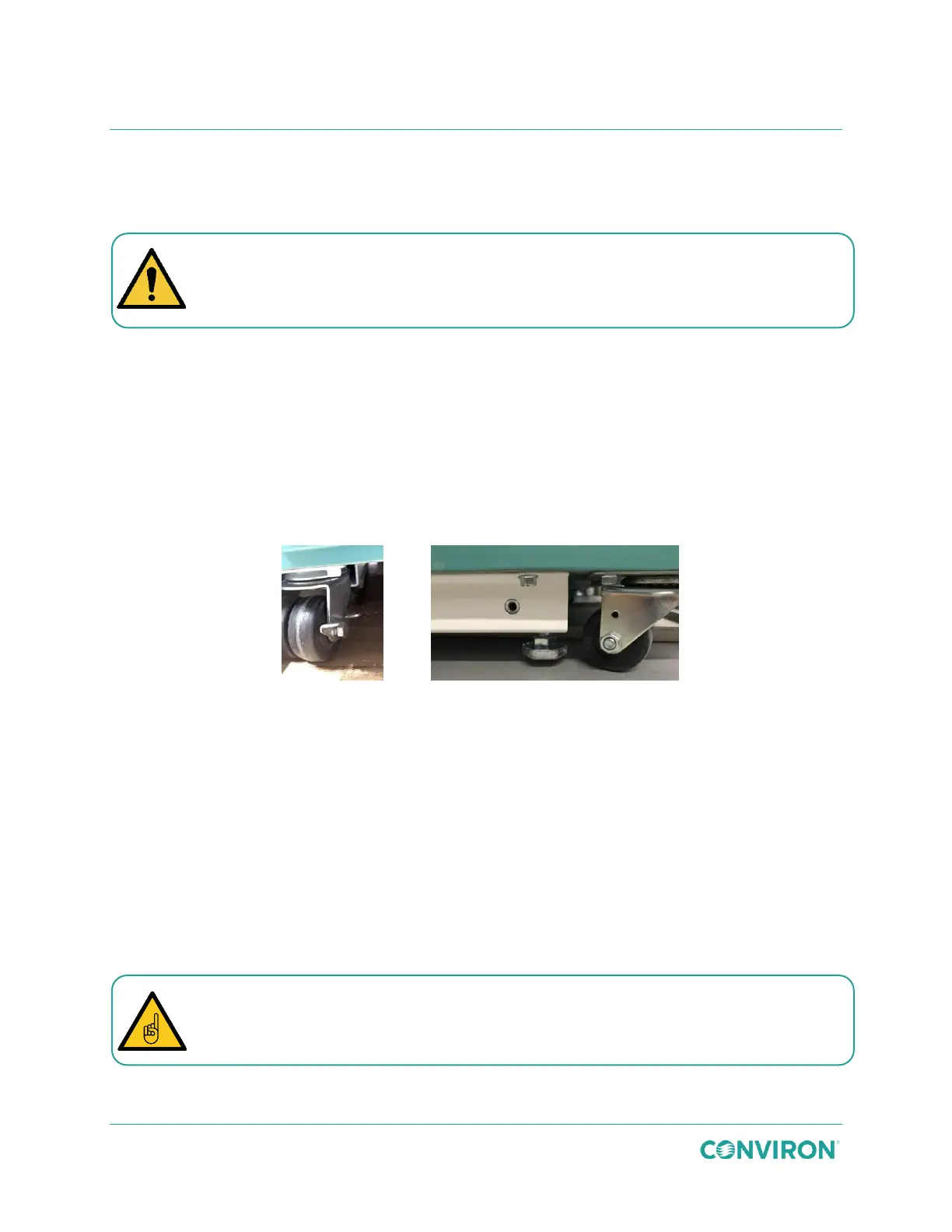
1. Ensure the locks on the front casters are in the unlocked position (Figure 3-4, Panel
A).
2. Slowly push the chamber into its final location.
3.4 Level the Chamber
The GEN1000 is equipped with four levelers (Figure 3-4, Panel B) to prevent the unit from
rolling on its casters once installed, and to compensate for any variations in the floor level.
Figure 3-4 Chamber Levelers
The levelers at the four corners at the bottom of the base must be adjusted to take the weight of
the unit off of the casters. Once the chamber is moved into position, adjust the levelers until they
are in firm contact with the floor and the chamber is level.
To adjust the levelers:
1. Use a ¾″ (18mm) open end wrench, or a medium sized adjustable wrench, to turn the
levelers under the back wall of the chamber clockwise to lower the foot into firm
contact with the floor.
2. Adjust the levelers under the front corners until the gap between the caster and the
floor is at least
1
/
8
″ (3mm) and no more than
1
/
4
″ (6mm).
3. Ensure the chamber is level in both the side-to-side and front-to-back directions for
proper drainage.
Warning: Personal injury hazard
The chamber could cause serious personal injury if it falls while moving into final
position. Ensure the chamber does not exceed a 10 degree angle while in transport.
It is important that the two front levelers are perfectly level (side to side) so the door
closes easily. An out-of-level condition on the front levelers can cause the door to bind
due to misalignment.



 To Next Page