GEN1000 Operator Manual
24 July 22, 2019 | 287960-ENG | R00
3.6.3 TC Configuration
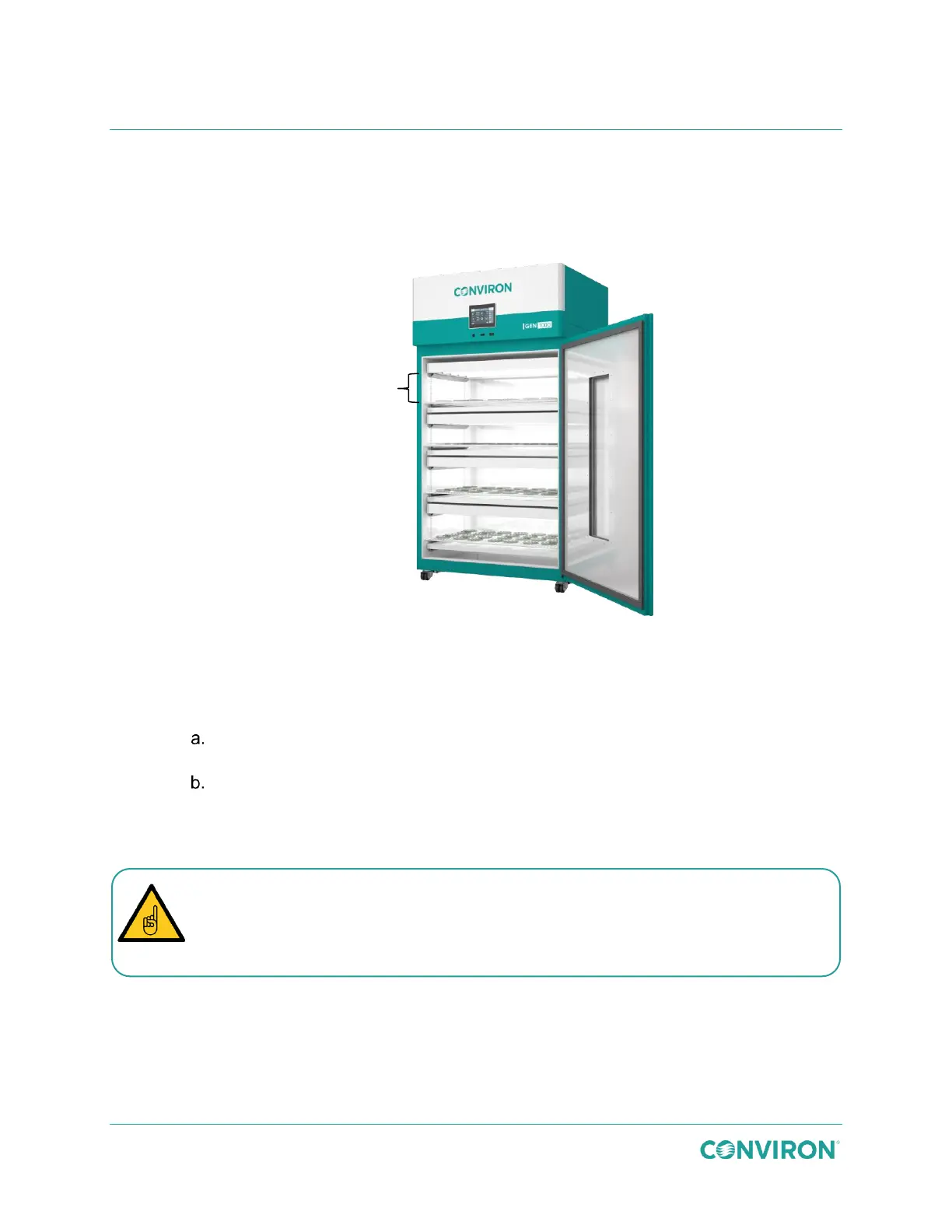
The TC kit distributes air vertically through the individual air-shelves to minimize condensation
within petri dishes and containers. Arrange the air-shelves and light canopies to provide a
growth height of 6.5″ (16.5cm).
Figure 3-29 TC Configuration
To install the TC configuration kit:
1. Close the air flow from the plenum.
Loosen the 12 bolts around the perimeter of the plenum, and then turn the
center locking knob counter-clockwise to loosen it.
Use the knob to slide the plenum up, tighten the knob, and then re-tighten the
12 bolts around the perimeter.
2. Use 12 screws to attach each slotted cover plate to the rear wall, covering the
openings in the rear wall.
6.5″ (16.5cm)
growth height
The cover plates are not all interchangeable. The three flat plates, shown at the top
of Figure 3-30, must be installed over the top three openings. The cover plate with
the bottom flange and gasket, shown at the bottom of Figure 3-30
, must be installed
over the bottom opening.



 To Next Page