GEN1000 Operator Manual
20 July 22, 2019 | 287960-ENG | R00
7. Place the canopy onto the canopy support brackets. Ensure the connection cables
are on the right-hand side of the chamber (Figure 3-17). Repeat each additioanl
canopy as required.
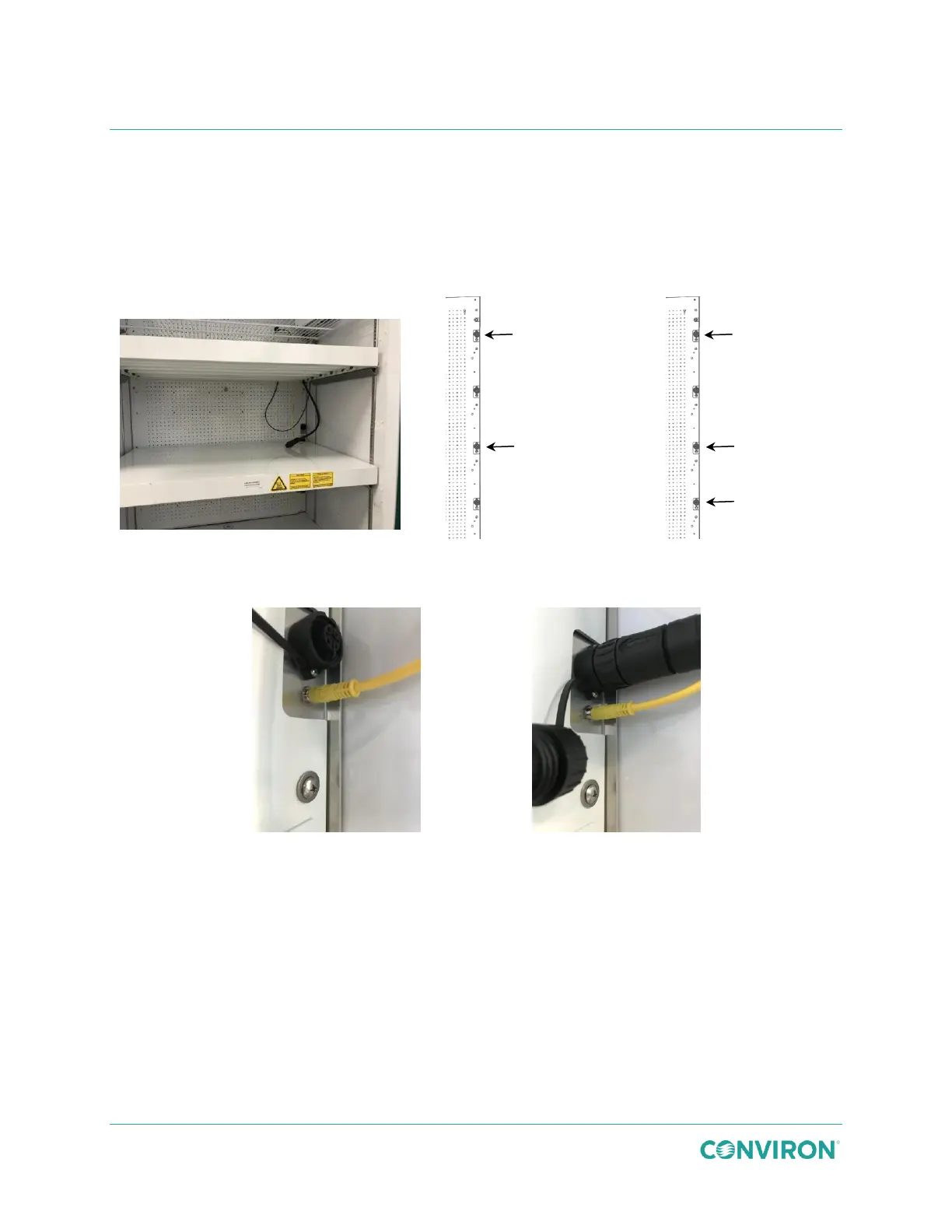
8. To ensure safe and efficient operation of the canopy, the control and power cables
must be plugged into the correct receptacles, as shown in Figure 3-18 and Figure
3-19.
Figure 3-17 Install the Canopies
Figure 3-20 Control Connection
Figure 3-21 Power Connection
9. Plug the yellow canopy control cable into the small receptacle on the right-hand side
of the chamber (Figure 3-20).
10. Unscrew the receptacle protective cover and plug the black canopy power cable plug
into the large receptacle on the right-hand side of the chamber (Figure 3-21).



 To Next Page