Installation
July 22, 2019 | 287960-ENG | R00 31
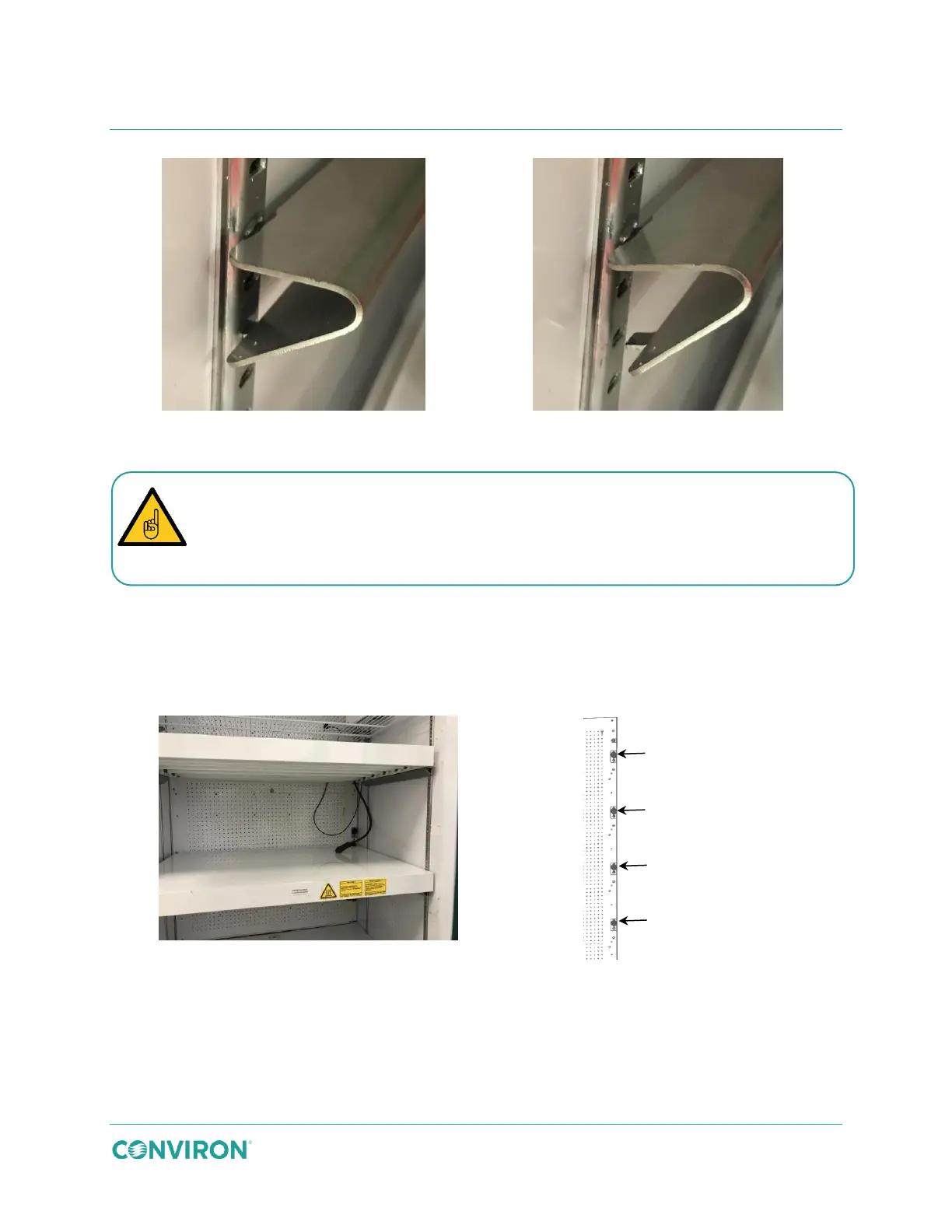
Figure 3-44 Install the Canopy Support Brackets
7. Place the canopy onto the canopy support brackets. Ensure the connection cables
are on the right-hand side of the chamber (Figure 3-45). Repeat for each additional
canopy as required.
8. To ensure safe and efficient operation of the canopy, the control and power cables
must be plugged into the correct receptacles, as shown in Figure 3-46.
Figure 3-45 Install the Canopies
Figure 3-46 IN Canopy Connection
Ensure the canopy support brackets clips are firmly seated into the slots in the
pilaster and that the canopy support is level and secure before installing the canopy.
Incorrectly installed canopy support brackets could cause the canopy to collapse.



 To Next Page