3CC
1-4-7
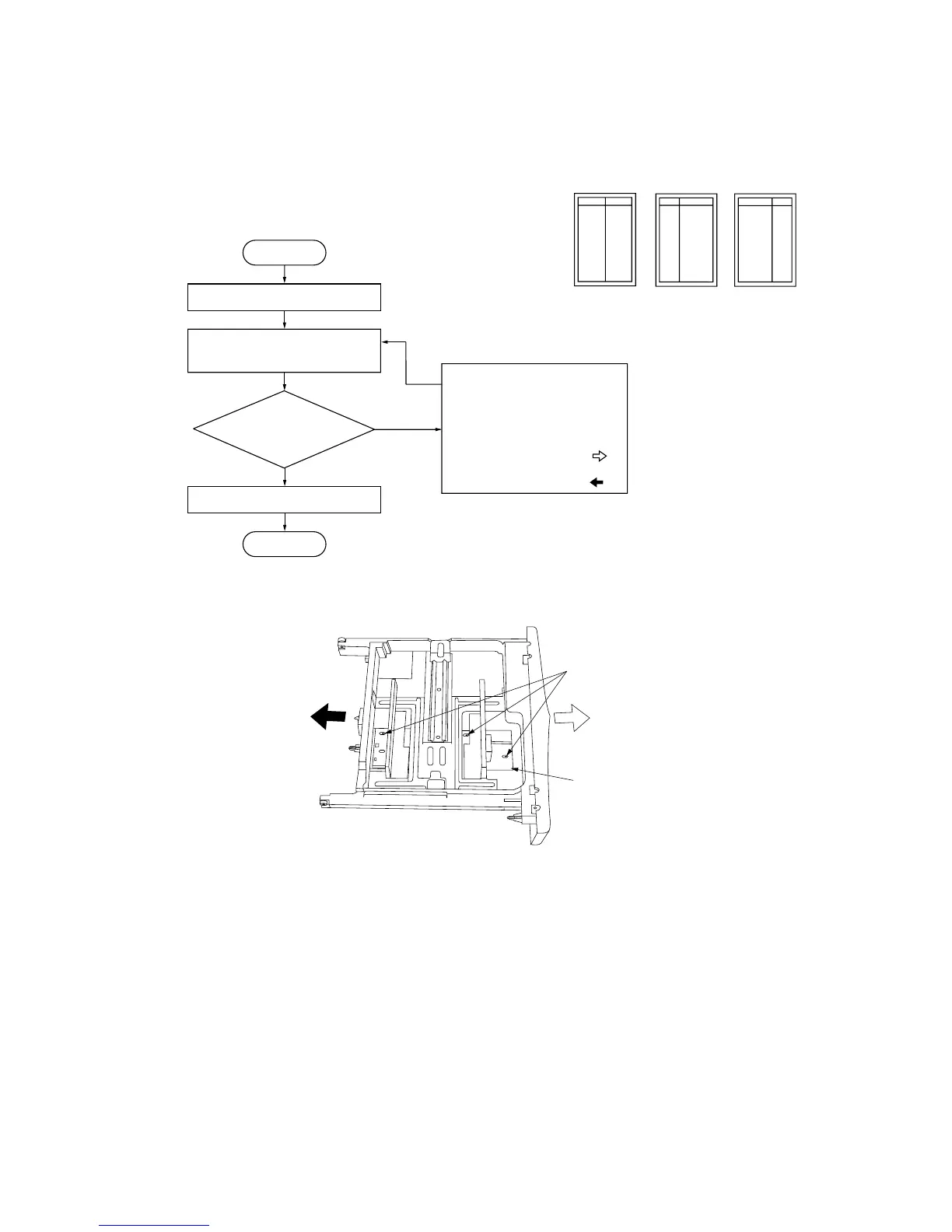
(4) Adjusting the position of the rack adjuster
Perform the following adjustment if there is a regular error between the center lines of the copy image and the original on the
paper fed from the drawer.
Procedure
Yes
No
Run maintenance item U993.
Select “VTC PG1” and output
a test pattern.
Enter maintenance mode.
Exit maintenance mode.
Start
End
Is the image correct?
Loosen the three screws holding
the rack adjuster and change the
position of the adjuster so that
the centers of the original and
the copy image are aligned.
• For output example 1, move
toward the machine front ( ).
• For output example 2, move
toward the machine rear ( ).
Screws
Rack adjuster
Figure 1-4-15 Adjusting the position of the rack adjuster
Correct image Output
example 1
Output
example 2
Figure 1-4-14



 To Next Page