41
2813
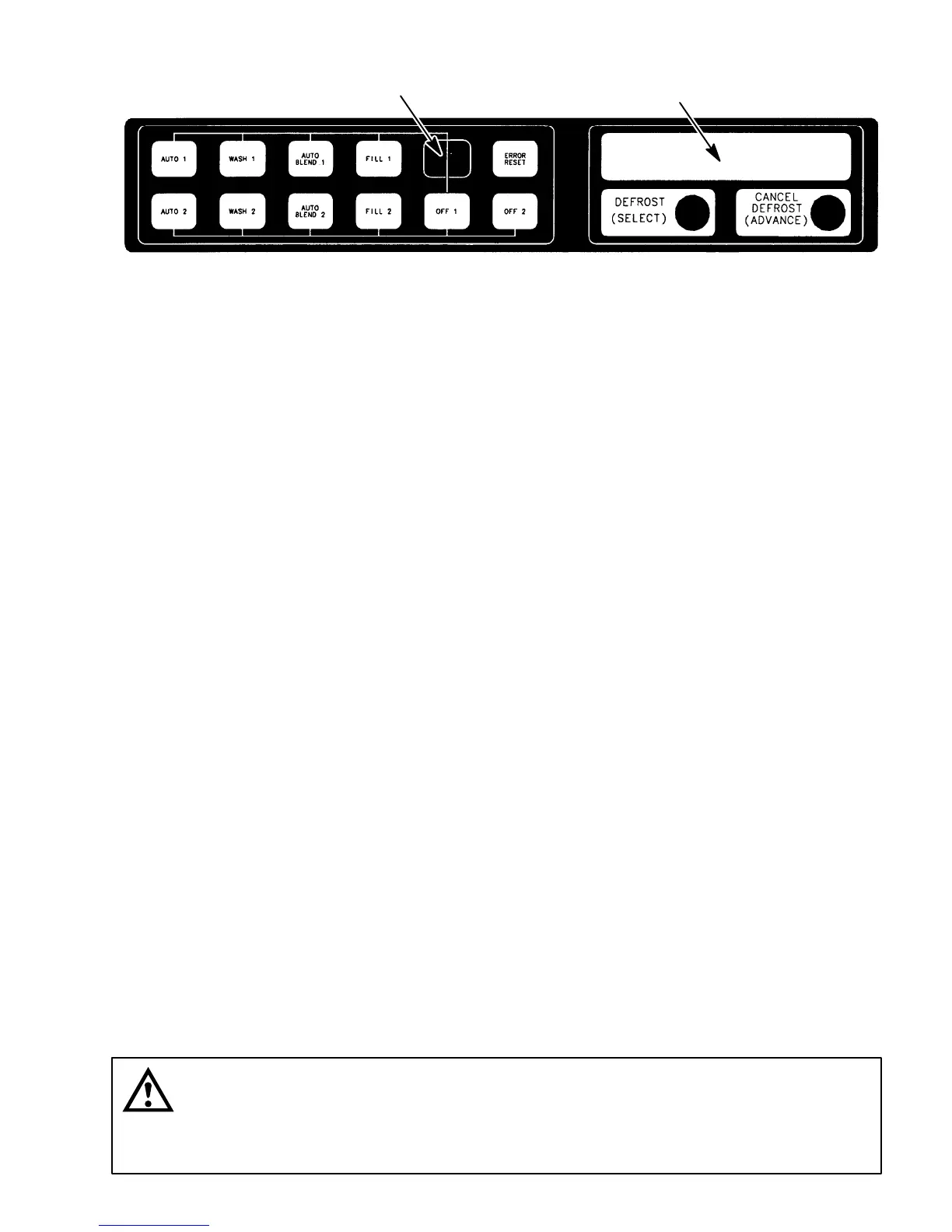
HIDDEN SECURITY
SWITCH
MESSAGE DISPLAY
FIGURE 9. CONTROL PANEL
1. Remove Unit front lower stainless steel access panel as instructed for access to carbonator secondary
CO
2
regulator with 100-psi gage.
2. Observe pressure setting on carbonator secondary CO
2
regulator gage.
3. To lower CO
2
pressure, loosen regulator adjusting screw lock nut. Turn adjusting screw to the left
(counterclockwise) until pressure gage reads 15 psi below desired reading, then turn screw to the right
(clockwise) until gage reads desired pressure. DO NOT SET CO
2
REGULATOR PRESSURE BELOW
25-PSI HIGHER THAN PRODUCT BLENDER TANKS CO
2
REGULATORS ARE ADJUSTED TO (SEE
PRECEDING IMPORTANT NOTE). Tighten adjusting screw lock nut after each adjustment.
4. To raise CO
2
pressure, turn regulator adjusting screw to the right (clockwise) until gage reads desired
pressure. DO NOT SET PRESSURE HIGHER THAN 60 PSI. Make sure primary CO
2
regulator on CO
2
cylinder is set at 80 to 100 psi. Tighten adjusting screw lock nut after each adjustment.
5. Install Unit front lower access panel by reversing removal procedure.
ADJUSTING BEATER MOTOR CURRENT (EITHER SIDE)
Adjusting beater motor current (either side) procedure is very important and must be performed as instructed.
Be sure you fully understand the instructions before performing the current adjustments or doing any
preventative maintenance current readings check.
Any current adjustments or preventative maintenance current readings check on the beater motor
current (either side) must be performed with both freeze cylinders fully defrosted. A partially defrosted
freeze cylinder will cause false current readings to be displayed on the message display. Adjust beater
motor current (either side) as follows:
1. Place No. 4 ‘‘BEATER MOTOR CURRENT READOUT’’ switch on DIP SWITCH assembly on master
circuit board (see Figure 10) in ‘‘ON’’ position. Both freeze cylinders beater motors will start and operate
and beater motors current ratings will be displayed on message display.
2. Display should be adjusted to read A150 B150 ± 2 by adjusting MOTOR CURRENT ADJUSTMENTS
located on No. 1 and No. 2 relay circuit boards (see Figure 10). These figures will fluctuate slightly with
variations in line voltage and motor loads.
3. After completion of adjusting beater motor current to A150 B150 ± 2, make sure No. 5 ‘‘MOTOR
CURRENT SELF-CALIBRATION’’ switch on DIP SWITCH assembly on master circuit board (see Figure
10) is in ‘‘OFF’’ position. No. 5 switch in ‘‘OFF’’ position allows the ‘‘MOTOR CURRENT
SELF-CALIBRATION” electronics to automatically self calibrate the beater motors currents at completion of
each defrost cycle.
CAUTION: IF NO. 4 ‘‘BEATER MOTOR CURRENT READOUT’’ SWITCH ON DIP SWITCH
assembly is placed in ‘‘ON’’ position and beater motor current readings were A155 B145
and switch was then placed back in ‘‘OFF’’ position without readjusting to A150 B150 ± 2,
beater motor current has just been reset at A155 B145. Operating the FCB Dispenser at these
current readings may have serious effects on its operation.












 To Next Page