PBD175 (Spire 3.0) Service Manual
Publication Number: 620062609SER - 20 - ©2015-2016, Cornelius Inc.
ACTIONS OPTIONS
This series of selections is used to navigate different options available to the service technician.
System Reboot Shutdown
This selection does a “soft” shutdown of the computer. Use this selection or the green button behind the display to
reboot the computer to avoid creating corrupted files in the computer.
Display Power
This selection is used to turn off power to the display. The power is shut off at the “Valve Board” through the com-
puter.
Volume Adjustment
This function is not used.
Sanitization
This selection is used to enter into the “Automatic Sanitization” menu. See details in the "Valve Assignment
Options" on page 18.
ADJUST WATER TO SYRUP RATIO (BRIX)
NOTE: During the Brixing process, agitate the ice in the bin occasionally to ensure that the cold plate
is at temperature.
Water and syrup MUST be cold before checking BRIX.
NOTE: Lines must also be purged prior to Brixing.
To BRIX the unit, perform the procedure below.
1. Enter Service mode, as described in "Entering Service Mode" on page 14.
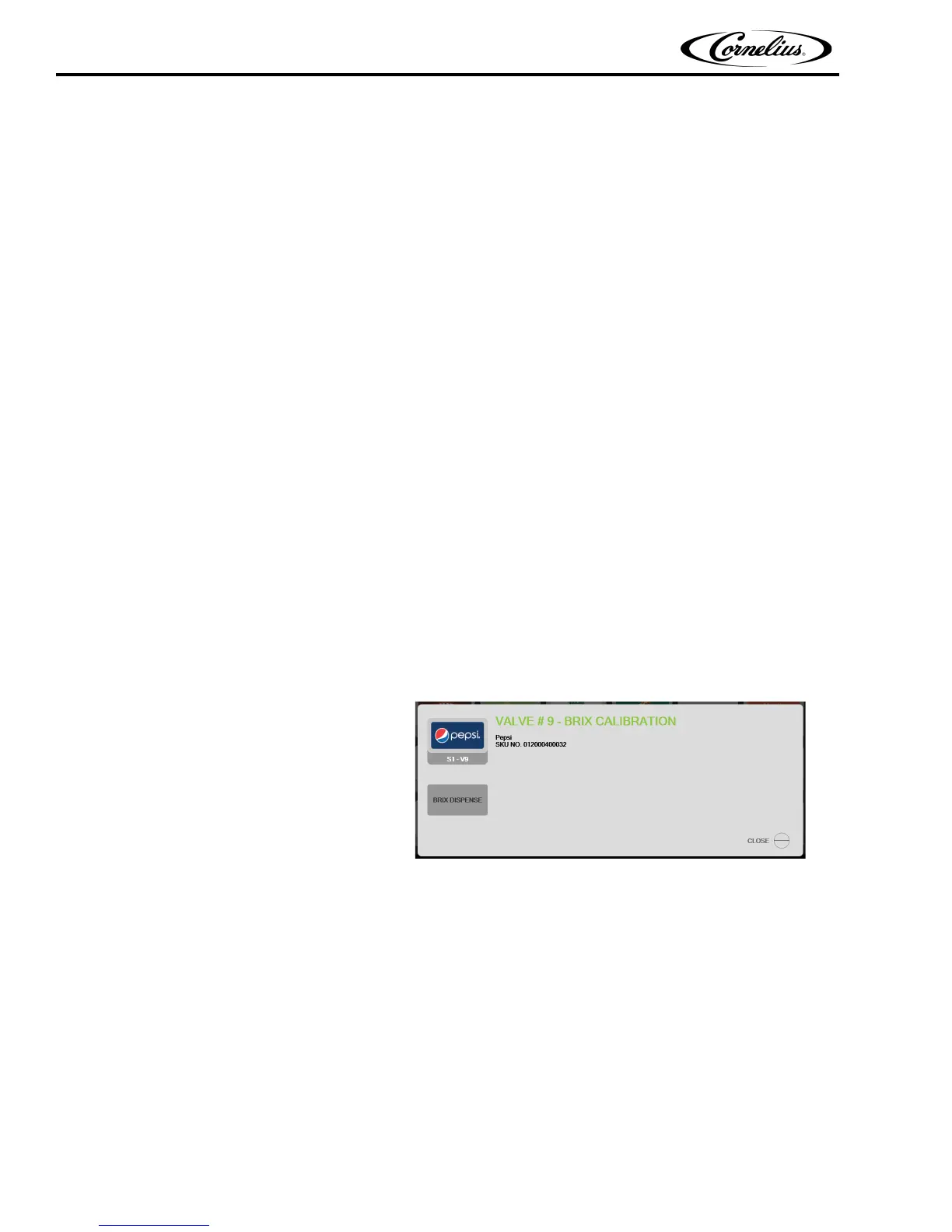
2. Press the brand or flavor to be brixed.
The BRIX screen, shown in Figure 27.
is displayed.
Figure 27.
3. Hold the BRIX cup under the valve and press the “BRIX Dispense” icon.
4. Adjust the carbonated water flow to the desired rate [such as 2 to 3 Oz. (59 to 88.5 ml) per second].
Refer to Figure 28 for valve locations.High carbonation set to 210 ml / 4 seconds and low carbonation set
to 90 ml / 4 seconds.High plain set to 210 ml / 4 seconds and low Plain set to 90 ml / 4 seconds.
5. Turn the flow adjustment valve a 1/4 of a turn at a time and recheck the flow. To increase the flow, turn
the knob clockwise.
6. Set the syrup flow adjustment valve to get the desired ratio.Set flavor shots to dispense 12 ml / 4 sec-
onds.
7. Set syrup volumes to 60 ml (for 5:1 Syrups).
8. Set the flavor shot setting as shown in Table 5.














 To Next Page