PBD175 (Spire 3.0) Service Manual
Publication Number: 620062609SER - 40 - © 2015-2016, Cornelius Inc.
Replacing the Carbonator Sensor
If it is determined that the carbonator sensor is not functioning properly, replace it by performing the procedure
below.
1. Shut down the unit using the service menu on the display.
2. Unplug the power cord from the wall receptacle.
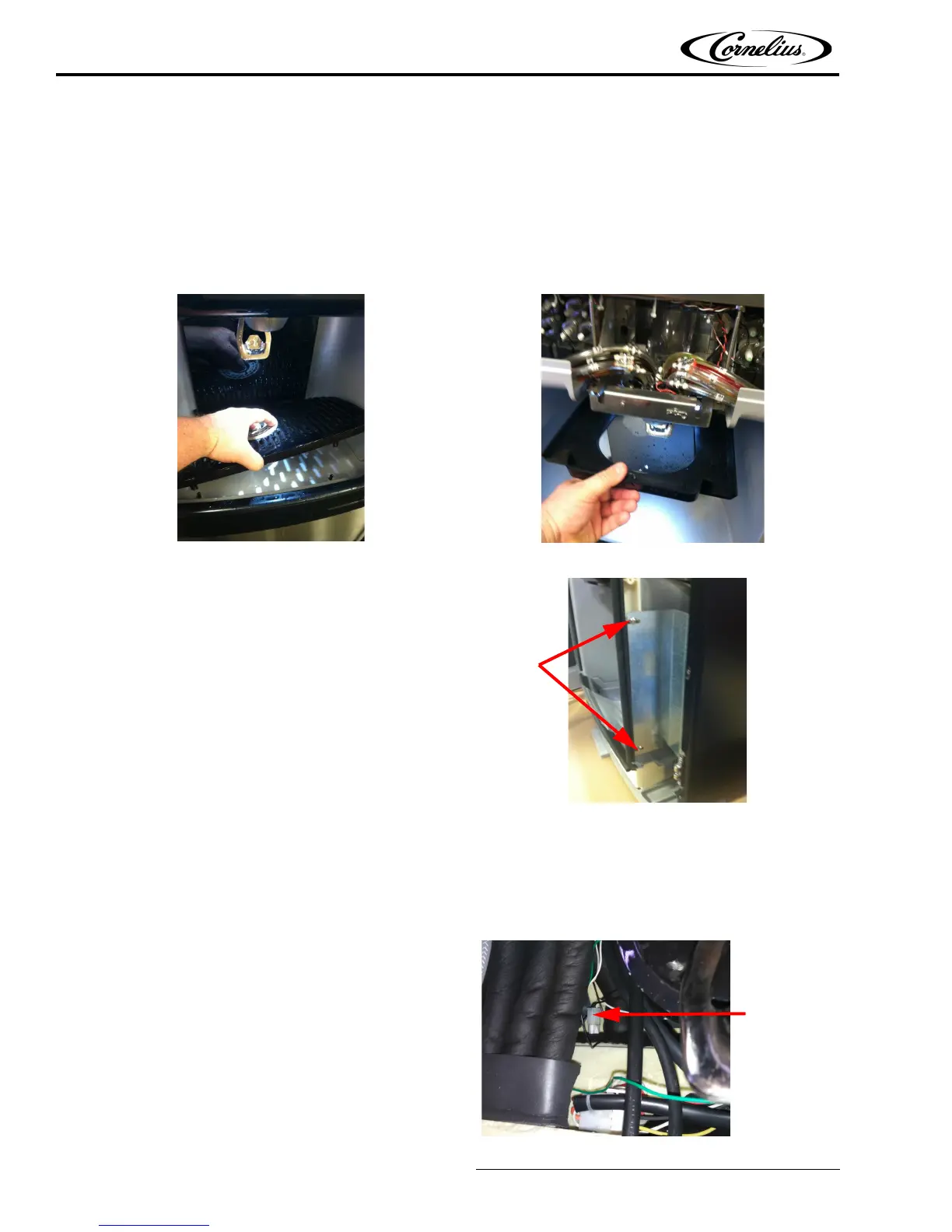
3. Remove the ice slide. Pull the backsplash forward from the top and lift the ice dispense lever to remove
the backsplash from the unit.
Figure 77.
Figure 78
4. Remove the enclave by loosening the 4 mounting
screws (2 on each side) and removing it from the
front of the unit.
Figure 79.
5. Remove drain from enclave.
6. Remove lower access panel.
7. Turn off carb pump, refer to purge steps to clarify.Turn off water go to prime high and low carb until all
water is out and CO
2
is coming out turn off CO
2
pull relief valve.
8. Locate the carbonator probes on the upper left
corner of the area under the valve assemblies.
Figure 80.














 To Next Page