PBD175 (Spire 3.0)) Service Manual
© 2015-2016, Cornelius Inc. - 21 - Publication Number: 620062609SER
Figure 28.
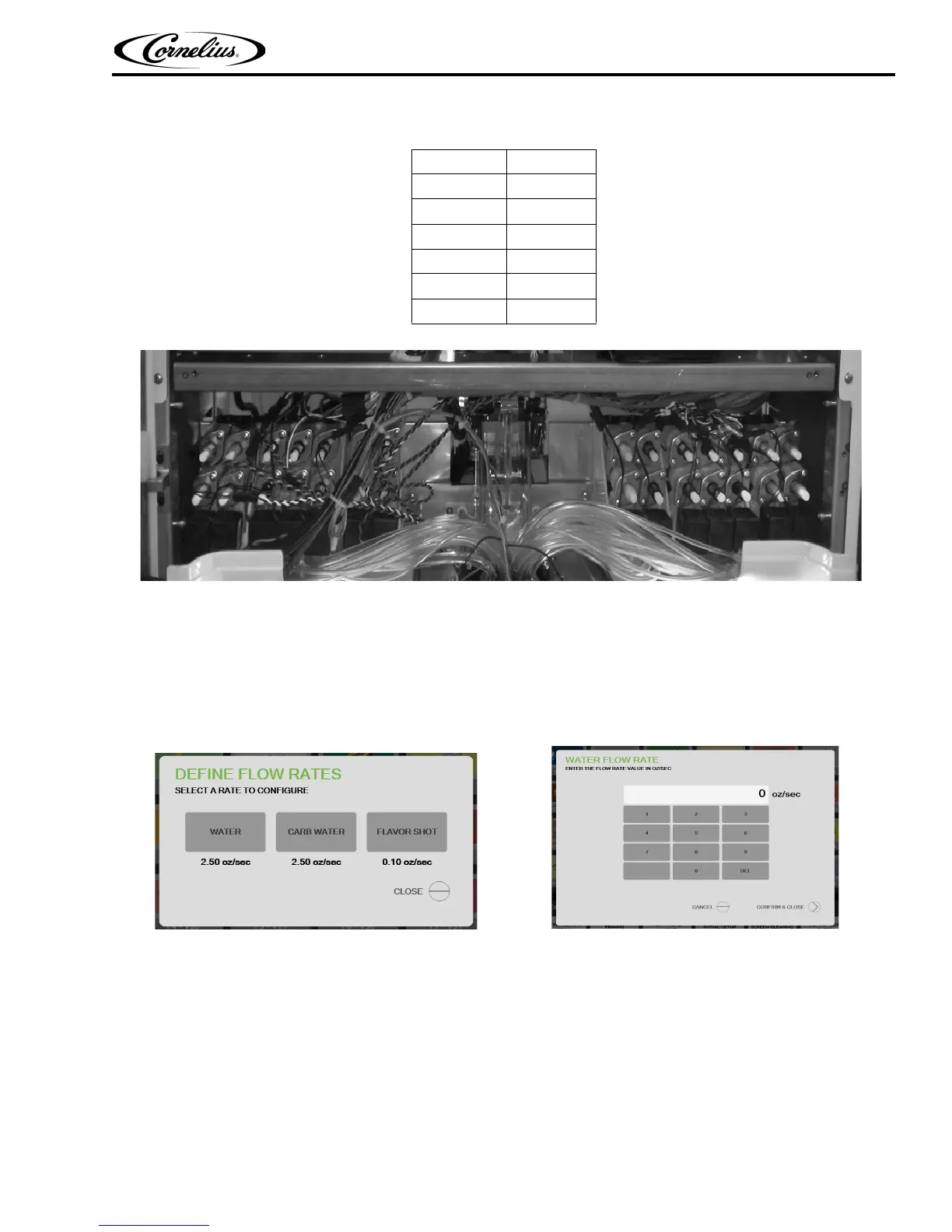
DEFINE INPUT FLOW RATES
The technician has the ability to input the flow rates for water, carbonated water, and flavor shots. Figure 29 displays
the default values for each of the three liquids. After selecting a liquid, the technician can change the associated value
to another valid value, as shown in Figure 30.
SYSTEMS OPTIONS
This series of selections allow the technician to access diagnostics screens that give information as to the status of
the different components and systems of the machine. If the icon is highlighted GREEN then all of the systems in
the group are functioning properly. If the Icon is highlighted RED, then one of the selections has an error and
should be addressed.
EQUIPMENT STATUS
SEN Connections
Monitors the software applications that operate the dispenser.
Table 5.
Valve Flow Rate
High Carb 210 ml
High Plain 210 ml
Low Carb 90 ml
Low Plain 90 ml
Syrup 60 ml (5:1)
Flavor Shot 12 ml
Figure 29. Figure 30.














 To Next Page