PBD175 (Spire 3.0) Service Manual
Publication Number: 620062609SER - 30 - © 2015-2016, Cornelius Inc.
Replacing the Computer
To replace the computer, perform the procedure below.
1. Shut down the unit using the service menu on the display.
2. Unplug the power cord from the wall receptacle.
3. Open the door.
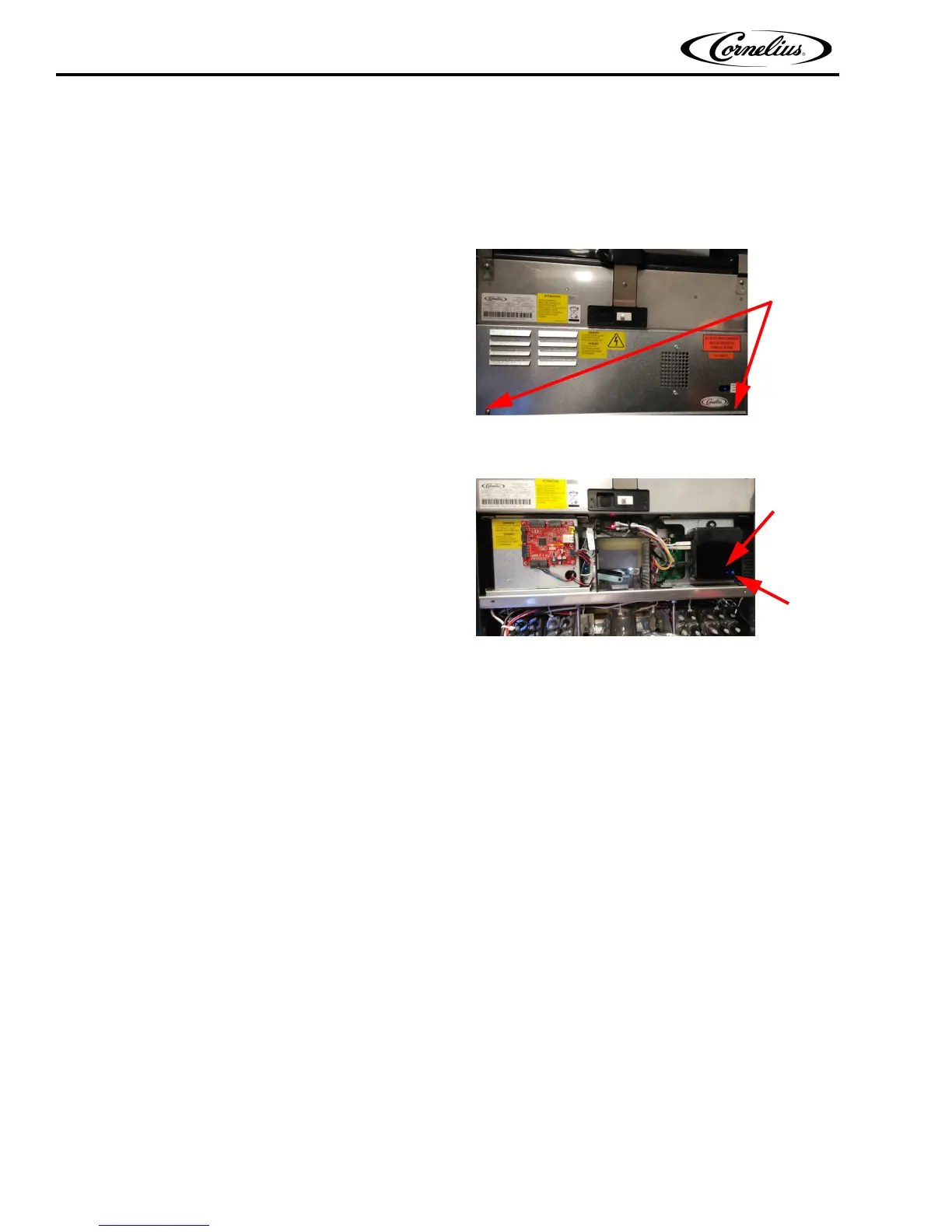
4. Remove the E-box cover by removing the two
mounting screws and sliding the panel down to
disengage the tabs on the top of the panel.
Figure 48.
5. Disconnect all the connections from the top of the computer.
6. Remove screw retaining computer prior to
sliding.Slide the computer to the right to disengage
the screws on the back of the computer from the
keyhole slots on the mounting bracket.
Figure 49.
7. Replace the computer with a new unit.
8. Reconnect the connectors on the top of the
computer.
9. Replace the E-box cover and close the door.
10. After plugging in, refer "Starting the Unit" on page 10 to resume normal operation.














 To Next Page