Setup Assembling the CubiScan 125
CubiScan 125 8
Attaching the Top Sensor Support
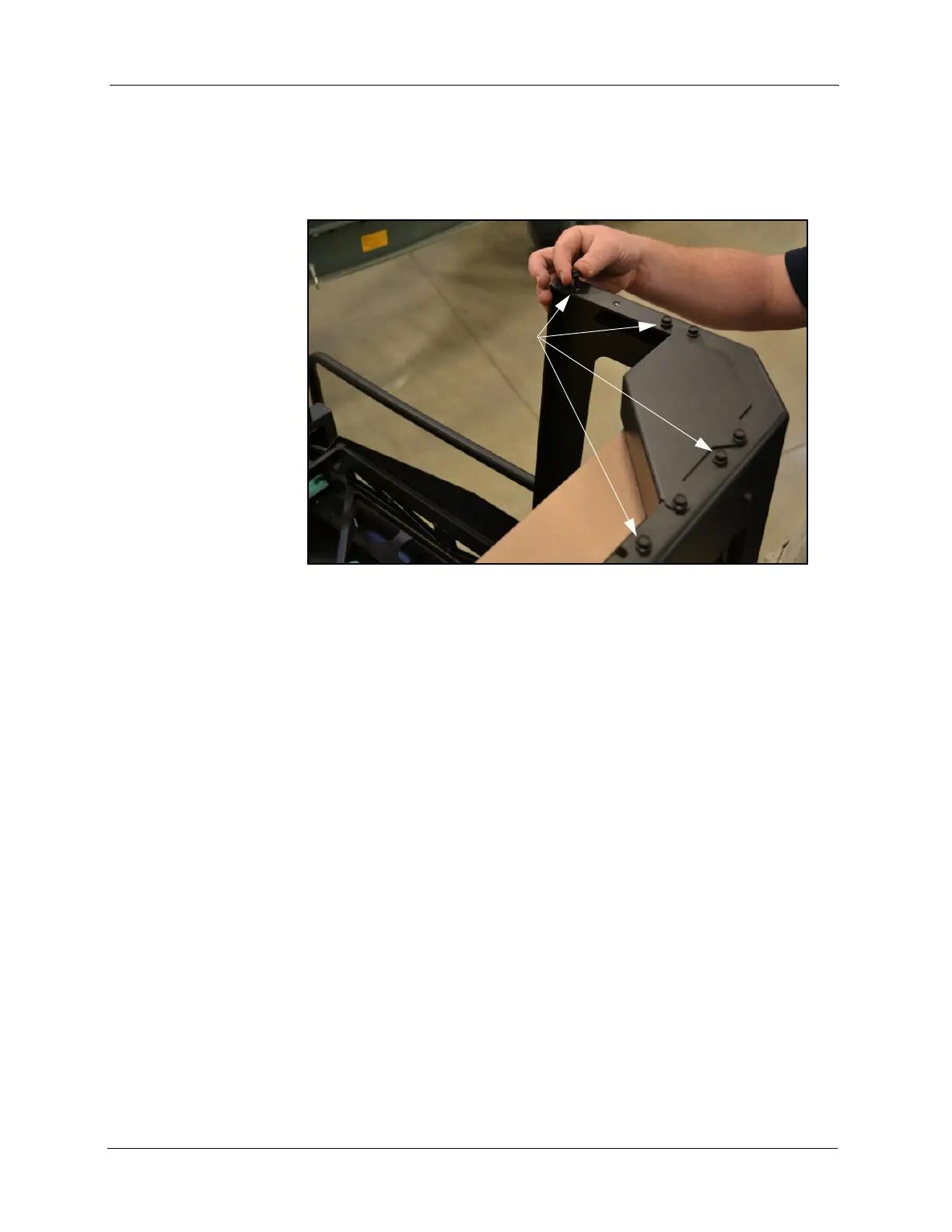
1. Remove the four raised screws from the top of the CubiScan 125 base
assembly, and retain them to attach the top sensor support.
2. Set the top sensor support in position on top of the CubiScan 125 gate
support, and line up the screw holes.
Figure 3
Raised Screws at Top of Assembled CubiScan 125
Remove four raised screws.



 To Next Page