Troubleshooting Diagnostics
CubiScan 125 78
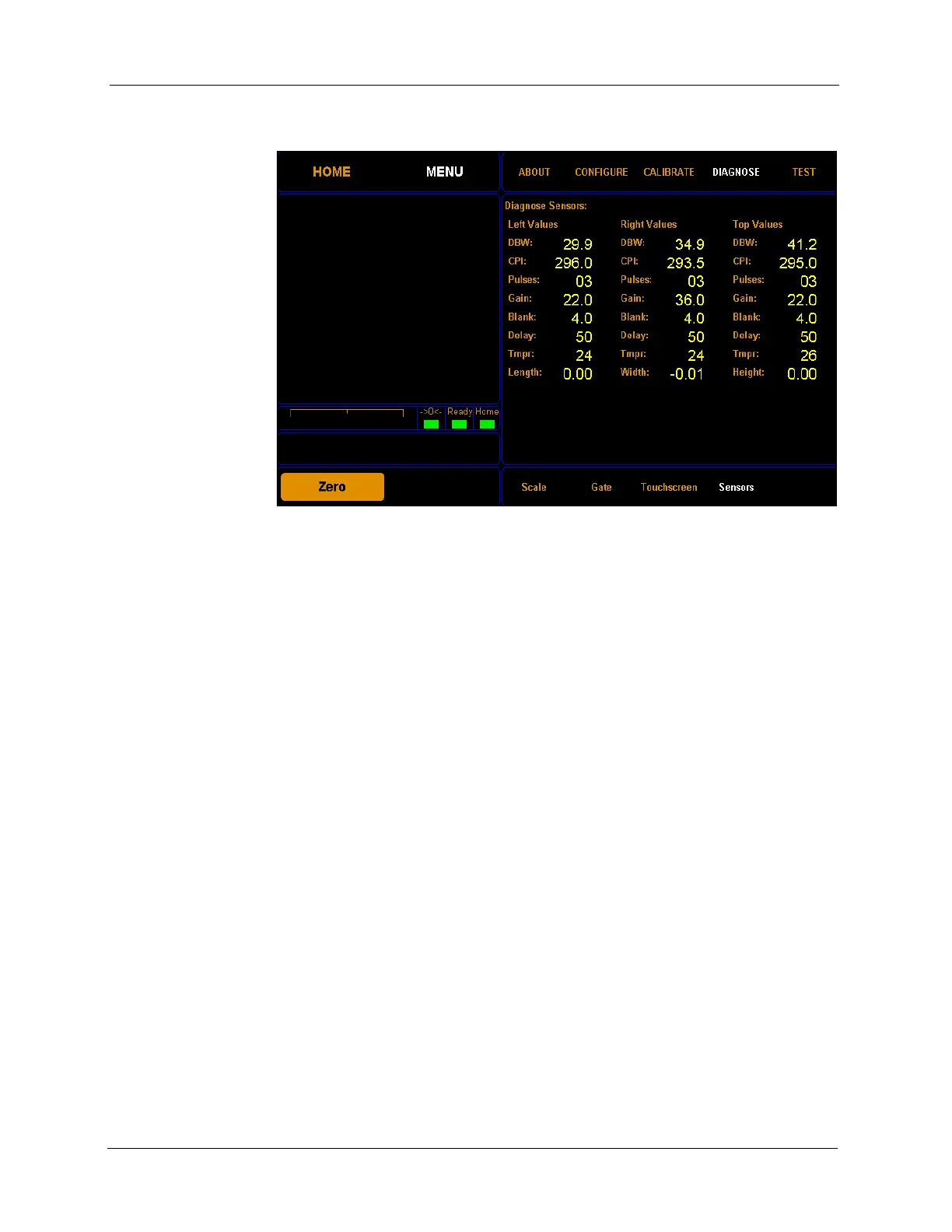
2. Tap DIAGNOSE. Select the Sensors option if it is not already selected.
From this screen you can view the sensor diagnostics for the left, right, and
top sensor.
DBW This field displays the distance from the back wall to the sensor.
CPI This field displays the counts per inch.
Pulses This field displays the number of pulses the sensor has received.
Gain This field displays the gain step distance, which affects the sensor
sensitivity.
Blank This field displays the blanking value, which is the dead zone in front of a
sensor.
Delay This field displays the internal timing parameter of the sensor in
milliseconds.
Tmpr This field displays the internal temperature of the sensor.
Length
Width
Height
These fields display the current length, width, or height measurement.
Figure 74
Diagnostic Sensors



 To Next Page