Configuration System Configuration
CubiScan 125 39
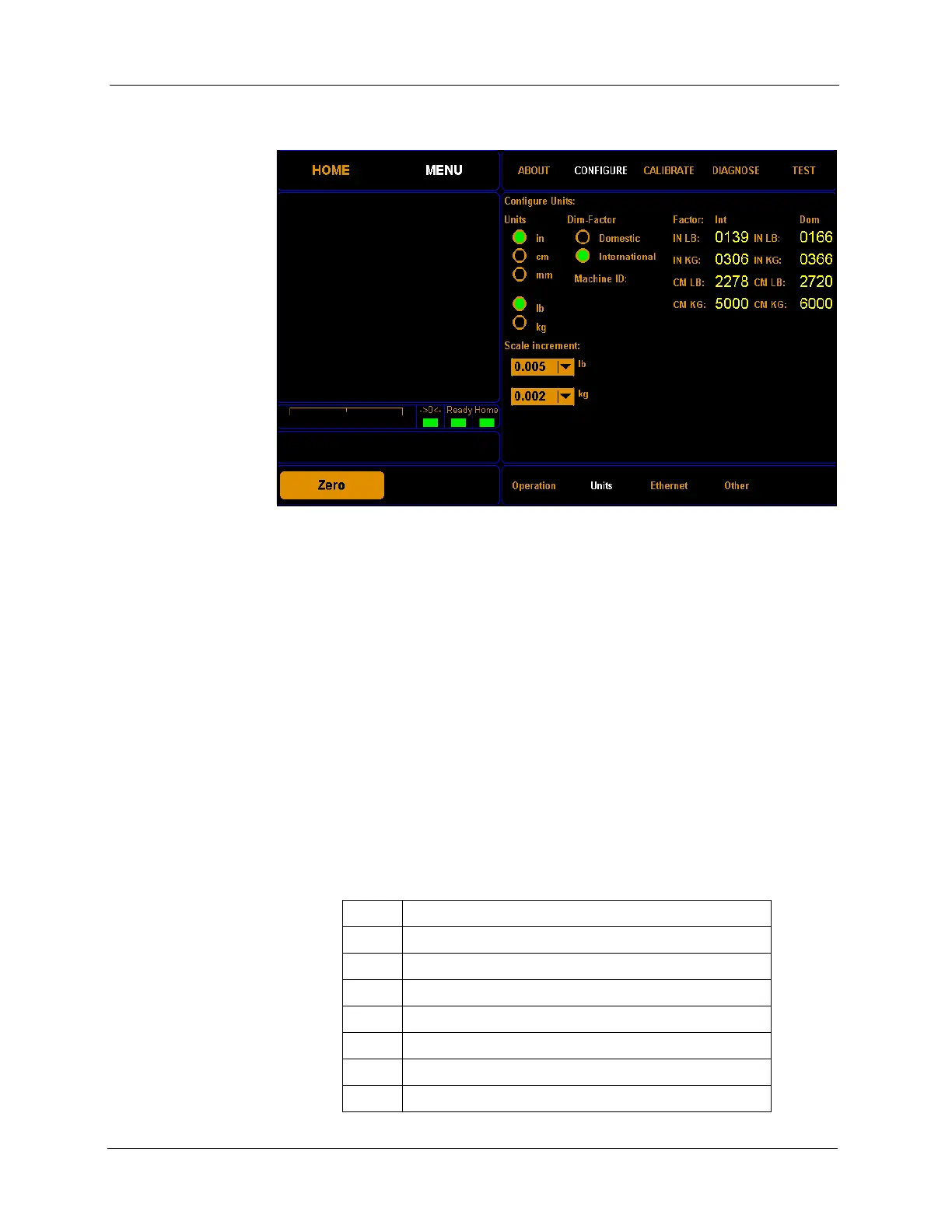
2. Tap CONFIGURE. Select the Units option if it is not already selected.
Units In this field you can select the units that will be used. The options are
inches (in), centimeters (cm), millimeters (mm), pounds (lb), or kilograms
(kg).
Scale Increment In this drop-down box you can select the accuracy of the scale in pounds or
kilograms. The options for pounds are 0.005, 0.01, or 0.02. The options for
kilograms are 0.002, 0.005, or 0.01.
Dim-Factor In this field you can select the dim factor that will be used. The options are
domestic and international.
Factors In these fields you can view or change the current dim factor values.
The following table displays the default dimensional weight factors used by
the CubiScan.
Figure 34
Configure Operation
139 International: inches, pounds (in lb)
166 Domestic: inches, pounds (in lb)
306 International: inches, kilograms (in kg)
366 Domestic: inches, kilograms (in kg)
2278 International: centimeters, pounds (cm lb)
2720 Domestic: centimeters, pounds (cm lb)
5000 International: centimeters, kilograms (cm kg)
6000 Domestic: centimeters, kilograms (cm kg)



 To Next Page