Calibration Calibrating the Touchscreen
CubiScan 125 50
3. Tap the [>] button to go to the next screen.
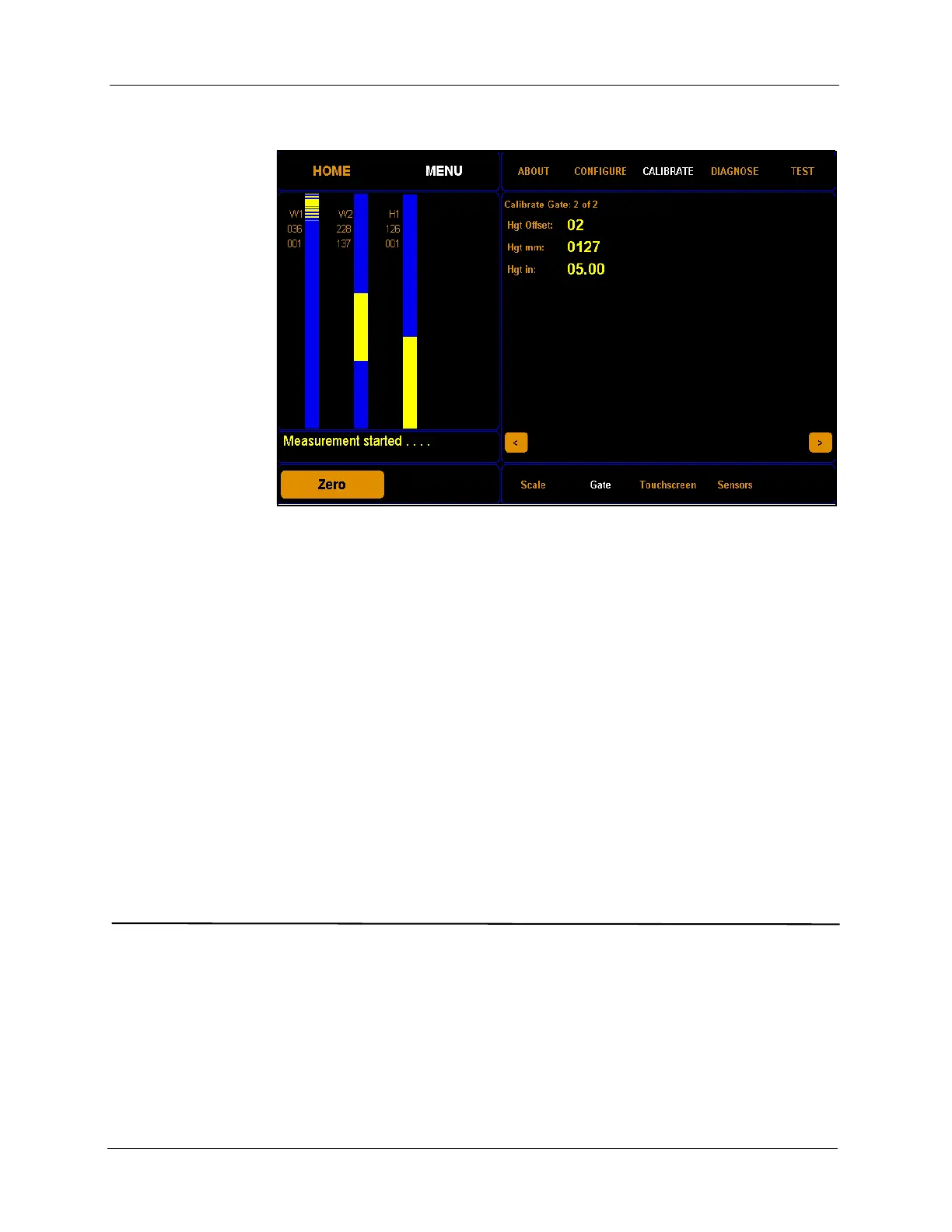
From this screen you can adjust the height offset field. Adjust the height
offset only if your height measurements are inaccurate.
To adjust the height offset, complete the following steps.
Step 1.0 Place the calibration cube in the gate measurement field
with the five inch side upwards. The
Hgt in field will display
the current height in inches.
Step 1.1 Click on the
Hgt Offset field to adjust the height offset.
Adjust this field until the
Hgt in field reads as close to 5.00
inches as possible. The height offset value may be slightly
different for each CubiScan.
Calibrating the Touchscreen
If you are having problems selecting functions on the touchscreen, you may
need to recalibrate it. You should recalibrate any time it becomes difficult
to select options on the screen.
Take the following steps to calibrate the touchscreen.
Figure 46
Second Gate Calibration Screen



 To Next Page