Operation Cubing and Weighing
CubiScan 125 29
1. Verify that the CubiScan 125 scale is at zero. The zero indicator should
be lit.
2. Place the object on the glass platform. The
zero indicator light will go
out.
NOTE
Do not lean on or touch the CubiScan 125 platform or the object while an object is
being measured. Any kind of contact with the platform during the measurement
process can alter the weight or sensor reading.
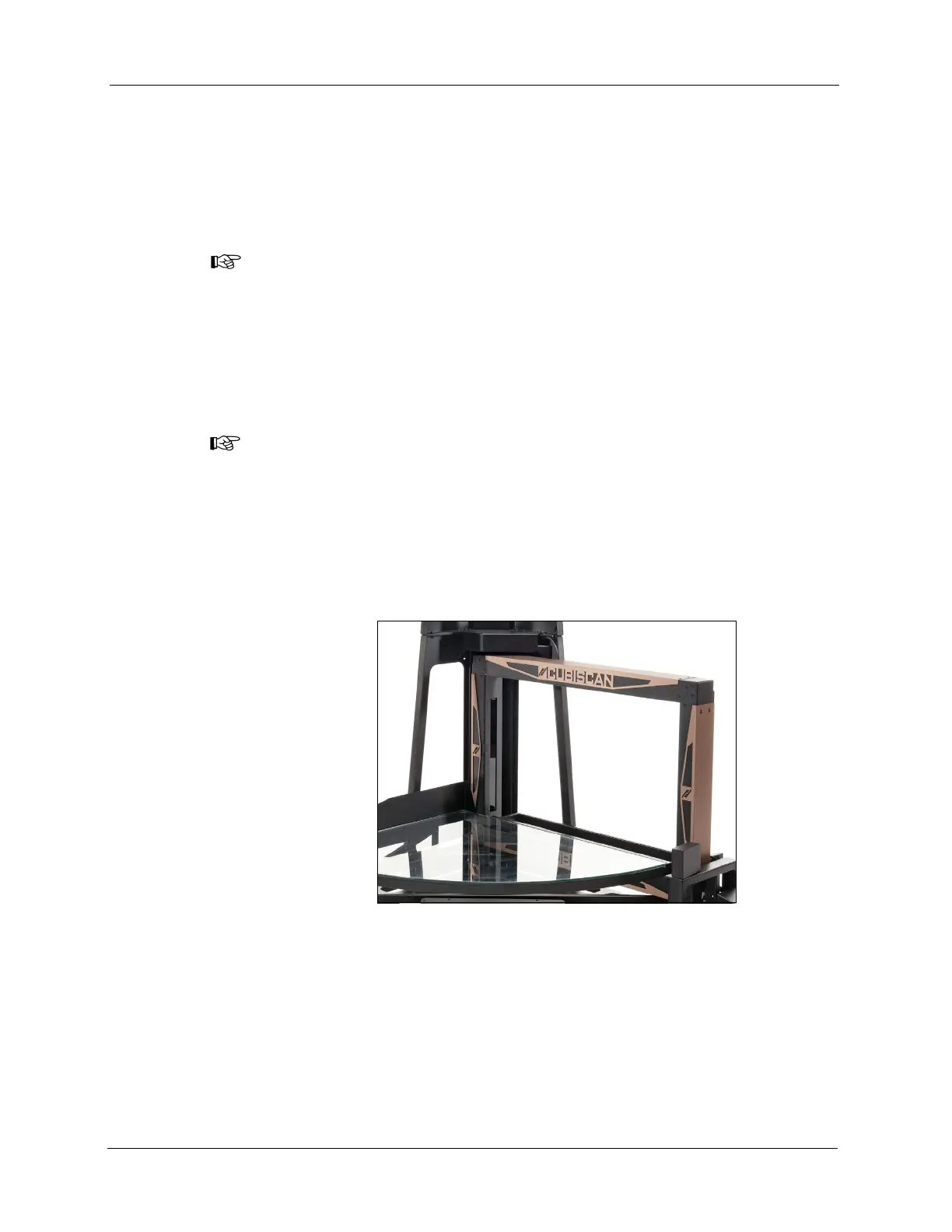
3. Using one of the gate movement methods described above, move the
measurement gate slowly using the handle. If the measurement was
successful the length, width, height, and weight of the object are
displayed.
NOTE
Do not move the gate too quickly across the platform. A gate speed error is
displayed on the touchscreen if you move it too quickly.
4. Remove the object from the platform. Wait for the zero indicator to
light before placing the next object on the platform.
5. If the
zero indicator does not light, it means that the CubiScan 125
needs to be zeroed. To zero the scale, make sure that the platform is free
of all objects, then tap
[Zero].
A two-dimensional image of the object, as well as the length, width,
height, and weight of the object are displayed on the touchscreen.
Tap the image to display an image of the object’s height. Tap the height
image to return to the two-dimensional width and length image.
Figure 24
Measuring Gate



 To Next Page