Troubleshooting Diagnostics
CubiScan 125 69
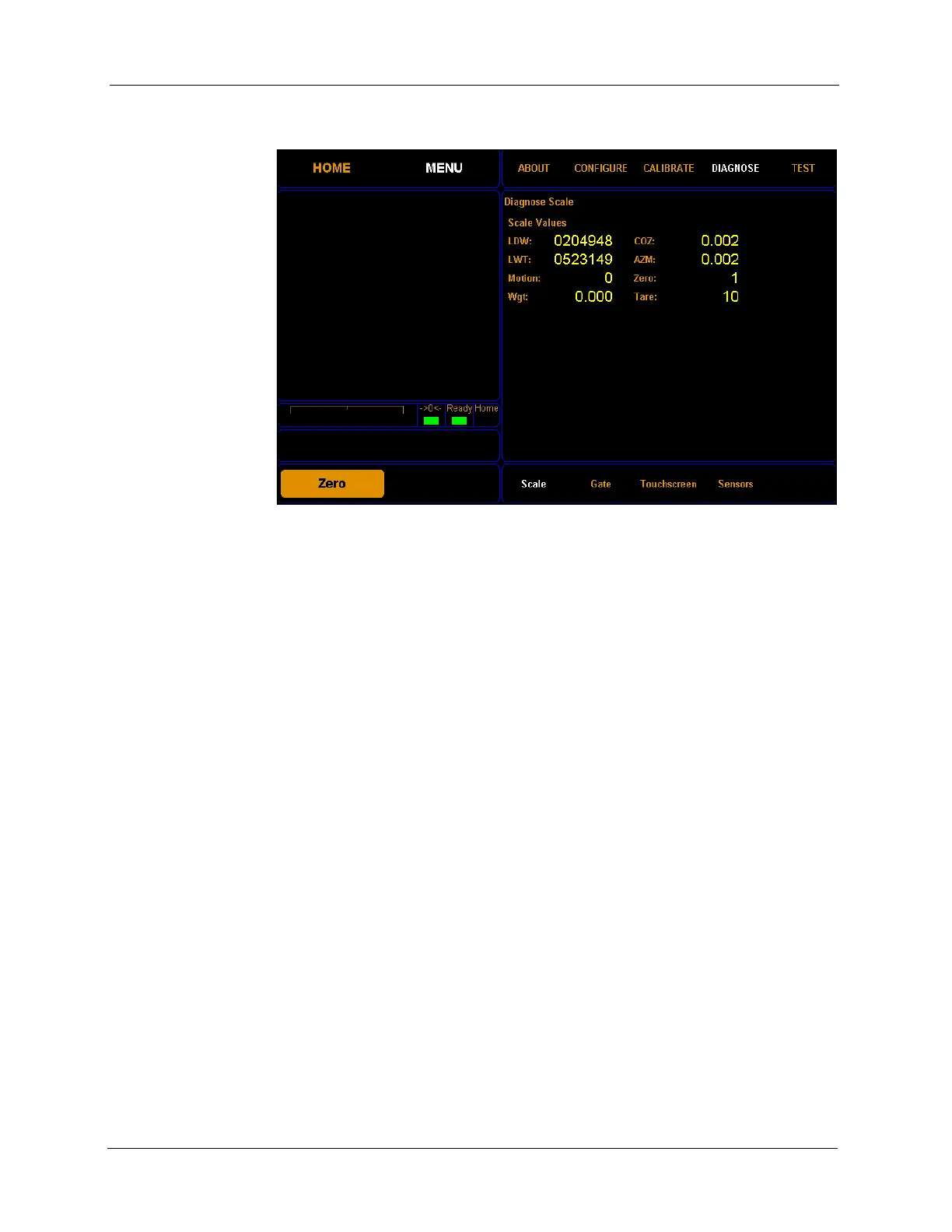
2. Tap DIAGNOSE. Select the Scale option if it is not already selected.
From this screen you can view the diagnostic scale values.
LDW This field displays the dead weight count.
LWT This field displays the full weight count.
Motion This field displays the motion status of the scale.
0=No motion
1=Motion
Wgt This field displays the current weight.
COZ This field displays the center of zero.
AM This field displays the auto zero tracker.
Zero This field displays whether there is weight on the scale or not.
0=Weight on scale
1=No weight on scale
Tare This field displays the zero adjustment count.
Gate Diagnostics
Complete the following steps to view the gate diagnostics.
Figure 65
Scale Diagnostics



 To Next Page