V0215, 3.13
• Enabled (equal sizes)
When Enabled all segments will have an equal size.
When Disabled the calculation is including half size segments. If in this case a problem
with the size of the V die is detected in the bend sequence determination, the user is
asked whether or not to select a re-calculation with equally sized segments.
When you must program such a bend, first program a standard angle with adjacent sides.
Then put the cursor back on the angle, tap the function Properties and select Bumping as
Bend Type. You will be prompted to program the radius, the number of segments and if you
like to have equal bumping segments or not. After programming these parameters the radius
is drawn in the product and a message will appear on the screen with information about the
smallest calculated segment length. The smallest segment length has consequences for the
selection of the die.
3.4.3. Hem bends
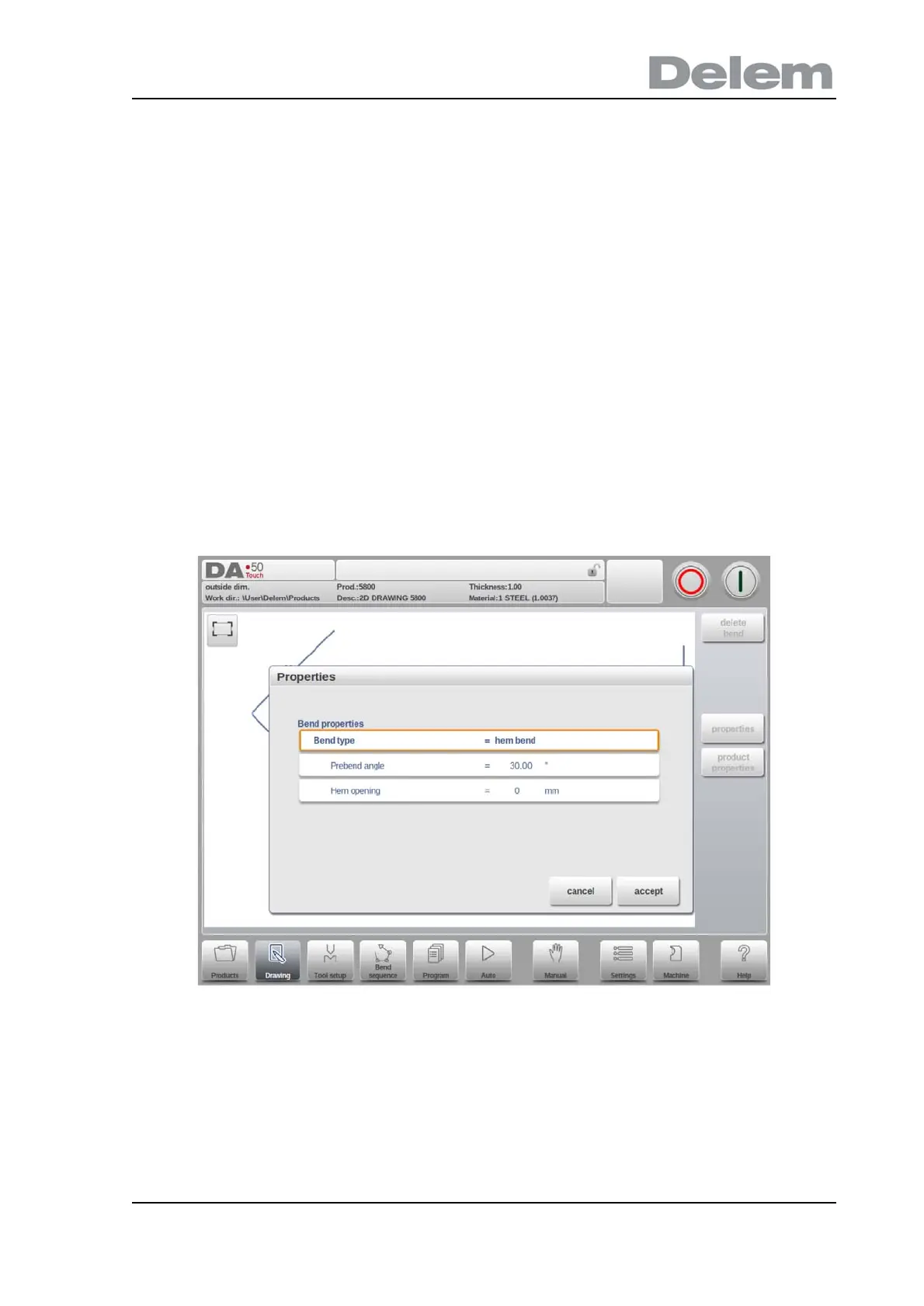
When creating the required profile of the product with a hem bend it is possible to first prepare
a flange with a prebend angle, place the cursor on the bend and select Properties. The bend
properties can be programmed in the pop-up window.
It is also possible to create a hem bend by placing the cursor on the flange end where the hem
bend is required and select properties. In this way the pop-up window will appear with an extra
parameter to fill-out.
Bend properties
Prebend angle
The required angle of the pre-bend, normally a sharp angle. The angle can be set upon



 To Next Page